
7 Best Garmin Approach R10 Simulator Setups for 2026 (Cost Breakdown)
We compared 7 real Garmin Approach R10 golf simulator setups from $500 to $5,000 on price, space and what is included to find the best value build.

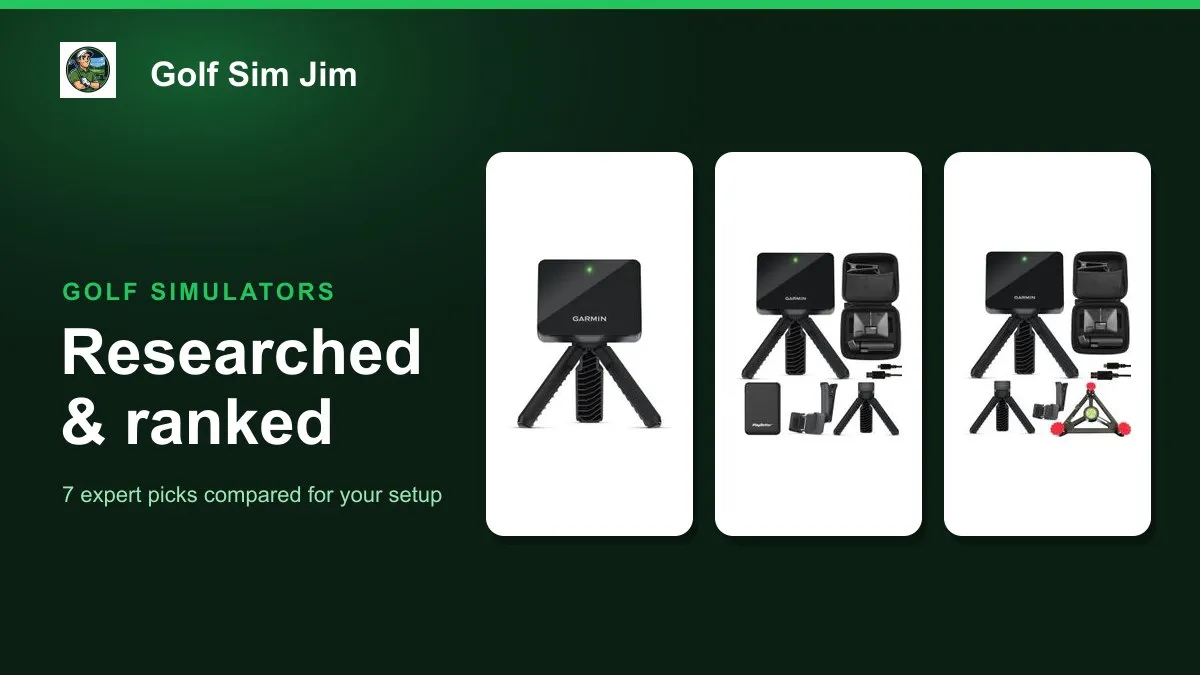
The Garmin Approach R10 is the most popular way to build an affordable home golf simulator, but the sensor is only the first line in the budget. This guide compares seven real ways to buy and build an R10 setup, from the bare launch monitor at around $500 to bundles that add a charger, an alignment stand or a premium net, plus the enclosure that turns it into a projected simulator and the step-up Garmin R50 for anyone who outgrows radar. We weighed each on what is actually in the box, the space it needs, the price and the warranty, so you can see where every dollar goes. Whether you want the cheapest route in, a done-for-you starter bundle or the closest thing to a ready-to-hit setup, one of these fits. Below you will find the best overall pick plus category winners for range days, accuracy, starter bundles, enclosures, complete setups and premium upgrades, then a plain buying guide.
Table of contents
- Quick picks
- Setup price compared
- Comparison table
- Best Overall: Garmin Approach R10
- Best for Range Days: Garmin Approach R10 + PlayBetter Charger Bundle
- Best for Accuracy: Garmin Approach R10 + Simulator Stand Bundle
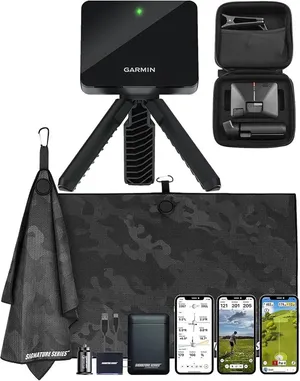
- Best Starter Bundle: Garmin Approach R10 Signature Series Power Bundle
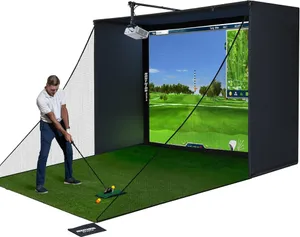
- Best Enclosure Upgrade: Complete Golf Simulator Enclosure Package
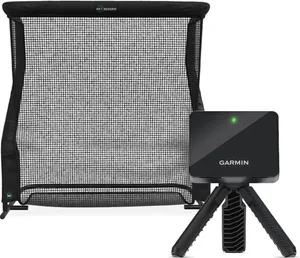
- Best Complete Setup: Garmin Approach R10 + Net Return Pro Series V2 Bundle
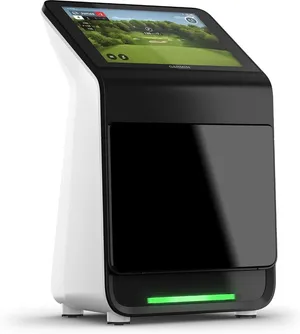
- Best Premium Upgrade: Garmin Approach R50
- How we researched these picks
- How to choose a Garmin R10 simulator setup (buying guide)
- FAQ
Quick picks
Every pick wins a specific use case. Jump to the full review before you buy.
-
Best Overall
Garmin Approach R10
The bare Garmin Approach R10 is the smartest starting point for almost every home simulator because it delivers the same 14 tracked metrics and virtual course play as the pricier bundles for the lowest sticker price.
-
Best for Range Days
Garmin Approach R10 + PlayBetter Charger Bundle
This bundle pairs the R10 with a PlayBetter power bank for only a few dollars more, which keeps the sensor and your phone alive through a full outdoor session away from any outlet.
-
Best for Accuracy
Garmin Approach R10 + Simulator Stand Bundle
Bundling the R10 with a PlayBetter alignment stand solves the number one cause of bad radar data, inconsistent placement, so the unit sits square and level shot after shot.
-
Best Starter Bundle
Garmin Approach R10 Signature Series Power Bundle
The Signature Series Power Bundle gathers the R10, a charger and an accessory kit into one order, a tidy first purchase for someone who wants the extras sorted without shopping around.
-
Best Enclosure Upgrade
Complete Golf Simulator Enclosure Package
This all-in-one impact screen and cage turns a bare R10 into a projected simulator, bundling the screen, blackout cage, poles, side nets and projector mount that a launch monitor cannot supply on its own.
-
Best Complete Setup
Garmin Approach R10 + Net Return Pro Series V2 Bundle
Pairing the R10 with the well-regarded Net Return Pro Series V2 gives you a launch monitor and a premium ball-returning net in one purchase, the closest thing here to a ready-to-hit indoor setup.
-
Best Premium Upgrade
Garmin Approach R50
If the R10 room is too small for radar or you want lab-style data, the camera-based R50 is the premium step up, with a built-in touchscreen, three high-speed cameras and 15 plus metrics.
Compare every pick
| Product | Award | Setup role | What's included | Space needed | Price | Warranty | Best for | Where to buy |
|---|---|---|---|---|---|---|---|---|
| Garmin Approach R10 | Best Overall | Core radar launch monitor | R10 unit, tripod, phone mount, carry case | About 8 ft of ball flight | $500 | 1 year | Anyone building an R10 simulator who already has a net and mat or wants to add them piece by piece | Check price on Amazon for Garmin Approach R10 at Amazon (affiliate link) |
| Garmin Approach R10 + PlayBetter Charger Bundle | Best for Range Days | Launch monitor with power bank | R10 unit plus PlayBetter 5000mAh charger | About 8 ft of ball flight | $505 | 1 year | Players who practice mostly outdoors or in a garage without a convenient power outlet | Check price on Amazon for Garmin Approach R10 + PlayBetter Charger Bundle at Amazon (affiliate link) |
| Garmin Approach R10 + Simulator Stand Bundle | Best for Accuracy | Launch monitor with alignment stand | R10 unit plus PlayBetter alignment stand | About 8 ft of ball flight | $525 | 1 year | Data-focused golfers who want repeatable numbers from a fixed indoor hitting position | Check price on Amazon for Garmin Approach R10 + Simulator Stand Bundle at Amazon (affiliate link) |
| Garmin Approach R10 Signature Series Power Bundle | Best Starter Bundle | Starter accessory bundle | R10 unit plus charger and accessory kit | About 8 ft of ball flight | $510 | 1 year | First-time buyers who want a charger and starter extras bundled without researching each one | Check price on Amazon for Garmin Approach R10 Signature Series Power Bundle at Amazon (affiliate link) |
| Complete Golf Simulator Enclosure Package | Best Enclosure Upgrade | Impact screen and cage | 4K impact screen, blackout cage, frame poles, side nets, projector mount | About 10 x 8 ft enclosure | $800 | 1 year | R10 owners ready to move from a net to a full projected screen setup in a garage or spare room | Check price on Amazon for Complete Golf Simulator Enclosure Package at Amazon (affiliate link) |
| Garmin Approach R10 + Net Return Pro Series V2 Bundle | Best Complete Setup | Launch monitor and premium net package | R10 unit plus Net Return Pro Series V2 net | About 8 to 10 ft with net | $1295 | 1 year | Buyers who want the R10 and a high-quality net in a single purchase and value durability | Check price on Amazon for Garmin Approach R10 + Net Return Pro Series V2 Bundle at Amazon (affiliate link) |
| Garmin Approach R50 | Best Premium Upgrade | Premium all-in-one camera simulator | R50 unit with 10 in touchscreen and 3 cameras | About 8 ft indoors | $5000 | 1 year | Serious golfers with the budget who want camera accuracy in a tight indoor space | Check price on Amazon for Garmin Approach R50 at Amazon (affiliate link) |
Swipe sideways to compare every column.
Best Overall
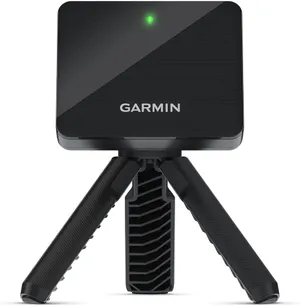
Garmin Approach R10
by Garmin
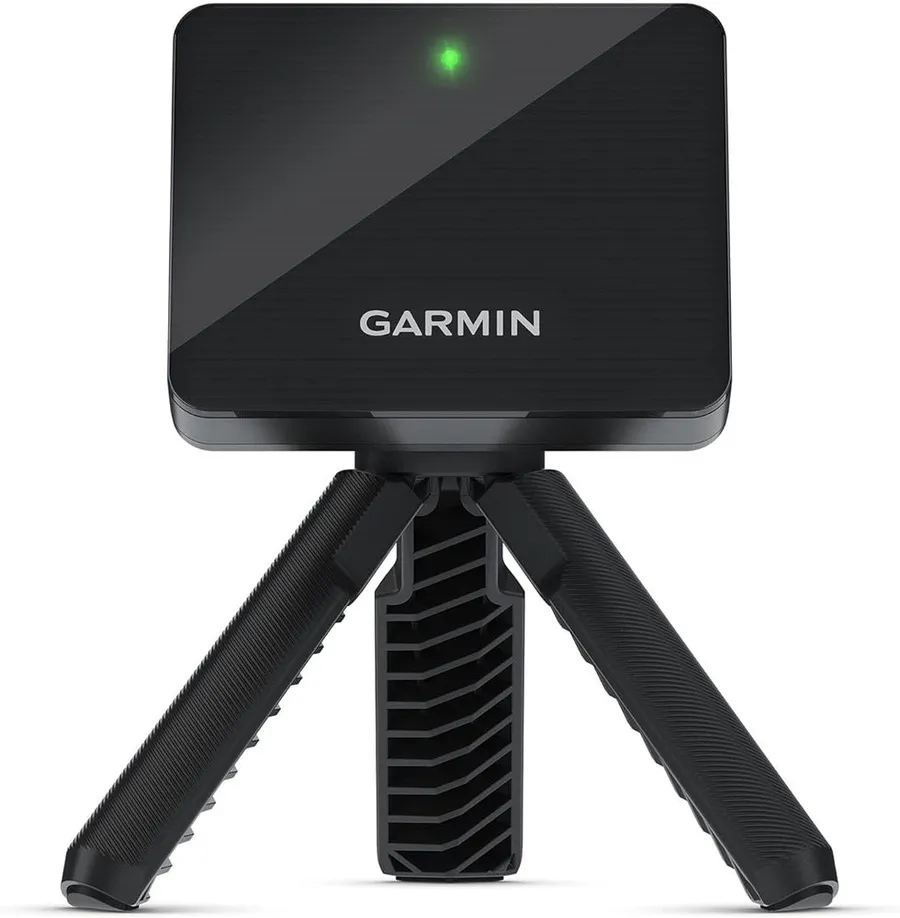
The bare Garmin Approach R10 is the smartest starting point for almost every home simulator because it delivers the same 14 tracked metrics and virtual course play as the pricier bundles for the lowest sticker price.
What we like
- Same radar sensor and 14 metrics as every R10 bundle, so you pay only for the core hardware
- Ships with tripod, phone mount and case, enough to start hitting the same day
- Up to 10 hours of battery covers long range sessions and indoor rounds
What we don't
- You still have to buy a net or enclosure and a hitting mat separately before it is a real simulator
| Setup role | Core radar launch monitor |
|---|---|
| What's included | R10 unit, tripod, phone mount, carry case |
| Space needed | About 8 ft of ball flight |
| Price | $500 |
| Warranty | 1 year |
| Install difficulty | Easy |
| Price bracket | $$ |
The Approach R10 is the launch monitor at the heart of every setup on this list. It is a Doppler radar unit that reads the ball and club in flight and reports 14 metrics, including club head speed, ball speed, launch angle, spin and smash factor, then pushes them to the free Garmin Golf app on your phone or tablet. That is the exact same sensor you get in the more expensive charger, stand and net bundles further down this page, which is why the plain unit wins on value.
It won Best Overall because it strips the purchase down to what matters. You get the R10, a small tripod, a phone mount and a carry case for the lowest price of any R10 configuration, and nothing you are paying for is filler. From there you decide how far to take the simulator, whether that is a cheap net in the garage or a full projector and screen enclosure later.
Day to day it is genuinely easy to live with. Set the tripod about six to eight feet behind the ball, level it, pair your phone and start hitting. The battery lasts a full range bucket and then some, and packing it back into the case takes seconds. The honest limitation is that radar needs room to read ball flight, so a cramped garage bay can soften its numbers, and it is not a complete simulator on its own until you add a net or screen and a mat.
Buy the bare unit if you want the most flexible, lowest-cost route into an R10 simulator and are happy to add the net, mat and any accessories yourself. If you would rather have the charger, stand or net already in the box, one of the bundles below will save you a second order.
Research-based pick: this recommendation is based on product data, owner feedback and comparison with products we have tested, not on direct hands-on testing.
Buy it if: Anyone building an R10 simulator who already has a net and mat or wants to add them piece by piece
Skip it if: You want a turnkey box with the screen and net already included
Best for Range Days
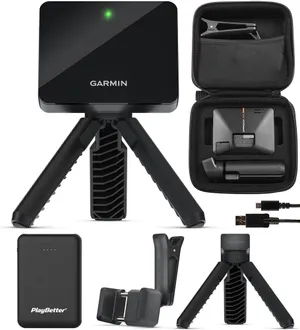
Garmin Approach R10 + PlayBetter Charger Bundle
by Garmin
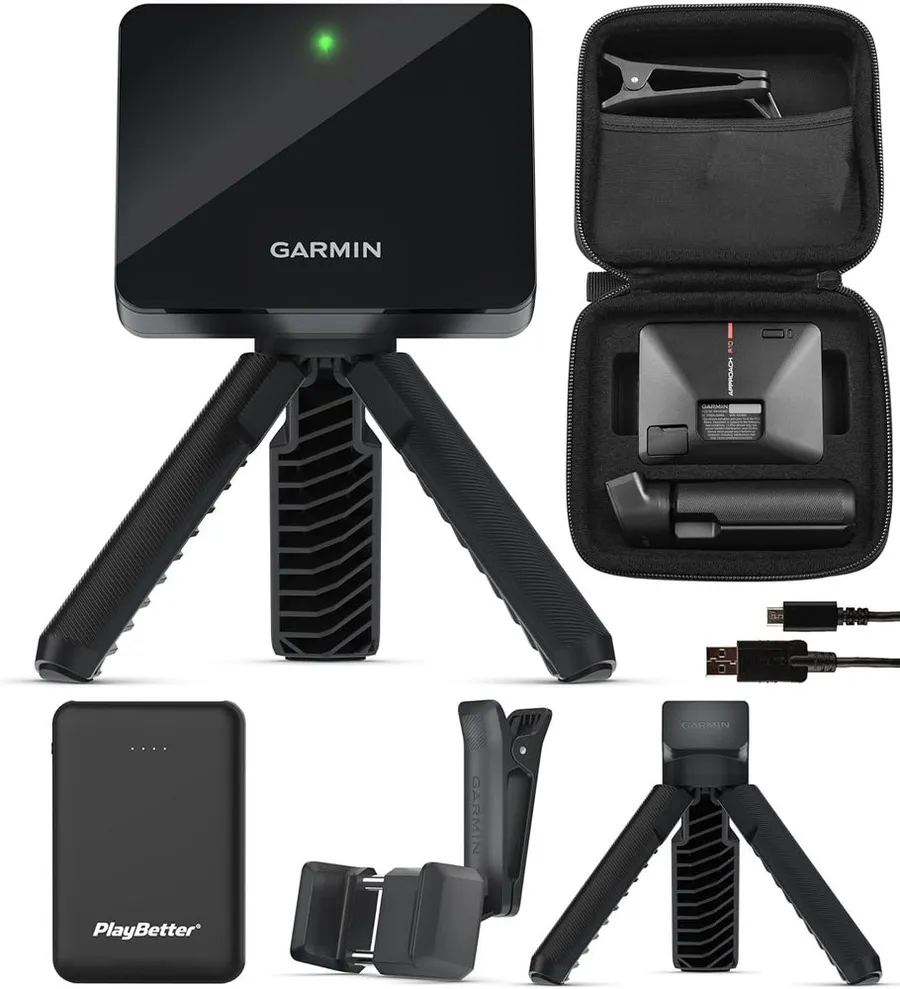
This bundle pairs the R10 with a PlayBetter power bank for only a few dollars more, which keeps the sensor and your phone alive through a full outdoor session away from any outlet.
What we like
- Adds a 5000mAh portable charger for close to the price of the bare unit
- Keeps the R10 and your phone powered through long range or backyard sessions
- Identical R10 sensor and 14 metrics, so no compromise on data
What we don't
- The charger is the only extra, so you still need a net and mat for full simulator play
| Setup role | Launch monitor with power bank |
|---|---|
| What's included | R10 unit plus PlayBetter 5000mAh charger |
| Space needed | About 8 ft of ball flight |
| Price | $505 |
| Warranty | 1 year |
| Install difficulty | Easy |
| Price bracket | $$ |
This is the plain R10 with one thoughtful addition: a PlayBetter 5000mAh portable charger tucked into the box. The R10 already claims up to 10 hours of battery, but your phone or tablet running the Garmin Golf app is the part that usually dies first on a long session, and that is exactly what the power bank solves.
It earns Best for Range Days because the extra cost over the bare unit is small, and the benefit is specific to hitting where there is no wall outlet. If your range bay, backyard or the far corner of a garage has no power, the charger keeps both the sensor and the display device running through a full bucket of balls and beyond.
In use, nothing changes about how the R10 works: set it six to eight feet behind the ball, pair the app and hit. You just have a top-up battery in the bag for the moment your phone drops to single digits. The trade-off is that this bundle only adds power, so it is not a shortcut to a complete simulator. You will still be sourcing a net or screen and a hitting mat on your own.
Choose this version if most of your practice happens away from an outlet and you would rather not carry a separate battery pack. If your R10 will live in a fixed indoor room next to a plug, skip the charger and put the money toward a net or mat instead.
Research-based pick: this recommendation is based on product data, owner feedback and comparison with products we have tested, not on direct hands-on testing.
Buy it if: Players who practice mostly outdoors or in a garage without a convenient power outlet
Skip it if: Your setup is a permanent indoor room where the R10 can stay plugged in
Best for Accuracy
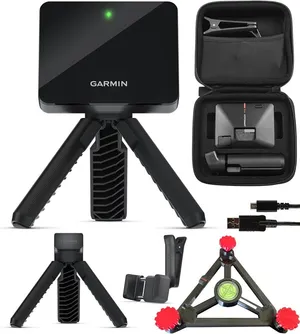
Garmin Approach R10 + Simulator Stand Bundle
by Garmin
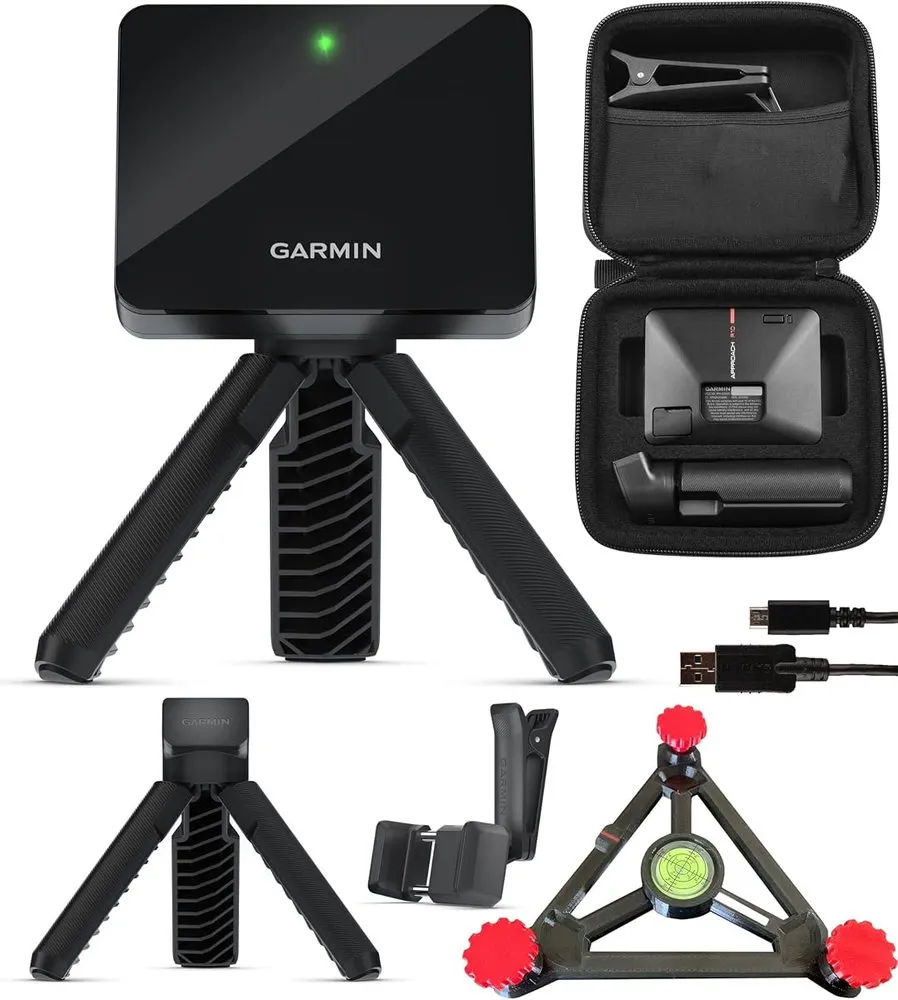
Bundling the R10 with a PlayBetter alignment stand solves the number one cause of bad radar data, inconsistent placement, so the unit sits square and level shot after shot.
What we like
- Alignment stand helps you position the R10 square and repeatably behind the ball
- Consistent placement improves the reliability of radar readings indoors
- Same R10 sensor and 14 metrics as the core unit
What we don't
- A stand aids setup but cannot overcome a room that is simply too short for radar
| Setup role | Launch monitor with alignment stand |
|---|---|
| What's included | R10 unit plus PlayBetter alignment stand |
| Space needed | About 8 ft of ball flight |
| Price | $525 |
| Warranty | 1 year |
| Install difficulty | Easy |
| Price bracket | $$ |
Radar launch monitors live and die on placement. The R10 wants to sit a set distance directly behind the ball, square to the target line and level, and small errors there show up as noisy or off numbers. This bundle adds a PlayBetter alignment stand that gives the unit a repeatable home, so every session starts from the same known-good position.
It takes Best for Accuracy because the stand attacks the most common user-side source of bad data rather than the sensor itself. For players who care about the numbers, and study spin, launch angle and dispersion, getting the R10 squared and consistent is worth more than most add-ons. Mark the stand position once and your placement is repeatable from day to day.
Living with it is simple. The stand stays put in your hitting area, the R10 clips into the same spot each time, and you spend less time fiddling with the tripod and more time hitting. It is especially handy indoors where you cannot rely on outdoor sight lines to aim the unit.
Pick this bundle if you want your indoor R10 to give repeatable, trustworthy readings and value that over saving a few dollars. Be realistic though: a stand improves placement, it does not create space. If your room is shorter than the roughly eight feet of ball flight radar needs, the stand alone will not fix the readings, and you should look at a camera-based unit like the R50 instead.
Research-based pick: this recommendation is based on product data, owner feedback and comparison with products we have tested, not on direct hands-on testing.
Buy it if: Data-focused golfers who want repeatable numbers from a fixed indoor hitting position
Skip it if: You are on a tight budget and are comfortable eyeballing the R10 placement yourself
Best Starter Bundle
Garmin Approach R10 Signature Series Power Bundle
by Garmin
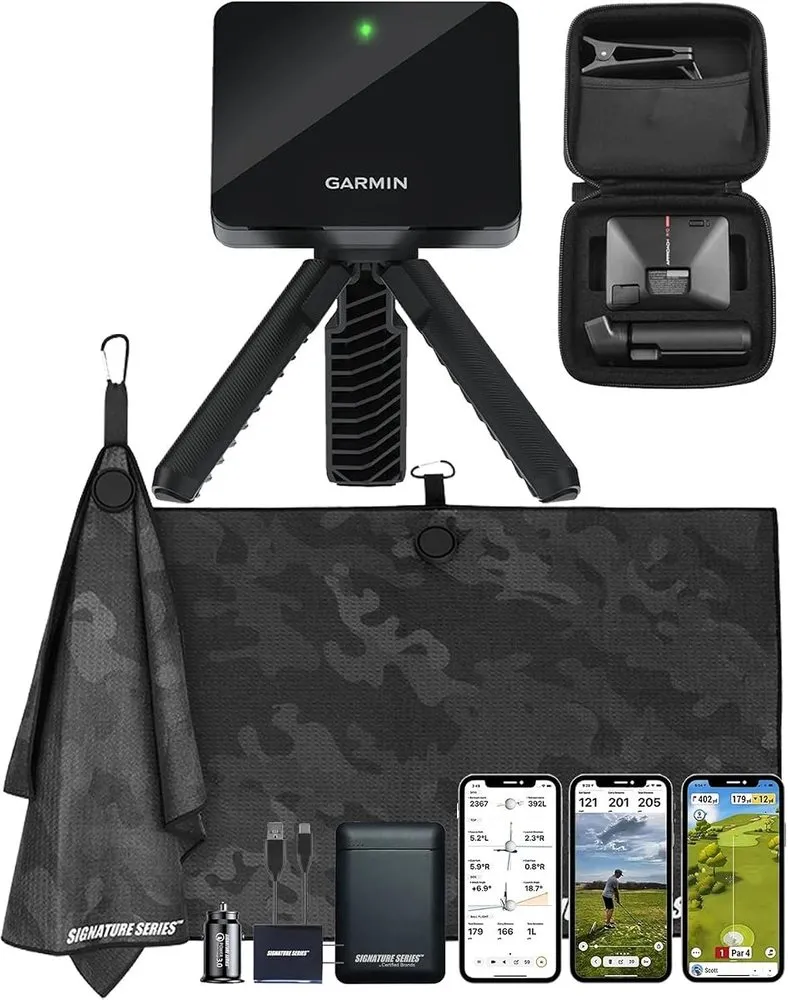
The Signature Series Power Bundle gathers the R10, a charger and an accessory kit into one order, a tidy first purchase for someone who wants the extras sorted without shopping around.
What we like
- Combines the R10 with a charger and accessory kit in a single box
- Removes the guesswork of picking add-ons for a first-time buyer
- Large base of owner reviews across the R10 line backs the core hardware
What we don't
- You pay a small premium over the bare unit for accessories you may already own
| Setup role | Starter accessory bundle |
|---|---|
| What's included | R10 unit plus charger and accessory kit |
| Space needed | About 8 ft of ball flight |
| Price | $510 |
| Warranty | 1 year |
| Install difficulty | Easy |
| Price bracket | $$ |
The Signature Series Power Bundle is aimed squarely at the person buying their first launch monitor who does not want to think about accessories. It puts the R10 in the box alongside a portable charger and a small accessory kit, so a single click covers the sensor and the odds and ends you would otherwise track down in separate orders.
It wins Best Starter Bundle because convenience is the whole point. For a modest premium over the bare unit you get power and starter extras curated together, which removes a small research burden at the moment you are already spending several hundred dollars. That is worth something to a buyer who just wants it all to arrive at once and work.
Practically, it behaves exactly like any other R10 because the sensor is identical. You set it up behind the ball, pair the Garmin Golf app and start collecting the same 14 metrics. The charger keeps your phone alive and the kit handles the small stuff, so there is less friction on day one.
Go with this bundle if you are new to launch monitors and value a done-for-you first purchase over squeezing out the last few dollars. If you already have chargers and accessories at home, buy the bare R10 instead and skip paying for duplicates.
Research-based pick: this recommendation is based on product data, owner feedback and comparison with products we have tested, not on direct hands-on testing.
Buy it if: First-time buyers who want a charger and starter extras bundled without researching each one
Skip it if: You already have chargers and accessories and just want the cheapest R10
Best Enclosure Upgrade
Complete Golf Simulator Enclosure Package
by Generic
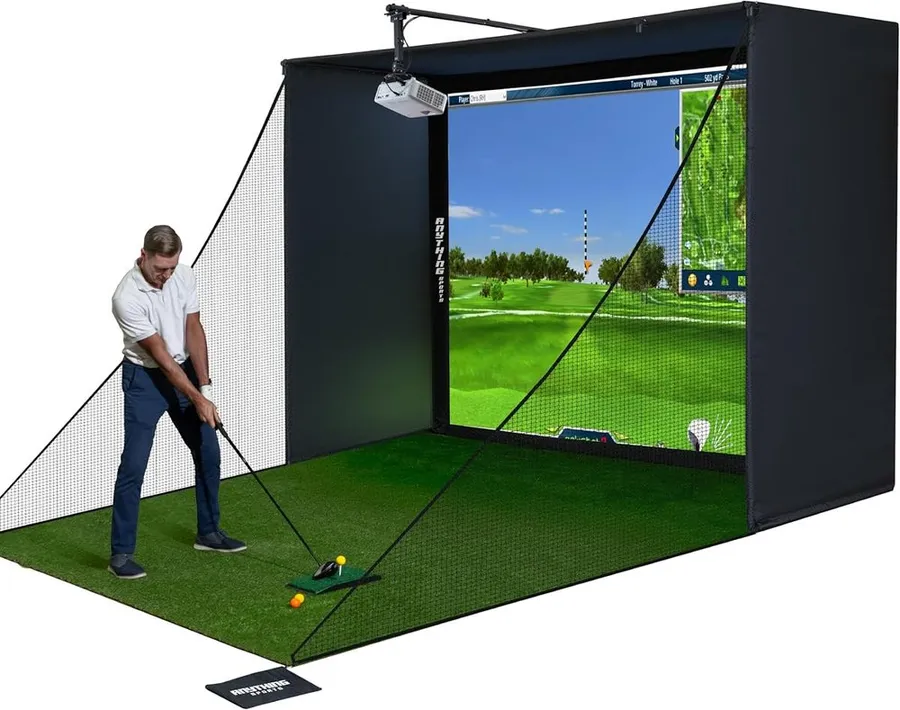
This all-in-one impact screen and cage turns a bare R10 into a projected simulator, bundling the screen, blackout cage, poles, side nets and projector mount that a launch monitor cannot supply on its own.
What we like
- Includes the impact screen, cage, frame poles, side nets and projector mount in one package
- Blackout cage improves projected image contrast for indoor play
- Strong owner review base for a full enclosure at this price
What we don't
- The R10 and a projector are not included, so this is an add-on cost, not a complete kit
| Setup role | Impact screen and cage |
|---|---|
| What's included | 4K impact screen, blackout cage, frame poles, side nets, projector mount |
| Space needed | About 10 x 8 ft enclosure |
| Price | $800 |
| Warranty | 1 year |
| Install difficulty | Moderate |
| Price bracket | $$$ |
Every launch monitor on this list, the R10 included, measures your shot but shows nothing on a wall. This enclosure package is the piece that fills that gap. It bundles a 4K-ready impact screen, a blackout cage, the frame poles, side shank nets and a projector mount into one order, which is the hardware that converts an R10 and a projector into a real simulator you can play courses on.
It earns Best Enclosure Upgrade because it is the natural second purchase for an R10 owner who has outgrown a simple net. Buying the screen, cage and mount separately is fiddly and often more expensive, while this package arrives as a coordinated kit sized for a garage or spare room. The blackout cage matters more than it sounds, since it cuts stray light and makes the projected image easier to read.
Setup is the most involved job on this list, hence the moderate difficulty rating. You assemble the frame, tension the screen and mount and align a projector, which is an afternoon of work rather than a five-minute pairing. Once it is up, though, your R10 finally has a surface to play against.
Add this if you own or plan to own an R10 and want to project virtual courses rather than hit into a bare net. Be clear on what it is not: the launch monitor and the projector are separate purchases, so treat this as one line in your cost breakdown rather than a finished simulator in a box.
Research-based pick: this recommendation is based on product data, owner feedback and comparison with products we have tested, not on direct hands-on testing.
Buy it if: R10 owners ready to move from a net to a full projected screen setup in a garage or spare room
Skip it if: You only want swing data on your phone and have no plan to project a course image
Best Complete Setup
Garmin Approach R10 + Net Return Pro Series V2 Bundle
by Garmin
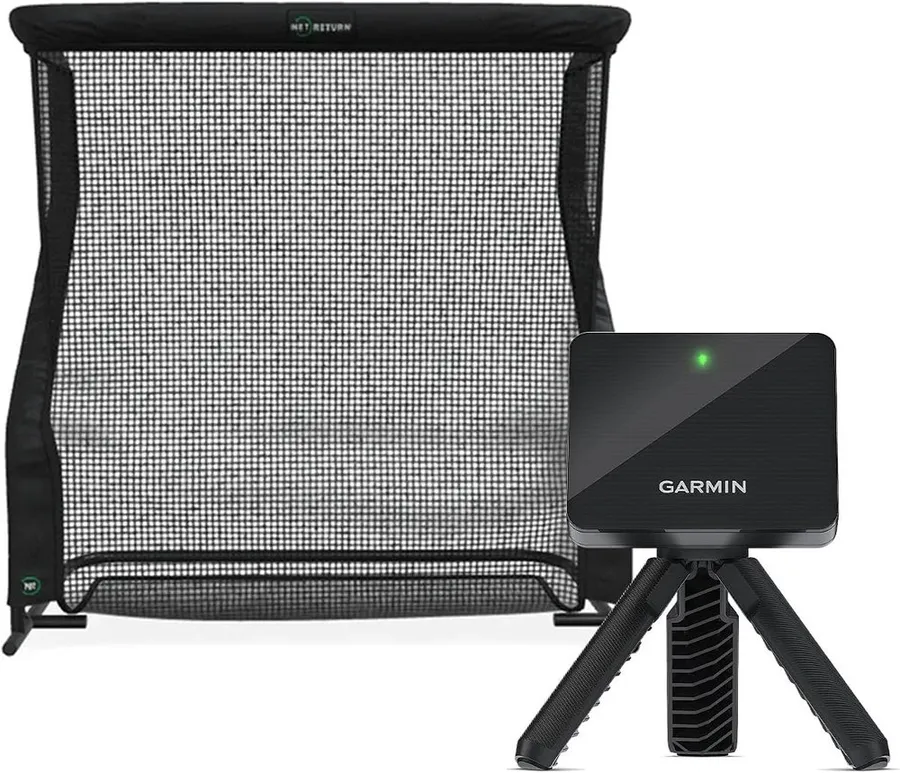
Pairing the R10 with the well-regarded Net Return Pro Series V2 gives you a launch monitor and a premium ball-returning net in one purchase, the closest thing here to a ready-to-hit indoor setup.
What we like
- Bundles the R10 with the durable Net Return Pro Series V2 net
- The net returns balls automatically, so you hit continuously without resetting
- One order covers both the data and the safe hitting surface
What we don't
- Costs well over double a bare R10, and a projected image still needs a screen and projector
| Setup role | Launch monitor and premium net package |
|---|---|
| What's included | R10 unit plus Net Return Pro Series V2 net |
| Space needed | About 8 to 10 ft with net |
| Price | $1295 |
| Warranty | 1 year |
| Install difficulty | Moderate |
| Price bracket | $$$ |
This bundle answers the most common R10 follow-up question, what do I hit into, by pairing the launch monitor with the Net Return Pro Series V2. The Net Return is one of the most respected hitting nets on the market, built to take repeated full swings and to roll balls back to you so practice never stops to collect them.
It takes Best Complete Setup because a single order gets you both halves of a working indoor practice station: the R10 for the numbers and a durable, ball-returning net for the swings. For a golfer who wants to stop shopping and start hitting, that combination removes the two decisions that stall most builds.
Day to day it is a genuinely low-friction setup. Set the R10 behind the ball, hit into the Net Return, and let the net feed balls back while the Garmin app logs your 14 metrics. The net folds down when you need the space back, and it is rated for years of hard use, which is a big part of what you are paying for.
Buy this if you want a premium, mostly complete practice setup in one purchase and you value net quality over the lowest price. Note the two catches: it costs well more than a bare R10 plus a budget net, and a net gives you data and swings but not a projected course image. If you want to play virtual holes on a screen, pair a bare R10 with the enclosure package above instead.
Research-based pick: this recommendation is based on product data, owner feedback and comparison with products we have tested, not on direct hands-on testing.
Buy it if: Buyers who want the R10 and a high-quality net in a single purchase and value durability
Skip it if: You are price sensitive or you specifically want a projected course image rather than a net
Best Premium Upgrade
Garmin Approach R50
by Garmin
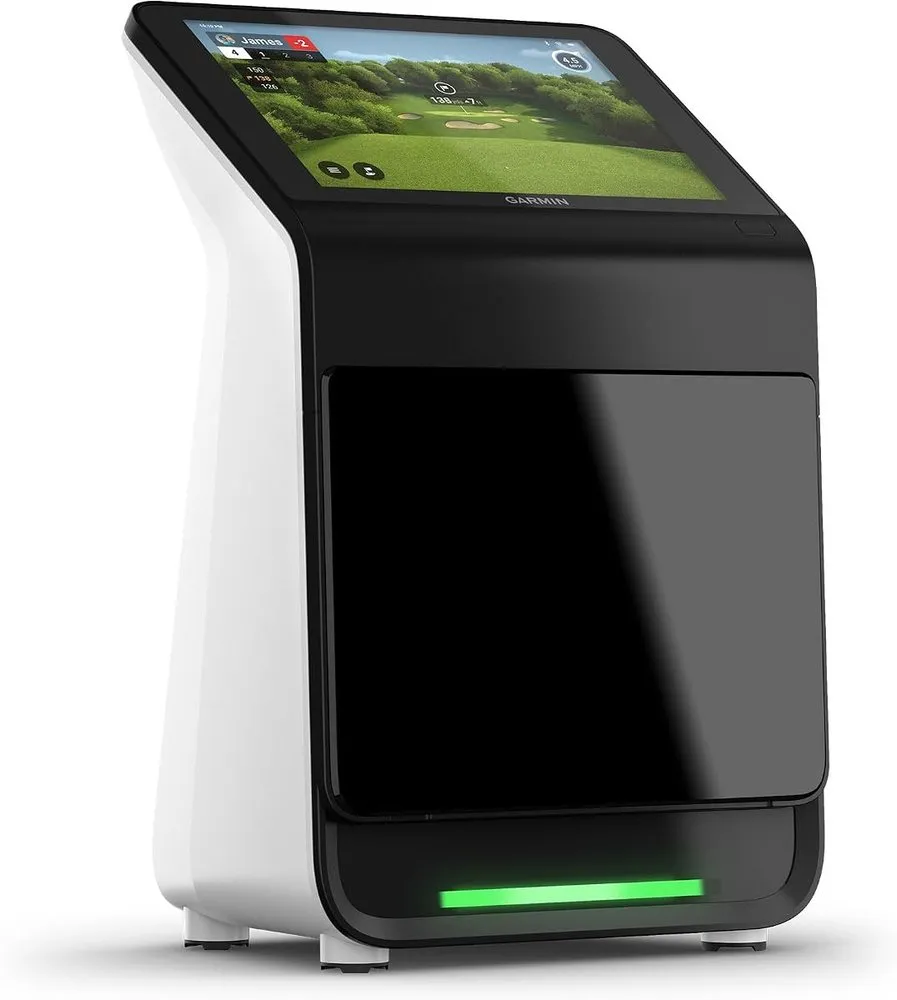
If the R10 room is too small for radar or you want lab-style data, the camera-based R50 is the premium step up, with a built-in touchscreen, three high-speed cameras and 15 plus metrics.
What we like
- Three high-speed cameras measure at impact, so it stays accurate in a short room
- Built-in 10 inch touchscreen removes the need to tether a phone or tablet
- Reports 15 plus metrics including spin and spin axis for serious practice
What we don't
- Costs roughly ten times a bare R10, which puts it out of reach for most home builders
| Setup role | Premium all-in-one camera simulator |
|---|---|
| What's included | R50 unit with 10 in touchscreen and 3 cameras |
| Space needed | About 8 ft indoors |
| Price | $5000 |
| Warranty | 1 year |
| Install difficulty | Easy |
| Price bracket | $$$ |
The Approach R50 is the reason this list is not R10-only. It is Garmin’s premium launch monitor and simulator, and it swaps the R10’s Doppler radar for three high-speed cameras that read the ball and club at impact. That difference matters most in small rooms, where radar struggles for space but a camera unit stays accurate just a few feet from the screen.
It earns Best Premium Upgrade because it is the clear step up when the R10 hits its limits. A built-in 10 inch color touchscreen means you do not tether a phone, it reports 15 or more metrics including spin and spin axis, and it carries a deep course library for indoor play. For a golfer who wants lab-style feedback or has a garage too short for radar, this is the answer.
In daily use it is arguably simpler than the R10 setup because the screen and software live on the device itself, so there is less to pair and align. You are trading the R10’s pocketable portability for an all-in-one unit that mostly stays put in a dedicated room.
Choose the R50 only if the budget is there and you specifically need camera accuracy, on-device software or performance in a tight space. For most people reading a cost breakdown, the R10 delivers the large majority of the experience for a small fraction of the price, and the R50 is the upgrade to grow into, not the place to start.
Research-based pick: this recommendation is based on product data, owner feedback and comparison with products we have tested, not on direct hands-on testing.
Buy it if: Serious golfers with the budget who want camera accuracy in a tight indoor space
Skip it if: You are building a value simulator and the R10 already fits your room and goals
How we researched these picks#
We built this list around one launch monitor, the Garmin Approach R10, because it is the sensor most home builders start with, then compared the real ways you can actually buy and complete an R10 simulator. Every option here is a currently sold product on Amazon, and where possible we favored configurations with a meaningful base of verified owner reviews so the list reflects what people really order.
For each pick we pulled the manufacturer specifications, read across aggregated verified owner feedback and then compared the setups head to head on the factors that change a buying decision: exactly what is included in the box, how much space it needs to work, the price, and the warranty. We deliberately spread the seven picks across the full cost curve, from the bare $500 sensor to an $800 enclosure, a premium net bundle and the $5,000 camera-based Garmin R50, so you can see where each extra dollar goes and stop at the point that fits your room and goals.
These recommendations are research-based, not hands-on tested. We have not built each of these setups ourselves, so we lean on published specs and the consistent themes in owner feedback rather than our own launch data. Where an option has a real catch, such as a net that still needs a screen or a room that is too short for radar, we say so plainly.
How to choose a Garmin R10 simulator setup (buying guide)#
Start with the sensor, then budget for the rest. The R10 itself is around $500 and every bundle here uses the same sensor, so the price differences come from accessories, nets, enclosures and, in the R50’s case, a completely different camera system. Decide what you are really buying before you compare stickers: a bare sensor, a sensor with extras, or a more complete simulator.
Match the technology to your space. The R10 uses Doppler radar, which needs roughly 8 feet of ball flight to read shots well and shines in a garage bay or outdoors. If your room is genuinely short, no bundle or stand will fully fix the numbers, and the camera-based R50 that measures at impact is the better, if pricier, fit.
Decide how you want to hit. A launch monitor needs something to hit into. A simple net gets you data and swings, and the Net Return bundle packages a premium one with the R10. If you want to play virtual courses on a projected image, you need an impact screen enclosure and a projector on top of the sensor, which the enclosure package here supplies.
Weigh the bundle extras against what you own. The charger bundle adds portable power for outlet-free range days, the stand bundle adds an alignment aid for repeatable indoor placement, and the Signature Series bundle gathers charger and R10 accessories for a first-time buyer. Each adds a small premium, so skip the extras you already have and put the money toward your net or screen instead.
Confirm the ongoing costs and app. The R10 tracks 14 metrics to the free Garmin Golf app, but full virtual course play and some features sit behind a Garmin subscription, so factor that recurring cost in. Check that your phone or tablet runs the app comfortably, since the R10 relies on it for the display unless you step up to the R50 with its built-in screen.
Keep warranty and value in view. These setups carry a standard one-year warranty, so let price and completeness drive the decision. Spend the least that still covers your space and how you want to play: the bare R10 or a small bundle for most people, the net or enclosure when you are ready to complete the room, and the R50 only when radar and budget no longer fit.
Frequently asked questions
Is the Garmin R10 enough to build a golf simulator on its own?
Not quite. The R10 is the sensor that tracks your shot and reports 14 metrics to the Garmin Golf app, but it does not include anything to hit into or a screen to project a course. To play a real simulator you add at least a hitting net and a mat, and for a projected image you also need an impact screen enclosure and a projector. That is why this guide treats the R10 as the first line in a cost breakdown rather than the whole build.
How much room do I need for a Garmin R10 setup?
The R10 is a Doppler radar unit, so it wants roughly 8 feet of ball flight behind the ball to read shots accurately. A short garage bay can soften its numbers. If your ceiling and depth are tight, an alignment stand helps with consistent placement, but a genuinely small room is better served by a camera-based unit like the Garmin R50, which measures at impact just a few feet from a screen.
What is the cheapest way to buy a Garmin R10?
The bare Approach R10 at around $500 is the lowest sticker price and uses the exact same sensor as every bundle here. The charger, stand and Signature Series bundles add small extras for a modest premium. You only pay meaningfully more when you add a premium net or a full enclosure, which are separate parts of the simulator rather than a different R10.
Should I buy the R10 or step up to the Garmin R50?
Buy the R10 if it fits your room and budget, since it delivers most of the experience for a fraction of the price. Step up to the R50 only if you need camera-level accuracy, want a built-in touchscreen and on-device software, or your space is too short for radar. The R50 costs roughly ten times a bare R10, so it is an upgrade to grow into, not the default starting point.
About the author

Jim Bennett Founder & lead reviewer
Jim is the guy behind Golf Sim Jim. He builds home golf simulators and compares launch monitors by the numbers that actually decide a setup, room fit, accuracy and software.
Home setup: Garage bay: SkyTrak+, 10 ft ceiling, BenQ LK936ST short-throw
- Launch monitor accuracy
- Home simulator builds
- Impact screens & enclosures
- Sim software (GSPro, E6, TGC)