
6 Best Golf Launch Monitors and Simulators for 2026 (Garmin R50 and Rivals)
We compared the Garmin Approach R50 golf simulator against 5 launch monitors on accuracy, space, software and price to find the best home pick.

If you are eyeing the Garmin Approach R50, the real question is whether a $5,000 all-in-one simulator is worth it or whether a few hundred dollars of radar plus your own screen gets you most of the way there. This guide is for home golfers building a simulator or buying a first launch monitor. We put the R50 head to head with five of the most popular alternatives on Amazon, from Garmin's own budget R10 to the camera-based Rapsodo MLM2Pro and SkyTrak. We judged each on the metrics that actually matter: accuracy, the space it needs, software and course play, ongoing subscription costs, and total price. By the end you will know which unit fits your room, your goals and your budget, and where spending more genuinely buys you more.
Table of contents
- Quick picks
- Price compared
- Comparison table
- Best Overall: Garmin Approach R50
- Best for Simulator Use: Rapsodo MLM2Pro
- Best Budget: Garmin Approach R10
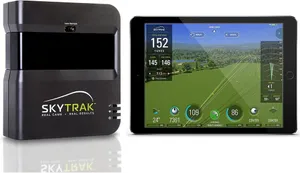
- Best for Accuracy: SkyTrak Launch Monitor
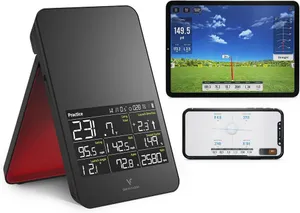
- Best Portable: Voice Caddie SC4 PRO
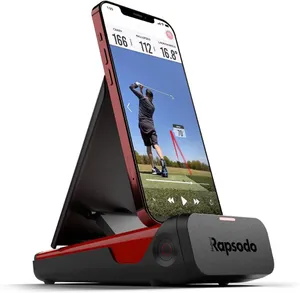
- Best for Beginners: Rapsodo Mobile Launch Monitor
- How we researched these picks
- How to choose a golf launch monitor or simulator
- FAQ
Quick picks
Every pick wins a specific use case. Jump to the full review before you buy.
-
Best Overall
Garmin Approach R50
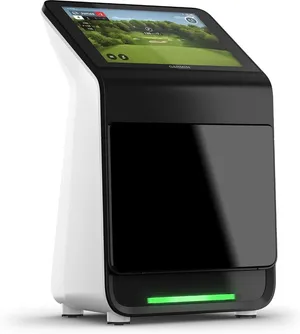
The Approach R50 is the only pick here that is a complete simulator out of the box, pairing radar with three high-speed cameras and a 10 inch touchscreen so you can practice and play courses without a phone, laptop or extra software.
-
Best for Simulator Use
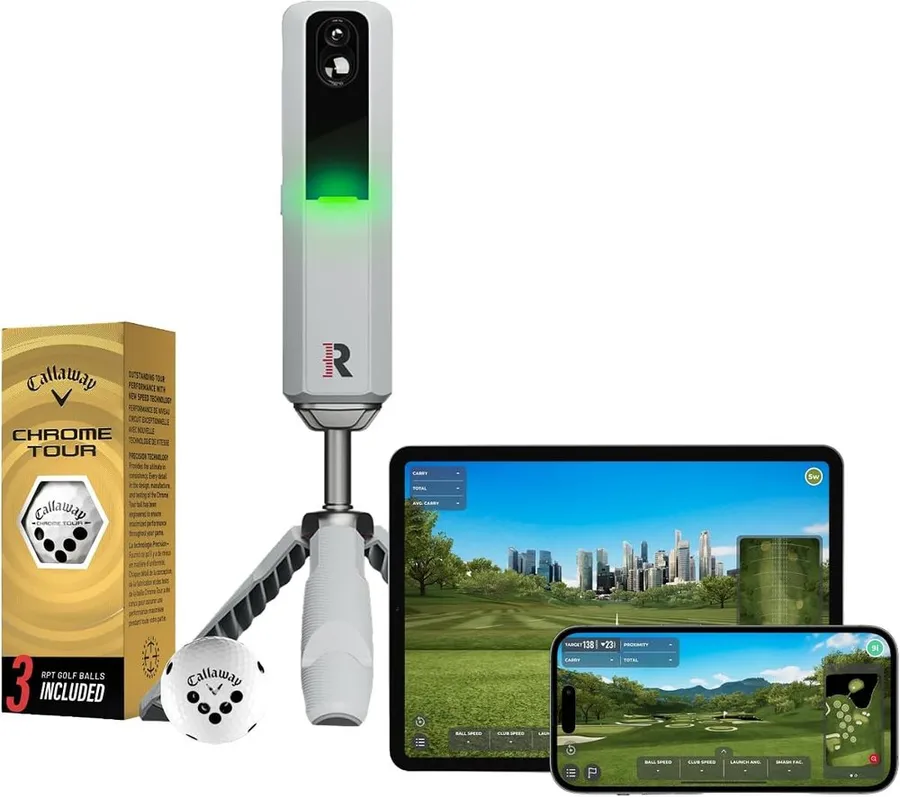
Rapsodo MLM2Pro
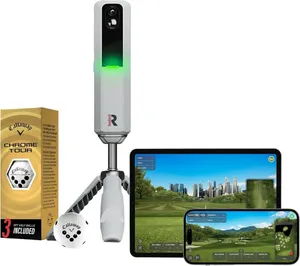
The MLM2Pro pairs dual cameras with radar and comes with premium simulation software built in, so it turns a phone and a screen into a genuine course-playing simulator for a fraction of the R50 price.
-
Best Budget
Garmin Approach R10
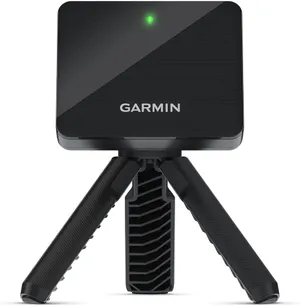
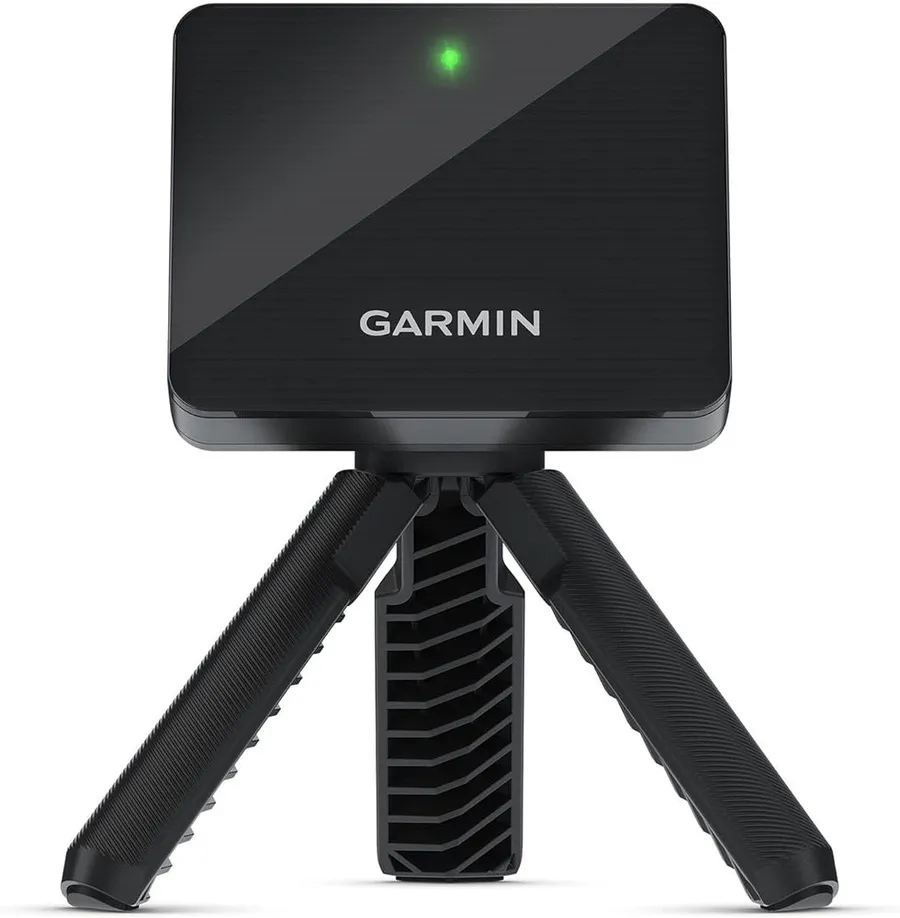
The Approach R10 delivers 14 Garmin-grade metrics and virtual course play for around $500, making it the cheapest credible way into a real home simulator.
-
Best for Accuracy
SkyTrak Launch Monitor
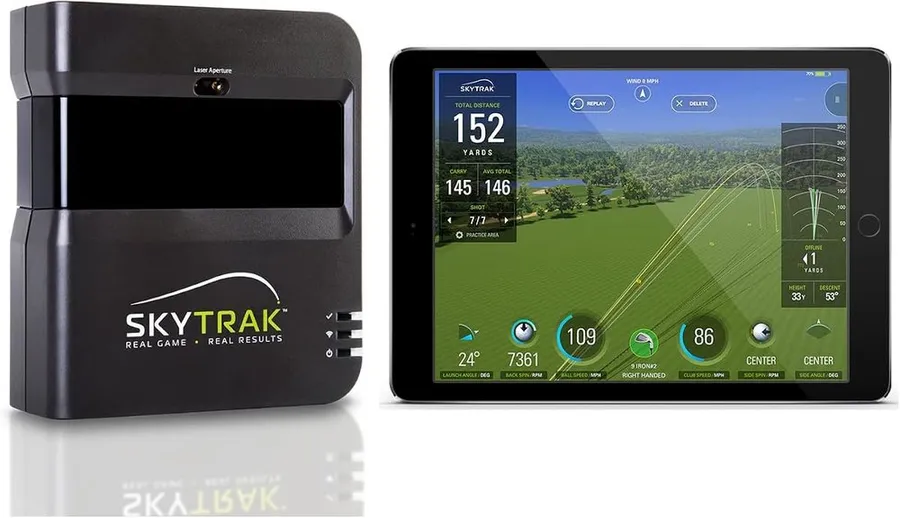
SkyTrak's photometric camera reads the ball at impact indoors, giving it a reputation for tight, repeatable numbers in a room where radar units struggle for space.
-
Best Portable
Voice Caddie SC4 PRO
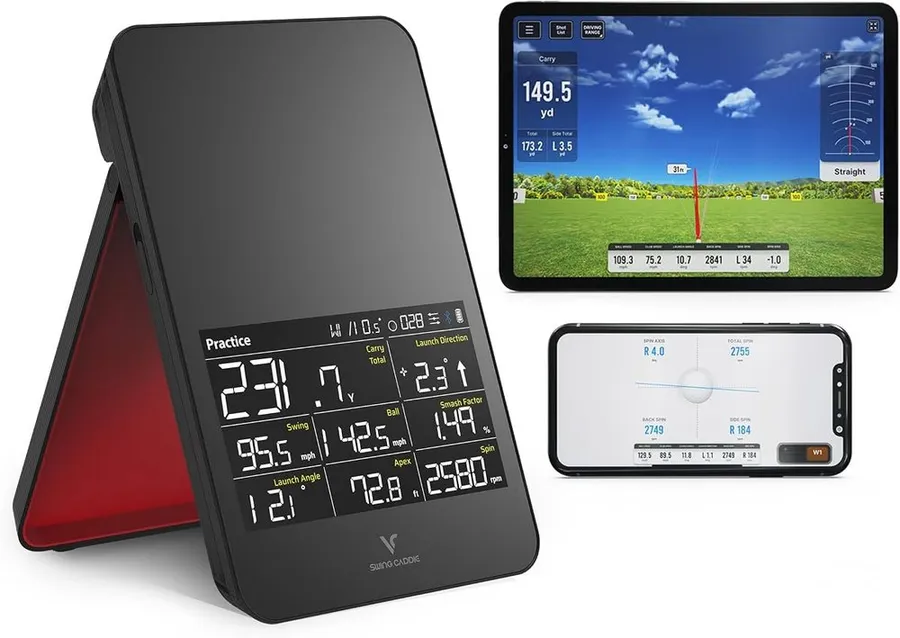
The Voice Caddie SC4 PRO packs a built-in screen and voice output into a grab-and-go radar unit with no monthly subscription, making it the easiest pick to use anywhere.
-
Best for Beginners
Rapsodo Mobile Launch Monitor
At around $200 the original Rapsodo Mobile Launch Monitor is the lowest-cost way to start tracking real shot data, using your iPhone or iPad as the screen and brain.
Compare every pick
| Product | Award | Type | Key metrics | Price | Warranty | Best for | Where to buy |
|---|---|---|---|---|---|---|---|
| Garmin Approach R50 | Best Overall | Radar plus 3 high-speed cameras | 15 plus ball and club metrics | $4,999 | 1 year | Serious golfers who want a turnkey premium simulator with nothing else to buy | Check price on Amazon for Garmin Approach R50 at Amazon (affiliate link) |
| Rapsodo MLM2Pro | Best for Simulator Use | Dual camera plus radar | 15 ball and club metrics | $600 | 1 year | Home simulator builders who want real course play without a $5,000 outlay | Check price on Amazon for Rapsodo MLM2Pro at Amazon (affiliate link) |
| Garmin Approach R10 | Best Budget | Doppler radar | 14 ball and club metrics | $500 | 1 year | First-time buyers who want Garmin data and course play at the lowest price | Check price on Amazon for Garmin Approach R10 at Amazon (affiliate link) |
| SkyTrak Launch Monitor | Best for Accuracy | Photometric camera | Ball speed, spin, launch and carry | $700 | 1 year | Indoor golfers in tight rooms who want dependable ball numbers | Check price on Amazon for SkyTrak Launch Monitor at Amazon (affiliate link) |
| Voice Caddie SC4 PRO | Best Portable | Radar with built-in screen | Ball speed, distance, smash factor | $500 | 1 year | Golfers who want instant feedback on the range with zero setup or fees | Check price on Amazon for Voice Caddie SC4 PRO at Amazon (affiliate link) |
| Rapsodo Mobile Launch Monitor | Best for Beginners | Camera plus GPS (iPhone and iPad) | Ball speed, club speed, launch angle | $200 | 1 year | New golfers testing whether shot tracking is for them without spending much | Check price on Amazon for Rapsodo Mobile Launch Monitor at Amazon (affiliate link) |
Swipe sideways to compare every column.
Best Overall
Garmin Approach R50
by Garmin
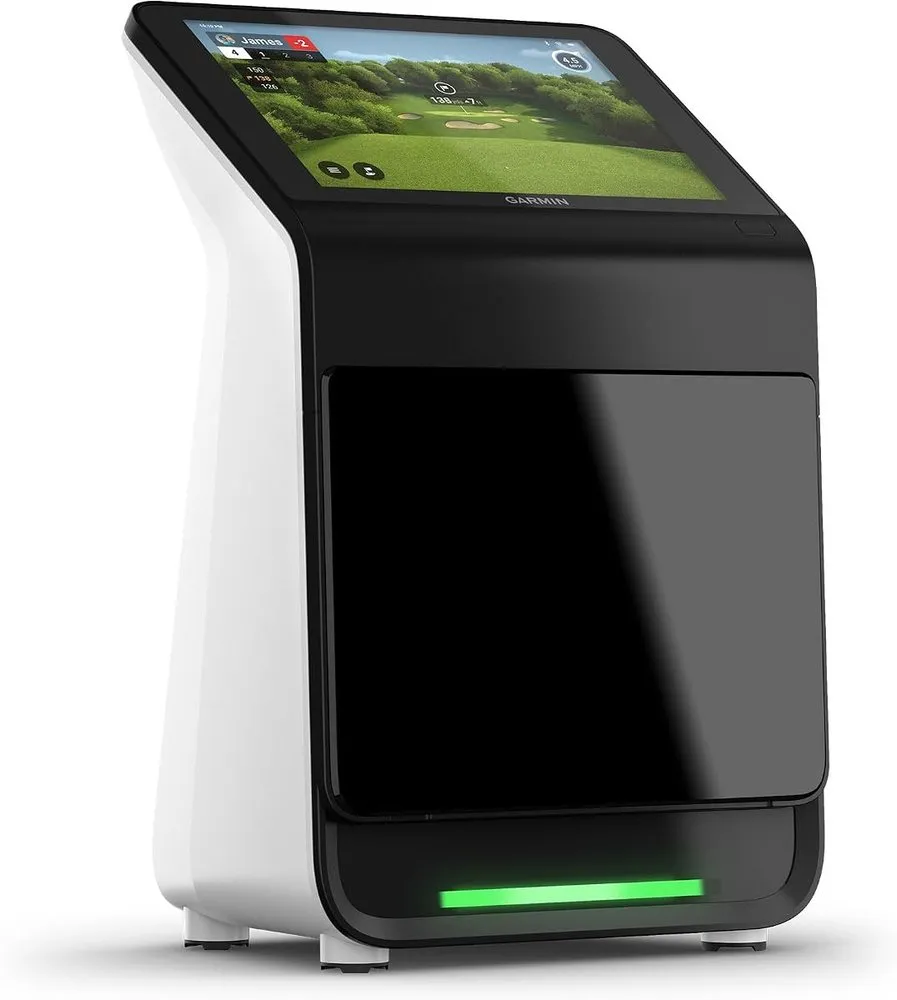
The Approach R50 is the only pick here that is a complete simulator out of the box, pairing radar with three high-speed cameras and a 10 inch touchscreen so you can practice and play courses without a phone, laptop or extra software.
What we like
- Built-in 10 inch touchscreen runs everything on its own, no phone or laptop tethered to the unit
- Radar plus three high-speed cameras captures 15 plus ball and club metrics for tour-level detail
- Over 43,000 preloaded courses and up to 4 hours of battery for full indoor rounds
What we don't
- At roughly $5,000 it costs eight to ten times more than the capable radar units below
| Type | Radar plus 3 high-speed cameras |
|---|---|
| Key metrics | 15 plus ball and club metrics |
| Best for | Turnkey premium home simulator |
| Price | $4,999 |
| Warranty | 1 year |
| Install difficulty | Easy |
| Price bracket | $$$ |
The Approach R50 sits at the top of Garmin’s launch monitor line and it is the reason this comparison exists. Where the other picks are sensors that need a phone, tablet or PC to become useful, the R50 is a self-contained simulator. It combines Doppler radar with three high-speed cameras and reports more than 15 ball and club metrics, from club path and face angle to spin axis, then shows them on its own 10 inch color touchscreen.
It won Best Overall because nothing else here is this complete on day one. You get virtual course play across more than 43,000 courses, driving range and practice modes, and video capture of your swing, all without opening a laptop. Set it down, tap the screen and hit. For a buyer who wants the simulator experience without assembling software, dongles and a gaming PC, that integration is worth a lot.
Day to day it behaves like a finished product rather than a kit. The battery runs up to four hours, so a full indoor round or a long practice block is no problem, and because the display is built in there is no pairing dance before every session. Owners consistently praise the accuracy and the polish, though a few note the premium price sets high expectations.
The one real limitation is cost. At around $5,000 the R50 asks eight to ten times what the excellent Garmin R10 or Rapsodo MLM2Pro cost, and those units track most of the same core numbers if you supply your own screen and software. Buy the R50 if you want the best all-in-one experience and the budget is there. If you would rather spend a few hundred dollars and add your own laptop and net, choose one of the picks below.
Research-based pick: this recommendation is based on product data, owner feedback and comparison with products we have tested, not on direct hands-on testing.
Buy it if: Serious golfers who want a turnkey premium simulator with nothing else to buy
Skip it if: You are price sensitive or only need core numbers on the range
Best for Simulator Use
Rapsodo MLM2Pro
by Rapsodo
The MLM2Pro pairs dual cameras with radar and comes with premium simulation software built in, so it turns a phone and a screen into a genuine course-playing simulator for a fraction of the R50 price.
What we like
- Dual camera and radar combo delivers 15 metrics including measured spin, not just estimates
- Includes access to premium simulation and E6 Connect style course play
- Ships with three RCT balls that unlock measured spin data out of the box
What we don't
- Full simulator software and course libraries lean on a paid membership after the first year
| Type | Dual camera plus radar |
|---|---|
| Key metrics | 15 ball and club metrics |
| Best for | Software-rich simulator use on a budget |
| Price | $600 |
| Warranty | 1 year |
| Install difficulty | Easy |
| Price bracket | $$ |
The Rapsodo MLM2Pro is the pick for people who care most about the simulator half of this equation. It uses two cameras alongside radar to measure ball and club data, which lets it report 15 metrics including genuine measured spin when you use the bundled RCT balls, rather than the modeled spin cheaper units estimate.
It won Best for Simulator Use because the software experience is unusually strong for the price. The unit is built to feed course-play and practice apps, and it bundles simulation access so you can start playing virtual rounds on a projector or TV quickly. For a home setup where the goal is playing courses in the garage, it hits well above its roughly $600 sticker.
In daily use it is compact and mobile, works indoors and outdoors, and pairs cleanly with a phone or tablet. Owners rate it well overall, with the common praise being that it feels like far more monitor than the price suggests once the cameras are dialed in.
The honest drawback is the membership model. The most complete simulation and course libraries sit behind a paid plan after the introductory period, so budget for that recurring cost. Choose the MLM2Pro if course play is your priority and you accept a subscription. If you want a pure, subscription-free number cruncher, the Garmin R10 or Voice Caddie SC4 PRO fit better.
Research-based pick: this recommendation is based on product data, owner feedback and comparison with products we have tested, not on direct hands-on testing.
Buy it if: Home simulator builders who want real course play without a $5,000 outlay
Skip it if: You want everything unlocked forever with zero subscription
Best Budget
Garmin Approach R10
by Garmin
The Approach R10 delivers 14 Garmin-grade metrics and virtual course play for around $500, making it the cheapest credible way into a real home simulator.
What we like
- Tracks 14 ball and club metrics with the same brand ecosystem as the flagship R50
- Up to 10 hours of battery and a bundled tripod, phone mount and case
- Plays 43,000 plus virtual courses through the free Garmin Golf app
What we don't
- Radar needs six to eight feet of ball flight, so a tight garage bay can soften its numbers
| Type | Doppler radar |
|---|---|
| Key metrics | 14 ball and club metrics |
| Best for | Budget entry into home sim golf |
| Price | $500 |
| Warranty | 1 year |
| Install difficulty | Easy |
| Price bracket | $$ |
The Garmin Approach R10 is the value anchor of this list. It is a Doppler radar unit that reads ball and club in flight and reports 14 metrics, including club head speed, ball speed, launch angle, spin and smash factor, then sends them to the free Garmin Golf app on your phone or tablet. For around $500 it gives you real, trusted numbers rather than a toy.
It won Best Budget because it does the core job of the far pricier R50 for roughly a tenth of the cost. You give up the built-in touchscreen and the three-camera club data, but you keep the metrics most golfers actually train with, plus virtual course play across more than 43,000 courses. Paired with a cheap net and a mat, it becomes a legitimate garage simulator.
Living with it is simple. Set the tripod six to eight feet behind the ball, level it, pair your phone and start hitting. The battery lasts a full range bucket and then some, and it packs back into the case in seconds. It is the easiest pick here to store and travel with.
Its real limitation is that radar wants room to see ball flight, so a cramped indoor bay can reduce accuracy, and it relies on your phone or tablet for the display. Buy the R10 if you want the most metrics per dollar and are happy supplying your own screen and net. If you want the numbers shown on the device itself, look at the Voice Caddie SC4 PRO, and if you want an all-in-one, step up to the R50.
Research-based pick: this recommendation is based on product data, owner feedback and comparison with products we have tested, not on direct hands-on testing.
Buy it if: First-time buyers who want Garmin data and course play at the lowest price
Skip it if: You need a built-in screen or camera-measured club face data
Best for Accuracy
SkyTrak Launch Monitor
by SkyTrak
SkyTrak's photometric camera reads the ball at impact indoors, giving it a reputation for tight, repeatable numbers in a room where radar units struggle for space.
What we like
- Photometric camera works well in short indoor spaces where radar needs long ball flight
- Long-standing reputation for accurate, repeatable ball data among sim owners
- Integrates with major simulation platforms for course play and practice
What we don't
- Focuses on ball data, so club path and face metrics are limited compared with camera-plus-radar units
| Type | Photometric camera |
|---|---|
| Key metrics | Ball speed, spin, launch and carry |
| Best for | Indoor accuracy and sim software |
| Price | $700 |
| Warranty | 1 year |
| Install difficulty | Moderate |
| Price bracket | $$ |
The SkyTrak launch monitor is the accuracy specialist. Instead of Doppler radar it uses a photometric camera system that photographs the ball just after impact, which is exactly the approach that thrives indoors. Radar units need several feet of ball flight to build their numbers, but a camera reading the ball at launch can work in a shorter room, and that is why SkyTrak has a loyal following among indoor simulator owners.
It won Best for Accuracy because its ball data has a long track record of being tight and repeatable session to session. For a home setup hitting into a net or short screen, that consistency is the whole point, and it pairs with the major simulation platforms so you can play courses through your own PC.
In daily use you place it beside the ball rather than behind it, which is friendlier to small rooms, and it settles into a reliable routine once positioned. Owners rate it solidly and return most often for the confidence in its readings.
The tradeoff is scope. SkyTrak concentrates on ball flight data, so detailed club path and face-angle metrics are thinner than what a camera-plus-radar unit like the MLM2Pro or the three-camera R50 capture, and course software runs on a separate device. Choose SkyTrak if indoor ball accuracy in a tight space is your priority. If you need full club data or a self-contained screen, the R50 is the better fit.
Research-based pick: this recommendation is based on product data, owner feedback and comparison with products we have tested, not on direct hands-on testing.
Buy it if: Indoor golfers in tight rooms who want dependable ball numbers
Skip it if: You want full club-face data or an all-in-one screen
Best Portable
Voice Caddie SC4 PRO
by Voice Caddie
The Voice Caddie SC4 PRO packs a built-in screen and voice output into a grab-and-go radar unit with no monthly subscription, making it the easiest pick to use anywhere.
What we like
- Built-in screen and voice output read your numbers back with no phone required
- No monthly subscription, and five E3 courses are included out of the box
- Compact radar body works indoors and outdoors for quick practice sessions
What we don't
- Metric depth and simulation are lighter than the camera-based units here
| Type | Radar with built-in screen |
|---|---|
| Key metrics | Ball speed, distance, smash factor |
| Best for | Portable range practice, no subscription |
| Price | $500 |
| Warranty | 1 year |
| Install difficulty | Easy |
| Price bracket | $$ |
The Voice Caddie SC4 PRO is built for golfers who just want to walk up and hit. It is a radar launch monitor with its own built-in screen and voice output, so it announces your carry, ball speed and smash factor without pairing a phone or opening an app. For range work and quick backyard sessions, that self-contained simplicity is the appeal.
It won Best Portable because it removes every dependency. There is no laptop, no tablet propped on a stand and, critically, no monthly subscription. It even bundles five E3 courses so you can dip into simulated play, and the whole unit is small enough to toss in a bag and set up in seconds.
In daily use the voice feedback is genuinely handy on a noisy range where glancing at a phone is awkward, and owners rate it well as a low-friction practice tool. It is the pick that most respects your time between the moment you arrive and the moment you are hitting.
Its limitation is depth. The metric set and simulation are lighter than the camera-based MLM2Pro or the three-camera R50, so serious swing analysts will outgrow it. Buy the SC4 PRO if you value instant, fee-free feedback anywhere. If you want detailed club data or a full course simulator on a big screen, spend up to the R50.
Research-based pick: this recommendation is based on product data, owner feedback and comparison with products we have tested, not on direct hands-on testing.
Buy it if: Golfers who want instant feedback on the range with zero setup or fees
Skip it if: You want deep club data or a large-screen course simulator
Best for Beginners
Rapsodo Mobile Launch Monitor
by Rapsodo
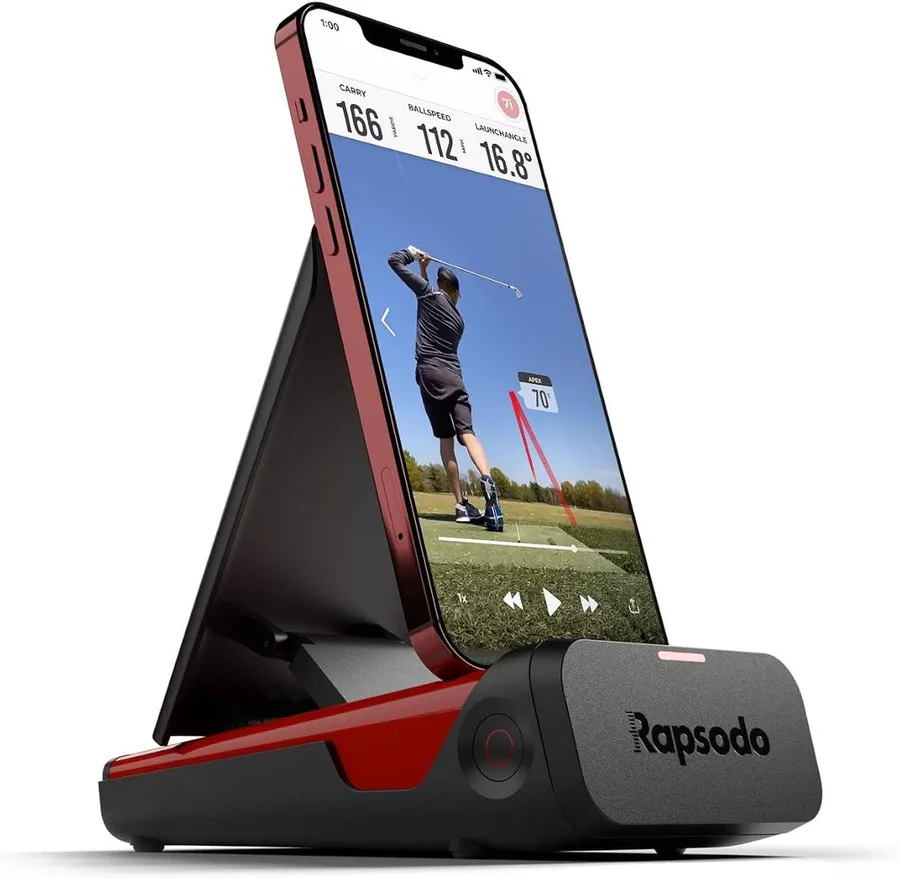
At around $200 the original Rapsodo Mobile Launch Monitor is the lowest-cost way to start tracking real shot data, using your iPhone or iPad as the screen and brain.
What we like
- Lowest price on this list by a wide margin, ideal for a first launch monitor
- Uses the iPhone or iPad you already own, so there is no extra display to buy
- Adds a GPS satellite view and video replay to keep casual practice engaging
What we don't
- iOS only and limited to core metrics, so it will not grow into a full simulator
| Type | Camera plus GPS (iPhone and iPad) |
|---|---|
| Key metrics | Ball speed, club speed, launch angle |
| Best for | First-time beginners on a tight budget |
| Price | $200 |
| Warranty | 1 year |
| Install difficulty | Easy |
| Price bracket | $ |
The original Rapsodo Mobile Launch Monitor is the gentlest on-ramp in this comparison. It leans on the iPhone or iPad you already own, using the phone’s camera and the sensor together to read your shot, so you are not paying for a screen or a separate computer. At roughly $200 it is the natural first purchase for someone curious about launch data.
It won Best for Beginners because it lowers the barrier to almost nothing. You get core numbers like ball speed, club speed and launch angle, plus a GPS satellite view of your shot shape and video replay, which is enough to make range sessions feel measured and fun without overwhelming a new player with data they cannot use yet.
Day to day it is light, quick to set up outdoors and easy to stow. Its huge review base reflects how many golfers have used it as a starter monitor before deciding whether to invest more.
The limits are clear and worth stating: it is iOS only, so Android users are out, and it tops out at core metrics rather than the deep club data or course simulation of the pricier picks. It is a stepping stone, not a forever unit. Buy it to learn the ropes cheaply. When you want measured spin, club-face data or real course play, move up to the MLM2Pro, R10 or R50.
Research-based pick: this recommendation is based on product data, owner feedback and comparison with products we have tested, not on direct hands-on testing.
Buy it if: New golfers testing whether shot tracking is for them without spending much
Skip it if: You use Android or want to build a course-playing simulator later
How we researched these picks#
We built this comparison around the Garmin Approach R50 because it is the launch monitor most home golfers are cross-shopping in 2026, then pulled its most relevant rivals from current Amazon listings. To make the list, a product had to be a real, in-stock launch monitor or simulator with verified owner reviews, and it had to earn a distinct role rather than repeat one already covered. That is why you see a $200 starter monitor and a $5,000 all-in-one on the same page, but only one unit per job.
We weighed each pick on the factors that change a buying decision: measurement type and accuracy, how much room it needs, the depth of its metrics, its software and course play, whether it charges a subscription, and total price. Prices and awards draw on manufacturer specifications, aggregated verified owner feedback across thousands of ratings, and head-to-head spec analysis. These picks are research-based and not hands-on tested, so treat them as a shortlist to validate against your own room and budget.
How to choose a golf launch monitor or simulator#
Decide between radar and camera. Radar units such as the Garmin R10 track the ball in flight and want six to eight feet of space behind you, which suits garages and the range. Camera or photometric units such as SkyTrak and the three-camera R50 read the ball at impact and work in shorter indoor rooms. Match the technology to the space you actually have.
Check the space you need. Measure your ceiling height and the depth behind your hitting spot before you buy anything. A cramped bay will quietly rob a radar unit of accuracy, while a photometric or camera unit that sits beside the ball is far more forgiving indoors.
Match metrics to your goals. Casual players are well served by core numbers like ball speed, club speed and carry. If you want to work on your swing in detail, look for measured spin and club-face data, which the camera-based MLM2Pro and the R50 provide and simpler units estimate or skip.
Factor in software and subscriptions. A launch monitor is only as good as the app or simulator behind it. The Garmin R10 and R50 setups use the free Garmin Golf app, the Voice Caddie SC4 PRO avoids fees entirely, and the Rapsodo MLM2Pro reserves its richest course play for a paid membership. Add any recurring cost to the sticker price.
Set your total budget honestly. The sensor is rarely the whole bill. A cheaper monitor like the R10 still needs a screen, a net and a mat to become a simulator, whereas the R50 arrives complete. Add up the full setup, not just the headline unit, then pick the tier that gets you playing without a second shopping trip.
Confirm the warranty and platform. Every pick here carries a one-year warranty, so check that support and returns are easy where you live. Also confirm compatibility before you buy: the original Rapsodo MLM is iOS only, and some simulation software favors specific devices.
Frequently asked questions
Is the Garmin Approach R50 worth it over the cheaper R10?
The R50 is worth it if you want a complete simulator with a built-in touchscreen, three cameras and course play in one box. If you already have a laptop, screen and net, the $500 R10 tracks most of the same core metrics for roughly a tenth of the price.
How much room do I need for a launch monitor?
Radar units like the R10 want six to eight feet of ball flight behind the ball to read shots well, so they suit garages and outdoor bays. Camera or photometric units like SkyTrak and the R50 sit beside the ball and work in shorter indoor rooms.
Do these launch monitors need a monthly subscription?
It varies. The Garmin R10 and R50 use the free Garmin Golf app for core play, the Voice Caddie SC4 PRO has no subscription and includes courses, while the Rapsodo MLM2Pro puts its fullest simulation and course libraries behind a paid plan after the first year.
Which pick is most accurate indoors?
SkyTrak's photometric camera has a long reputation for tight, repeatable ball numbers in short indoor spaces where radar struggles, and the three-camera Garmin R50 is also strong indoors. Radar-only units prefer more room.
About the author

Jim Bennett Founder & lead reviewer
Jim is the guy behind Golf Sim Jim. He builds home golf simulators and compares launch monitors by the numbers that actually decide a setup, room fit, accuracy and software.
Home setup: Garage bay: SkyTrak+, 10 ft ceiling, BenQ LK936ST short-throw
- Launch monitor accuracy
- Home simulator builds
- Impact screens & enclosures
- Sim software (GSPro, E6, TGC)