
7 Indoor Golf Simulator Cost Levels for 2026, Compared
We compared indoor golf simulator cost across 7 real setups for 2026, from a $130 screen to a $3,995 studio, so you can see what each budget actually buys.

Indoor golf simulator cost is not one number, it is a ladder. The same phrase covers a $130 impact screen, a $500 launch monitor and a $3,995 turnkey studio, and the right rung depends on your room, your goal and how much you want to build yourself. This guide compares seven real, widely owned products for 2026, laid out from cheapest to most expensive so you can see exactly what each budget level buys. We weighed each on the type of product it is, how much setup it demands, how much space it needs, its price and who it suits. Whether you want a $280 swing stick to play virtual rounds, a launch monitor that measures real shots, or a complete room that works out of the crate, one of these tiers fits your budget. Below you will find the best overall value pick plus category winners for budget, casual play, shot data, hitting surface, bay building and premium studios, followed by a plain buying guide.
Table of contents
- Quick picks
- Price compared
- Comparison table
- Best Overall: Garmin Approach R10
- Best Budget: Durbles Golf Simulator Impact Screen
- Best Hitting Surface: GoSports Golf Simulator Turf
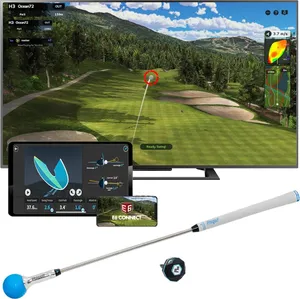
- Best for Casual Play: PHIGOLF Home Golf Simulator
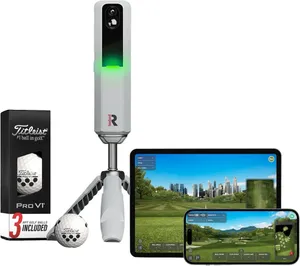
- Best for Shot Data: Rapsodo MLM2PRO
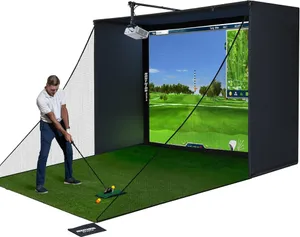
- Best for Building a Bay: Complete 4K Golf Simulator Enclosure Package
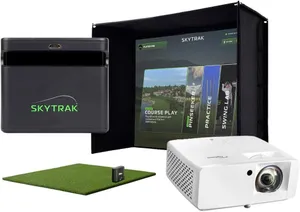
- Best Premium: SkyTrak ST MAX Studio Package
- How we researched these picks
- How to choose an indoor golf simulator by budget (buying guide)
- FAQ
Quick picks
Every pick wins a specific use case. Jump to the full review before you buy.
-
Best Overall
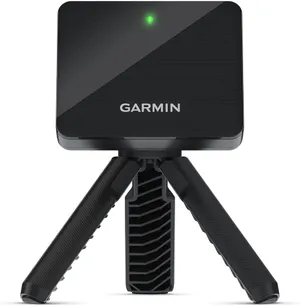
Garmin Approach R10
The Garmin R10 sits at the sweet spot of an indoor golf budget, giving you real, measured shot data for around $500 without dragging you into four-figure studio territory.
-
Best Budget
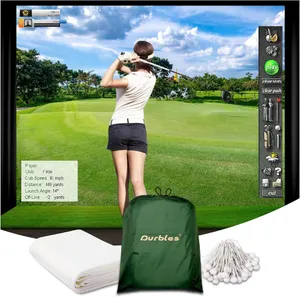
Durbles Golf Simulator Impact Screen
At around $130 the Durbles triple-layer impact screen is the cheapest way to add a real projected image to a home bay, making it the standout budget line in any indoor build.
-
Best Hitting Surface
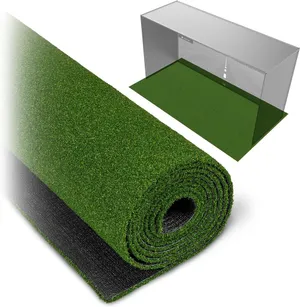
GoSports Golf Simulator Turf
The GoSports 15 mm turf is the affordable, joint-friendly floor every indoor bay needs, protecting your clubs and body for around $180 without touching the tracking budget.
-
Best for Casual Play
PHIGOLF Home Golf Simulator
For under $300 PHIGOLF turns any room into a virtual course, making it the cheapest way to actually play simulated golf, as long as you accept estimated rather than measured shots.
-
Best for Shot Data
Rapsodo MLM2PRO
The Rapsodo MLM2PRO uses dual cameras and radar to deliver 15 metrics and included ProV1 balls, making it the pick when detailed, trustworthy numbers are the point of your build.
-
Best for Building a Bay
Complete 4K Golf Simulator Enclosure Package
This 4K-ready enclosure package bundles the screen, blackout cage, frame and projector mount for around $700, giving DIY builders the whole room shell in one box without studio pricing.
-
Best Premium
SkyTrak ST MAX Studio Package
The SkyTrak ST MAX studio bundles the launch monitor, enclosure, screen, mat and projector into one near-$4,000 package, making it the top of the cost ladder for a room that simply works.
Compare every pick
| Product | Award | Type | Setup effort | Space needed | Price | Best for | Where to buy |
|---|---|---|---|---|---|---|---|
| Garmin Approach R10 | Best Overall | Radar launch monitor | Easy | About 8 ft ball flight | $500 | The golfer who wants reliable data at a mid-range price | Check price on Amazon for Garmin Approach R10 at Amazon (affiliate link) |
| Durbles Golf Simulator Impact Screen | Best Budget | Impact screen | Moderate | Fits a standard cage | $130 | DIY builders adding a projected image to a net or cage on a tight budget | Check price on Amazon for Durbles Golf Simulator Impact Screen at Amazon (affiliate link) |
| GoSports Golf Simulator Turf | Best Hitting Surface | Hitting mat | Easy | 10 to 15 ft strip | $180 | Anyone building a bay who needs a durable, forgiving floor to hit from | Check price on Amazon for GoSports Golf Simulator Turf at Amazon (affiliate link) |
| PHIGOLF Home Golf Simulator | Best for Casual Play | Swing-stick simulator | Easy | Room to swing | $280 | Casual golfers who want to play virtual rounds for fun on a rainy day | Check price on Amazon for PHIGOLF Home Golf Simulator at Amazon (affiliate link) |
| Rapsodo MLM2PRO | Best for Shot Data | Dual-camera launch monitor | Easy | About 8 ft ball flight | $600 | The improver who wants the deepest shot data at a mid-range price | Check price on Amazon for Rapsodo MLM2PRO at Amazon (affiliate link) |
| Complete 4K Golf Simulator Enclosure Package | Best for Building a Bay | Enclosure and screen kit | Involved | About 10 by 8 ft bay | $700 | DIY builders pairing their own launch monitor with a ready-made enclosure | Check price on Amazon for Complete 4K Golf Simulator Enclosure Package at Amazon (affiliate link) |
| SkyTrak ST MAX Studio Package | Best Premium | Complete studio package | Involved | About 10 by 8 ft bay | $3,995 | The buyer who wants a complete, matched studio without sourcing parts | Check price on Amazon for SkyTrak ST MAX Studio Package at Amazon (affiliate link) |
Swipe sideways to compare every column.
Best Overall
Garmin Approach R10
by Garmin
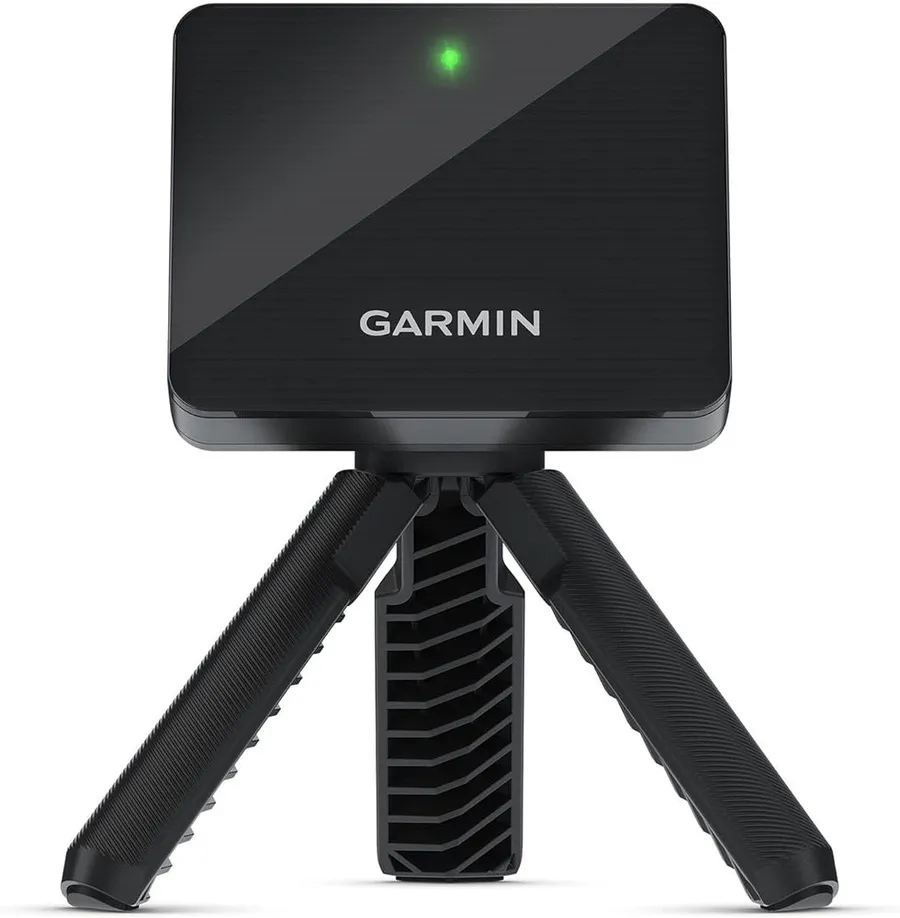
The Garmin R10 sits at the sweet spot of an indoor golf budget, giving you real, measured shot data for around $500 without dragging you into four-figure studio territory.
What we like
- Measures a real struck ball with 14 metrics, not an estimate from a swing sensor
- One of the most widely owned launch monitors, with a large base of verified feedback
- Includes tripod, phone mount and case, so nothing else is needed to start
What we don't
- As a radar unit it wants roughly 8 feet of ball flight, so a shallow room hurts its accuracy indoors
| Type | Radar launch monitor |
|---|---|
| Setup effort | Easy |
| Space needed | About 8 ft ball flight |
| Price | $500 |
| Best for | All-round home practice |
| Install difficulty | Easy |
| Price bracket | $$ |
The Garmin Approach R10 is the answer to the most common indoor golf question: what does a genuinely useful setup cost before it gets silly. At roughly $500 it reads a real golf ball with Doppler radar and returns 14 metrics, which is the difference between practicing with data and simply swinging at a net.
It wins the overall pick because it hits the middle of the cost ladder without cutting the things that matter. A swing-stick unit is cheaper but estimates your motion rather than measuring the ball, and a complete studio is far more capable but costs eight times as much. The R10 measures the ball, pairs with the Garmin Golf app and a computer for simulator play, and comes with the tripod, phone mount and case in the box.
Day to day it is genuinely easy to live with. Set the tripod down, pair your phone, and hit. Battery life runs up to about 10 hours, so it moves from the garage to the range without fuss.
Its real limitation is space. As a radar device it needs roughly 8 feet of ball flight to read shots cleanly, so a shallow spare room can degrade the numbers. If your room is tight, a camera-based unit is the safer buy. For most garages and basements, though, the R10 is the smartest dollar in this guide.
Research-based pick: this recommendation is based on product data, owner feedback and comparison with products we have tested, not on direct hands-on testing.
Buy it if: The golfer who wants reliable data at a mid-range price
Skip it if: Your only free space is a shallow room with under 8 feet of ball flight
Best Budget
Durbles Golf Simulator Impact Screen
by Durbles
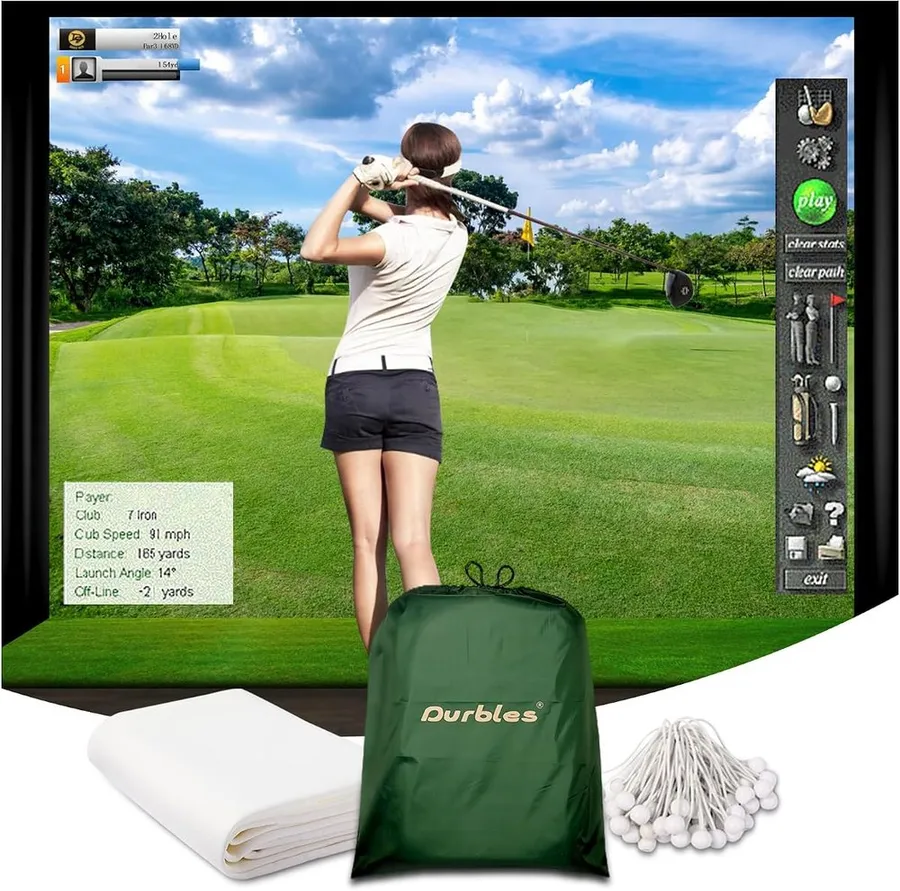
At around $130 the Durbles triple-layer impact screen is the cheapest way to add a real projected image to a home bay, making it the standout budget line in any indoor build.
What we like
- Lowest-cost route to a genuine projected image instead of a plain net
- Triple-layer construction is built to take repeated ball strikes
- Ships with grommets and bungee cords, so it hangs in an existing cage quickly
What we don't
- It is only the screen, so you still need a cage, projector and tracking device to complete the picture
| Type | Impact screen |
|---|---|
| Setup effort | Moderate |
| Space needed | Fits a standard cage |
| Price | $130 |
| Best for | DIY screen upgrade |
| Install difficulty | Moderate |
| Price bracket | $ |
The Durbles impact screen is proof that the jump from a bare net to a real projected course does not have to be expensive. At around $130 it is the lowest-cost item in this guide that meaningfully changes the experience, turning a plain cage into a surface you can actually play golf onto.
It takes the budget award because of what that small spend unlocks. A triple-layer build absorbs repeated strikes, and the included grommets and bungee cords let it tension into a frame you may already own. For a DIY builder who has a cage and a projector but no screen, this is the missing piece at a fraction of a full enclosure price.
Hanging it is a moderate job rather than a quick clip-in. You tension it evenly so the image stays flat and the ball rebound stays controlled, which takes a little care the first time.
The limitation is scope, and it is worth saying plainly: this is the screen alone. You still need a cage to hang it in, a projector to throw the image, and a launch monitor to read your shots. As one line in a smart build, though, nothing here stretches a dollar further.
Research-based pick: this recommendation is based on product data, owner feedback and comparison with products we have tested, not on direct hands-on testing.
Buy it if: DIY builders adding a projected image to a net or cage on a tight budget
Skip it if: You want a complete enclosure rather than just the screen to hang
Best Hitting Surface
GoSports Golf Simulator Turf
by GoSports
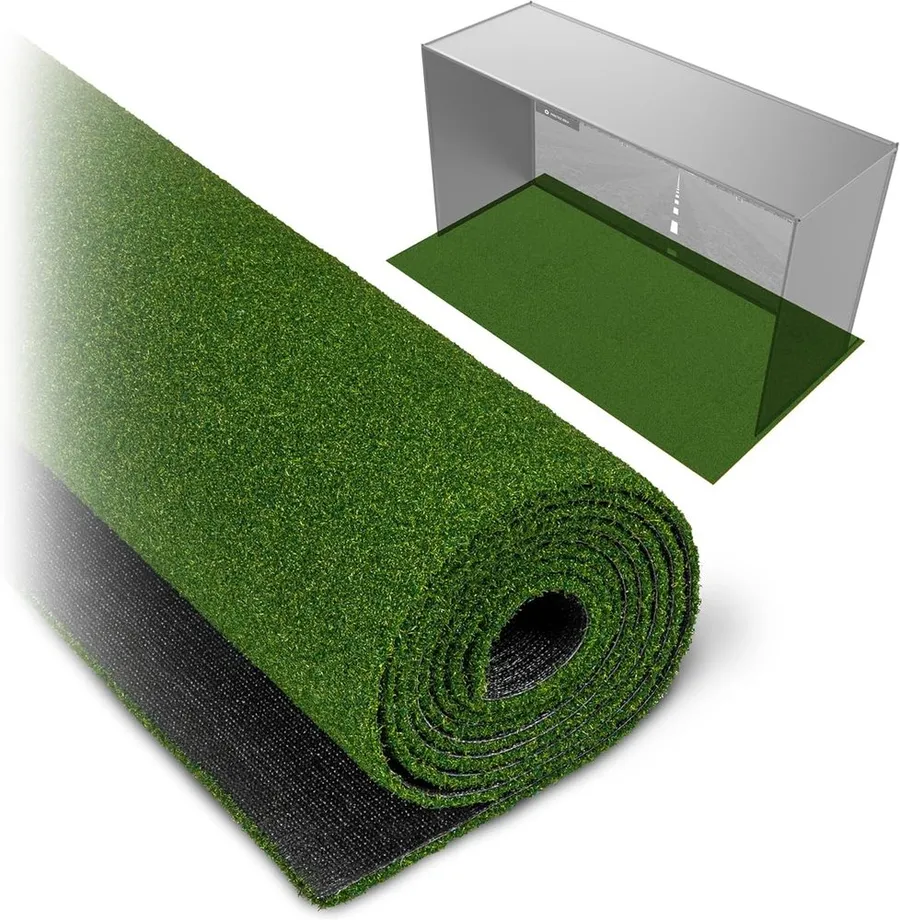
The GoSports 15 mm turf is the affordable, joint-friendly floor every indoor bay needs, protecting your clubs and body for around $180 without touching the tracking budget.
What we like
- Thick 15 mm turf cushions impact to protect wrists, elbows and clubs
- Offered in 10, 12 and 15 foot lengths to fit different bay depths
- Strong owner rating for a low-cost surface that most builds require anyway
What we don't
- It is only the hitting surface, adding to a build rather than replacing a launch monitor or screen
| Type | Hitting mat |
|---|---|
| Setup effort | Easy |
| Space needed | 10 to 15 ft strip |
| Price | $180 |
| Best for | Protecting joints and floor |
| Install difficulty | Easy |
| Price bracket | $ |
The GoSports simulator turf answers the part of the cost question people forget: the floor. At around $180 it is the least glamorous line in a build and one of the most important, because hitting off a hard surface or a thin mat is how you hurt your wrists and dent your irons.
It earns the hitting-surface award on value and thickness. The 15 mm pile cushions the strike enough to protect your joints and clubs over long sessions, and it comes in 10, 12 and 15 foot lengths so you can match it to a garage or basement bay rather than trimming a rug to fit.
In use it is the simplest item here. Roll it out, set your stance, and hit. There is nothing to pair, charge or assemble, and a quality mat outlasts almost everything else in the room.
Its only real caveat is scope: it is a surface, not a tracker. It does not measure a single shot, so it adds to a build rather than standing alone. But almost every setup in this guide needs a mat, and spending sensibly here leaves more of the budget for the launch monitor that actually reads your game.
Research-based pick: this recommendation is based on product data, owner feedback and comparison with products we have tested, not on direct hands-on testing.
Buy it if: Anyone building a bay who needs a durable, forgiving floor to hit from
Skip it if: You need a device that tracks shots, not a surface to hit off
Best for Casual Play
PHIGOLF Home Golf Simulator
by PHIGOLF
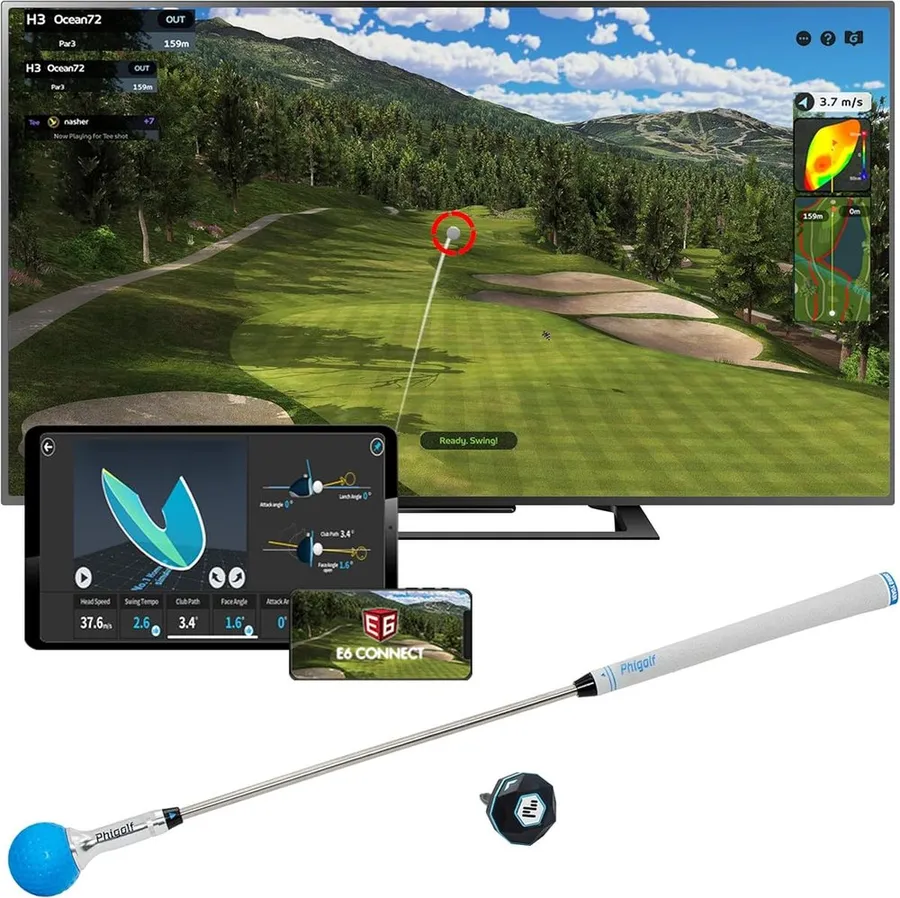
For under $300 PHIGOLF turns any room into a virtual course, making it the cheapest way to actually play simulated golf, as long as you accept estimated rather than measured shots.
What we like
- Lowest cost route to playing full virtual rounds indoors
- Works with 38,000-plus courses and connects to E6 Connect, Android and iOS
- Needs only room to swing, with no enclosure or radar clearance required
What we don't
- A motion sensor estimates your swing rather than measuring a real struck ball, so the data is approximate
| Type | Swing-stick simulator |
|---|---|
| Setup effort | Easy |
| Space needed | Room to swing |
| Price | $280 |
| Best for | Casual virtual play |
| Install difficulty | Easy |
| Price bracket | $ |
PHIGOLF is the entry rung of the cost ladder, and it is honest about what it is: a swing stick with a motion sensor that lets you play virtual golf without a launch monitor, an enclosure or a radar clearance zone. At around $280 it is the cheapest way in this guide to actually play a round rather than just hit into a net.
It earns the casual play award because it nails the fun-per-dollar equation. You get access to tens of thousands of courses, it links to E6 Connect and mobile apps, and it needs nothing more than space to make a swing. For a family that wants to mess around on a virtual course on a wet afternoon, that is a lot of entertainment for the price.
Using it is genuinely plug and play. There is no cage to build, no screen to hang and no eight feet of ball flight to find. You swing the stick, the sensor reads the motion, and the app plays the shot.
The catch is accuracy, and it is a real one. Because a sensor estimates your swing rather than a camera or radar measuring an actual struck ball, the numbers are approximate. If your goal is to lower your handicap with trustworthy data, step up to the R10 or Rapsodo. If your goal is fun, this is the pick.
Research-based pick: this recommendation is based on product data, owner feedback and comparison with products we have tested, not on direct hands-on testing.
Buy it if: Casual golfers who want to play virtual rounds for fun on a rainy day
Skip it if: You want accurate numbers to actually improve your game
Best for Shot Data
Rapsodo MLM2PRO
by Rapsodo
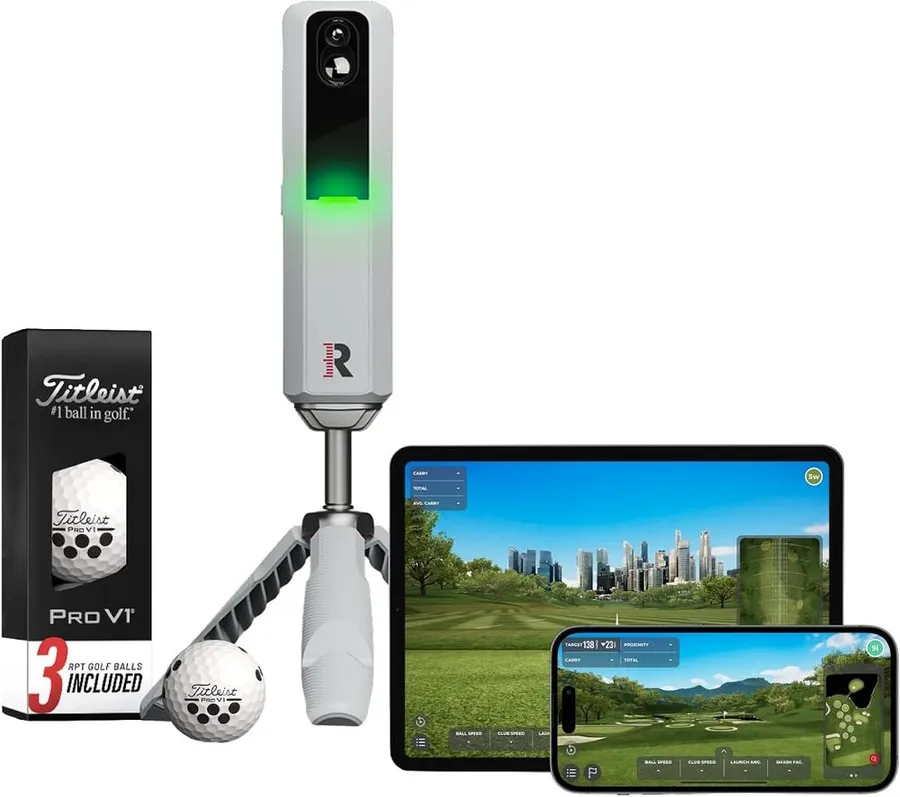
The Rapsodo MLM2PRO uses dual cameras and radar to deliver 15 metrics and included ProV1 balls, making it the pick when detailed, trustworthy numbers are the point of your build.
What we like
- Dual-camera plus radar system captures 15 metrics with impact video
- Ships with three ProV1 balls, so it is ready to measure real shots out of the box
- Large owner base with consistent feedback for a device at this price
What we don't
- The richest metrics and course play sit behind a paid annual subscription, which adds to the true cost
| Type | Dual-camera launch monitor |
|---|---|
| Setup effort | Easy |
| Space needed | About 8 ft ball flight |
| Price | $600 |
| Best for | Detailed shot data |
| Install difficulty | Easy |
| Price bracket | $$ |
The Rapsodo MLM2PRO is what you buy when data is the reason you are building an indoor setup at all. At around $600 it pairs dual cameras with radar to read 15 metrics and capture impact video, and it includes three ProV1 balls so it is measuring real, quality golf balls from the first swing.
It takes the shot-data award because it goes a step deeper than the R10 on capture and review. The camera and radar combination, plus video of the strike, gives you more to work with when you are trying to diagnose a swing fault rather than just log a distance.
In daily use it behaves like a modern launch monitor should. Set it down, pair the app, and hit. It works indoors with enough ball flight and moves outdoors to the range just as easily.
The honest drawback is the subscription. Rapsodo places its fullest metrics and its simulator course library behind a paid annual plan, so the $600 sticker is not the whole story. Budget that recurring fee in, and if you would rather avoid it, the R10 gives you solid data with fewer strings. For the golfer who wants maximum feedback for the money, though, this is the data pick.
Research-based pick: this recommendation is based on product data, owner feedback and comparison with products we have tested, not on direct hands-on testing.
Buy it if: The improver who wants the deepest shot data at a mid-range price
Skip it if: You dislike recurring subscription fees on top of the hardware
Best for Building a Bay
Complete 4K Golf Simulator Enclosure Package
by Complete
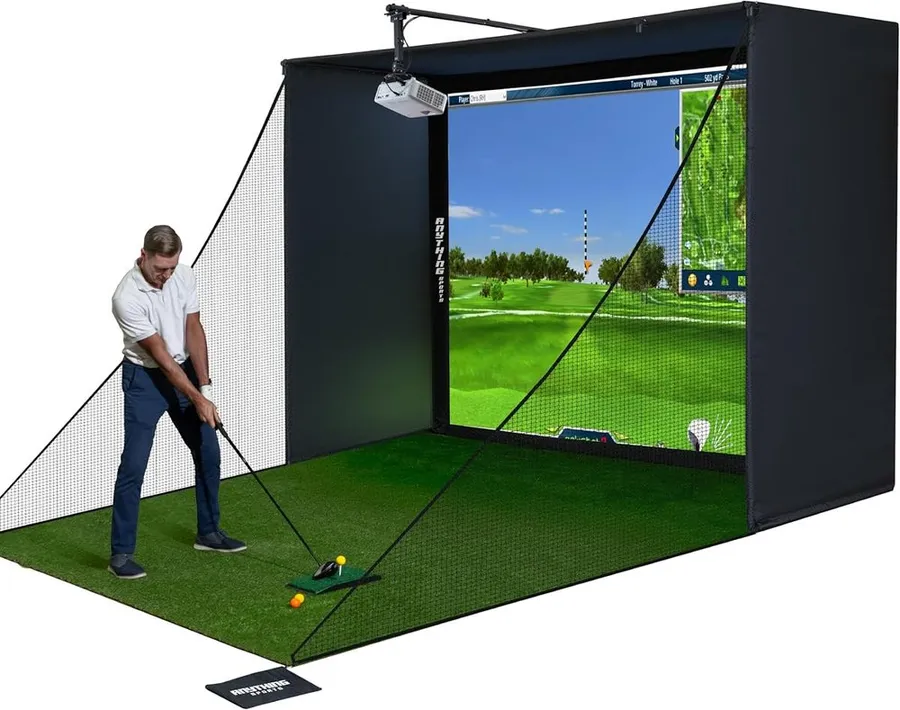
This 4K-ready enclosure package bundles the screen, blackout cage, frame and projector mount for around $700, giving DIY builders the whole room shell in one box without studio pricing.
What we like
- Includes the impact screen, blackout cage, frame poles and projector mount together
- 4K-ready screen pairs with the launch monitor you already own, keeping the build flexible
- Comes with a 12-month warranty at a price well below a complete studio
What we don't
- You still supply and match the launch monitor, projector and computer, so it is not a plug-and-play room
| Type | Enclosure and screen kit |
|---|---|
| Setup effort | Involved |
| Space needed | About 10 by 8 ft bay |
| Price | $700 |
| Best for | Building a full bay |
| Install difficulty | Hard |
| Price bracket | $$ |
This complete 4K-ready enclosure package is the middle path in a home build: it hands you the physical room, the screen and the frame for around $700, then lets you drop in the launch monitor and projector you choose. For anyone pairing a Garmin R10 or Rapsodo with a real screen instead of a net, it is the cost-effective way to get a proper bay.
It wins the bay-building award because it removes the fiddliest part of a DIY setup. Sourcing a screen, a blackout cage, frame poles and a projector mount separately is where home builds stall. Getting them matched in one box, 4K-ready and covered by a 12-month warranty, is a meaningful shortcut.
Living with it means an afternoon of assembly rather than a two-minute unbox. The frame goes up, the screen tensions in, and the cage blacks out stray light so the projected image looks sharp.
The real limitation is that it is a shell, not a finished studio. You still provide and match the launch monitor, projector and computer, so the $700 is one line in a larger budget. If you want a room that simply works out of the crate, the SkyTrak studio is the alternative. If you want to build smart and save, this is the enclosure to build around.
Research-based pick: this recommendation is based on product data, owner feedback and comparison with products we have tested, not on direct hands-on testing.
Buy it if: DIY builders pairing their own launch monitor with a ready-made enclosure
Skip it if: You want a single package that plays on day one with nothing to source
Best Premium
SkyTrak ST MAX Studio Package
by SkyTrak
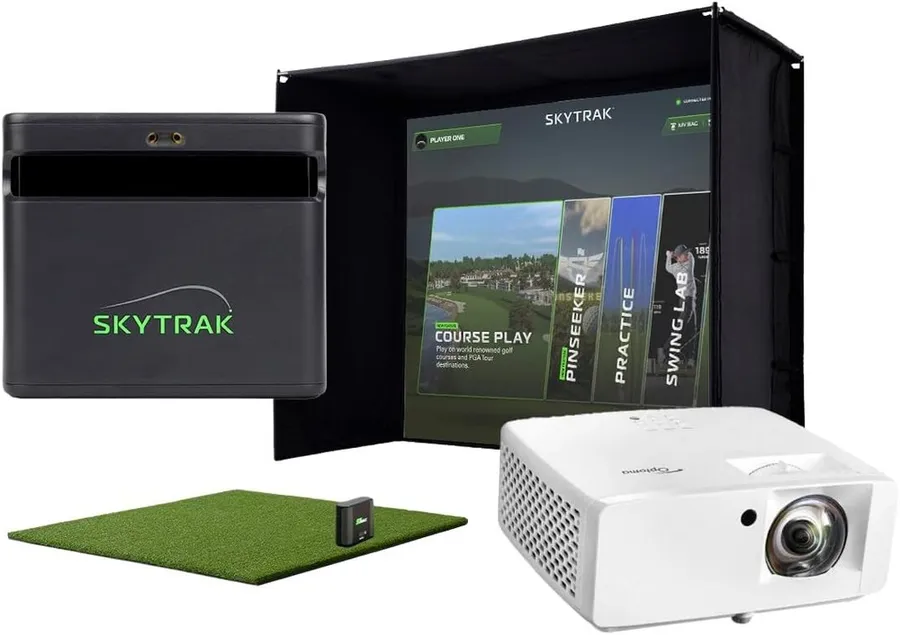
The SkyTrak ST MAX studio bundles the launch monitor, enclosure, screen, mat and projector into one near-$4,000 package, making it the top of the cost ladder for a room that simply works.
What we like
- Includes the launch monitor, enclosure, screen, 5x5 mat and projector in one matched package
- Camera-based tracking stays accurate close to the screen, easing the space demands of a bay
- Removes the guesswork of sourcing and matching separate components
What we don't
- At around $3,995 it is roughly eight times the cost of a standalone launch monitor build
| Type | Complete studio package |
|---|---|
| Setup effort | Involved |
| Space needed | About 10 by 8 ft bay |
| Price | $3,995 |
| Best for | A turnkey premium room |
| Install difficulty | Hard |
| Price bracket | $$$ |
The SkyTrak ST MAX studio package is the top of this cost guide, and it earns that spot by answering the budget question with one number instead of a shopping list. For around $3,995 you get the launch monitor, the enclosure, the impact screen, a 5x5 hitting mat and a projector, all matched and shipped together.
It takes the premium award because it removes every point of friction in a home build. The hardest part of a DIY setup is making the components fit each other, and a complete studio simply skips that. It also uses camera-based tracking that stays accurate close to the screen, which softens the deep-room requirement that radar units impose.
Living with it is the closest thing to turnkey in indoor golf. You assemble the room once, calibrate, and then you are playing on a full studio rather than troubleshooting mismatched parts.
The obvious drawback is price. At roughly eight times the cost of a standalone R10 build, it is a serious commitment, and a patient DIY builder can assemble a capable bay for far less using the enclosure, screen and mat elsewhere in this guide. But if you value a finished, matched room over saving money, this is where the ladder ends.
Research-based pick: this recommendation is based on product data, owner feedback and comparison with products we have tested, not on direct hands-on testing.
Buy it if: The buyer who wants a complete, matched studio without sourcing parts
Skip it if: You are cost-conscious and happy to assemble a bay from separate pieces
How we researched these picks#
We built this guide by starting from the indoor golf products people actually buy, then arranging them as a cost ladder rather than a flat ranking. Every pick is a real, currently sold product with verified owner reviews, and together they span the full budget range of an indoor setup, from a $130 screen to a near-$4,000 complete studio.
For each product we pulled the manufacturer or listing specifications, read across aggregated verified owner feedback, and compared them on the factors that decide value at each price: the type of product and what it actually does, how much setup and assembly it demands, how much room it needs, its price, and who it suits. We deliberately included components as well as complete systems, because the honest answer to indoor golf simulator cost is that most people build a bay from several parts rather than buying one box.
These recommendations are research-based, not hands-on tested. We have not assembled each setup ourselves, so we lean on published specs and the consistent themes in owner feedback rather than our own bay data. Where a product has a real weakness, such as a subscription, a space requirement or a limited scope, we call it out plainly.
How to choose an indoor golf simulator by budget (buying guide)#
Start with your goal, not the price. If you want reliable data to improve, budget for a launch monitor that measures a real ball, such as the Garmin R10 or Rapsodo MLM2PRO. If you mostly want to play virtual courses for fun, a swing-stick sim like PHIGOLF does that for a fraction of the cost. Deciding this first stops you from overspending or underbuying.
Decide whether you build or buy complete. The single biggest cost lever is whether you assemble a bay from parts or buy a matched studio. Pairing a launch monitor with a separate screen, enclosure and mat, like the Durbles screen and GoSports turf, is cheaper and more flexible. A complete package such as the SkyTrak ST MAX costs far more but arrives matched and ready to play.
Match the tracking technology to your room. Doppler radar reads the ball in flight and wants about 8 feet of travel, so it suits a deep garage or basement. Camera-based systems measure near impact and stay accurate close to a screen, which fits a shallow room and eases the space cost of a bay. Measure width, depth and ceiling height before you spend.
Do not skip the mat and screen. A hitting mat like the GoSports turf and an impact screen like the Durbles are small lines that protect your body and transform the experience, yet they are easy to forget when comparing headline prices. Factor them in so a bare launch monitor is not judged against a complete room.
Budget for software and subscriptions. Sticker price is not always the full cost. Basic radar and swing-stick units work out of the box, but several simulator-capable devices gate their richest metrics and course play behind a paid annual plan. Add that recurring fee so two products at the same price are compared fairly.
Build in stages if money is tight. You do not have to buy everything at once. A sensible path is a screen and mat first, then a launch monitor, then a full enclosure, spreading the cost over time. Buying piece by piece is almost always cheaper than a turnkey studio and lets you upgrade the tracking device as your game and budget grow.
Frequently asked questions
How much does an indoor golf simulator really cost?
It spans a wide range. A swing-stick sim like PHIGOLF plays virtual rounds for around $280, a launch monitor that measures real shots such as the Garmin R10 runs about $500, and a complete matched studio like the SkyTrak ST MAX reaches roughly $3,995. Most home builds land in the middle by pairing a $500 to $600 launch monitor with a screen, enclosure and mat sourced separately, which usually totals well under a full studio package.
Can you build a cheap indoor golf simulator?
Yes, if you assemble the pieces yourself. A budget bay can start with a $130 impact screen, a $180 hitting mat and an existing net, then add a launch monitor when funds allow. Doing it in stages spreads the cost, and buying a screen and enclosure separately is almost always cheaper than a complete studio, at the price of matching the parts yourself.
What is the cheapest way to play virtual golf indoors?
A swing-stick simulator is the lowest-cost route to actually playing rounds. PHIGOLF plays tens of thousands of virtual courses for under $300 and needs only room to swing, with no enclosure or launch monitor required. The trade-off is that it estimates your swing from a sensor rather than measuring a real struck ball, so it is built for fun more than for accurate practice.
Do you need to pay a subscription for an indoor golf simulator?
Sometimes, and it changes the true cost. Basic radar and swing-stick units work without fees, but simulator-focused devices like the Rapsodo MLM2PRO put their fullest metrics and course libraries behind a paid annual plan. Add any recurring subscription to the hardware price before comparing two products that look similar on the sticker.
About the author

Jim Bennett Founder & lead reviewer
Jim is the guy behind Golf Sim Jim. He builds home golf simulators and compares launch monitors by the numbers that actually decide a setup, room fit, accuracy and software.
Home setup: Garage bay: SkyTrak+, 10 ft ceiling, BenQ LK936ST short-throw
- Launch monitor accuracy
- Home simulator builds
- Impact screens & enclosures
- Sim software (GSPro, E6, TGC)