
7 Best Launch Monitors for GSPro Golf Simulator Software in 2026
We compared seven launch monitors that run GSPro golf simulator software, ranking picks by accuracy, latency and price to find the best pairing for your bay.

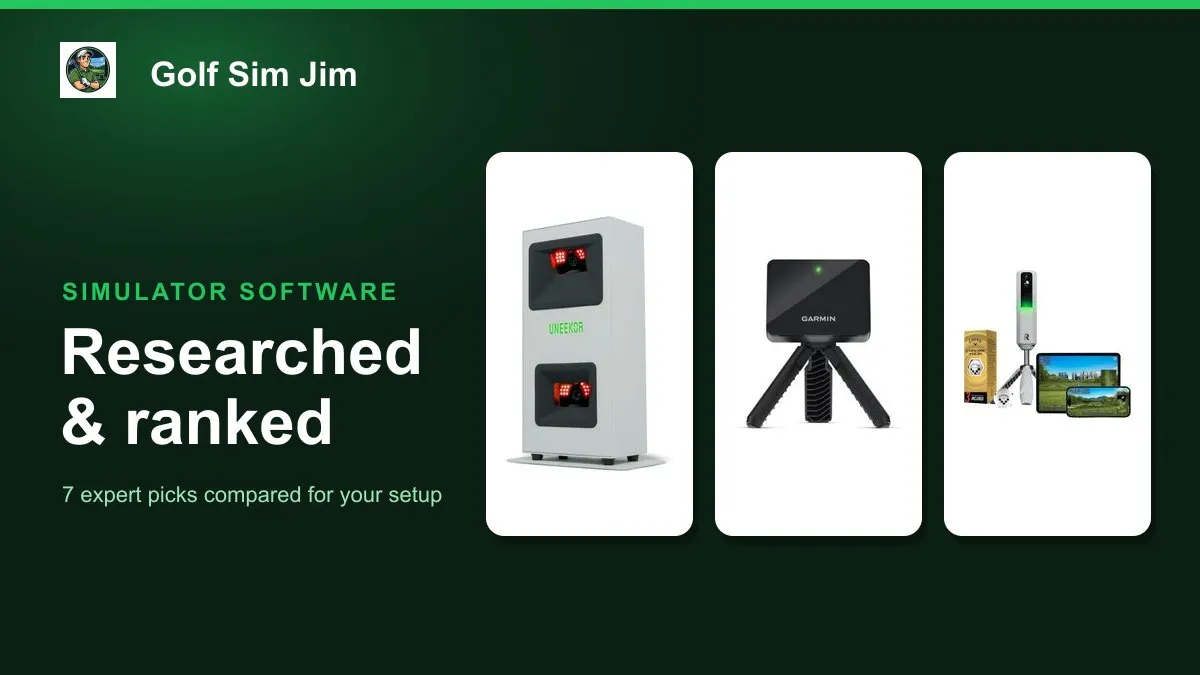
GSPro is one of the most popular golf simulator platforms because of its realistic courses and open community, but the software is only half the setup. GSPro does not measure anything on its own, so the launch monitor you pair with it decides how accurate and how responsive your rounds feel. This guide compares seven real, currently sold launch monitors that work with GSPro golf simulator software, from a $500 portable radar to a $5,000 all-in-one flagship. We weighed each one on how it connects to GSPro, whether it reads shots by camera or radar, how much room it needs in a bay, the depth of its metrics and its value at the price. Whether you want the tightest low-latency pairing, the cheapest way in, a portable unit that doubles at the range, or a studio-grade camera system, one of these fits. Below you will find the Uneekor EYE MINI CORE as the best overall choice plus category winners for budget, portability, accuracy, simulator use, premium buyers and indoor studios, followed by a plain-language buying guide.
Table of contents
- Quick picks
- Price compared
- Comparison table
- Best Overall: Uneekor EYE MINI CORE
- Best Budget: Garmin Approach R10
- Best Portable: Rapsodo MLM2Pro
- Best for Accuracy: Bushnell Launch Pro i
- Best for Simulator Use: SkyTrak ST MAX
- Best for Indoor Studios: Uneekor Eye MINI LITE
- Best Premium: Garmin Approach R50
- How we researched these picks
- How to choose a launch monitor for GSPro
- FAQ
Quick picks
Every pick wins a specific use case. Jump to the full review before you buy.
-
Best Overall
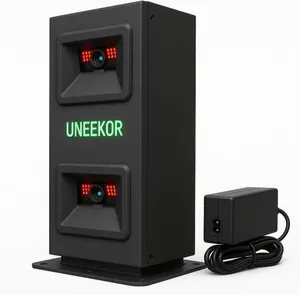
Uneekor EYE MINI CORE
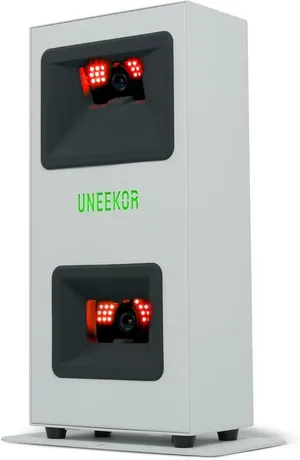
The EYE MINI CORE is built around a native GSPro connection and near-zero latency, so shots register the instant you strike the ball, which is exactly what GSPro is designed to reward.
-
Best Budget
Garmin Approach R10
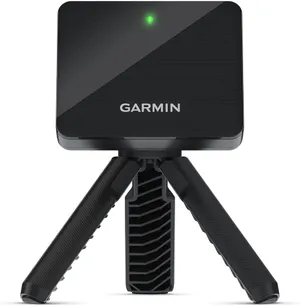
At around $500 the R10 is the cheapest credible way into GSPro, connecting through a third-party bridge to run full simulator rounds on a portable radar.
-
Best Portable
Rapsodo MLM2Pro
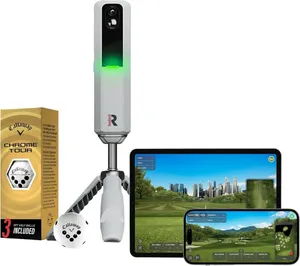
The MLM2Pro pairs a dual camera and radar system with a bag-friendly build, giving you GSPro at home and a full standalone monitor at the range from one $600 device.
-
Best for Accuracy
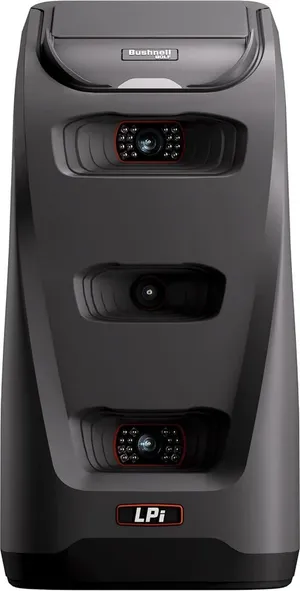
Bushnell Launch Pro i
The Launch Pro i brings tour-level camera measurement to GSPro in a footprint that reads shots right in front of a net, making it the most accurate pick for a tight bay.
-
Best for Simulator Use
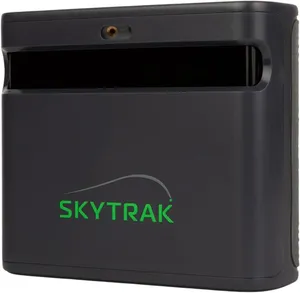
SkyTrak ST MAX
The ST MAX blends dual Doppler radar and photometric cameras into a monitor purpose-built for full-time simulator play, with a native GSPro connection at its core.
-
Best for Indoor Studios
Uneekor Eye MINI LITE
The Eye MINI LITE reads 19 precision metrics from an overhead camera and connects natively to GSPro, making it a step-up choice for a dedicated indoor studio.
-
Best Premium
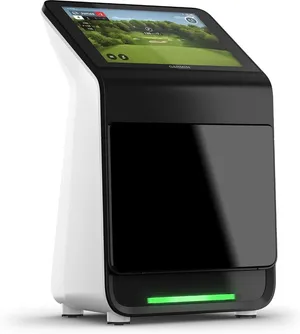
Garmin Approach R50
The R50 packs three high-speed cameras, radar and a built-in touchscreen into one polished unit, delivering premium accuracy that also feeds GSPro through a connector.
Compare every pick
| Product | Award | Type | Key metrics | Gspro support | Price | Warranty | Best for | Where to buy |
|---|---|---|---|---|---|---|---|---|
| Uneekor EYE MINI CORE | Best Overall | Photometric (camera) | 15 data points | Native connection | $1,249 | 1 year | Serious GSPro players who want low latency and camera accuracy | Check price on Amazon for Uneekor EYE MINI CORE at Amazon (affiliate link) |
| Garmin Approach R10 | Best Budget | Radar (Doppler) | 14 metrics | Via connector | $500 | 1 year | Golfers who want GSPro on a tight budget and a unit they can carry | Check price on Amazon for Garmin Approach R10 at Amazon (affiliate link) |
| Rapsodo MLM2Pro | Best Portable | Camera plus radar | 15 metrics | Via connector | $600 | 1 year | Golfers who split time between a home GSPro bay and the range | Check price on Amazon for Rapsodo MLM2Pro at Amazon (affiliate link) |
| Bushnell Launch Pro i | Best for Accuracy | Photometric (camera) | Full ball and club | Native connection | $1,500 | 1 year | Accuracy-focused golfers with a short indoor GSPro bay | Check price on Amazon for Bushnell Launch Pro i at Amazon (affiliate link) |
| SkyTrak ST MAX | Best for Simulator Use | Dual radar plus camera | Full ball and club | Native connection | $1,995 | 1 year | Golfers building a permanent GSPro simulator room | Check price on Amazon for SkyTrak ST MAX at Amazon (affiliate link) |
| Uneekor Eye MINI LITE | Best for Indoor Studios | Photometric (camera) | 19 metrics | Native connection | $2,749 | 1 year | Enthusiasts building a polished, data-rich indoor GSPro studio | Check price on Amazon for Uneekor Eye MINI LITE at Amazon (affiliate link) |
| Garmin Approach R50 | Best Premium | Triple camera plus radar | 15 plus metrics | Via connector | $5,000 | 1 year | Buyers who want a flagship all-in-one that also runs GSPro | Check price on Amazon for Garmin Approach R50 at Amazon (affiliate link) |
Swipe sideways to compare every column.
Best Overall
Uneekor EYE MINI CORE
by Uneekor
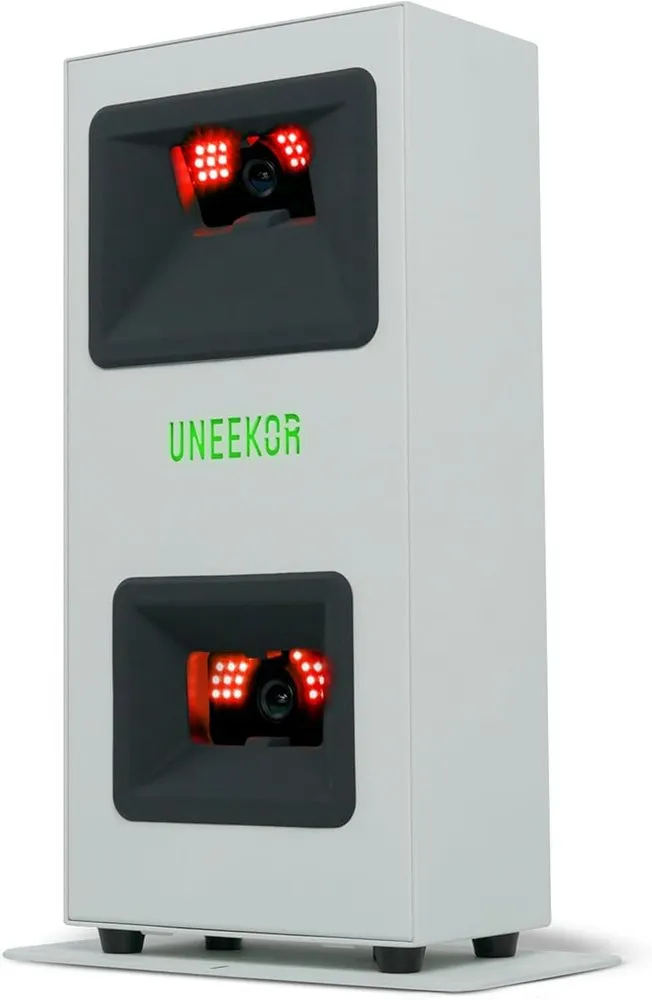
The EYE MINI CORE is built around a native GSPro connection and near-zero latency, so shots register the instant you strike the ball, which is exactly what GSPro is designed to reward.
What we like
- Native GSPro connection with almost no shot-to-screen delay
- Camera-based readings capture spin and club data most radar units estimate
- Compact overhead placement suits tight indoor bays
What we don't
- Requires a Windows PC or laptop to run GSPro, adding to the total cost
| Type | Photometric (camera) |
|---|---|
| Key metrics | 15 data points |
| Gspro support | Native connection |
| Price | $1,249 |
| Warranty | 1 year |
| Install difficulty | Moderate |
| Price bracket | $$ |
GSPro is a subscription simulator platform that lives or dies on how fast and how accurately your launch monitor feeds it data, and the Uneekor EYE MINI CORE is one of the few units engineered specifically for that job. It sits overhead or beside the ball as a photometric camera system, reading 15 data points at impact and pushing them into GSPro through a native connection rather than a workaround.
What sets it apart for GSPro is latency. Radar units watch the ball fly for a fraction of a second before reporting, which adds a small but noticeable lag between your swing and the ball launching on screen. The EYE MINI CORE measures at impact and reports almost immediately, so the simulated ball leaves the moment you do. That responsiveness is what makes a GSPro round feel like real golf rather than a delayed replay.
Day to day it is a plug-in-and-play companion for a permanent or semi-permanent bay. The main friction is that GSPro needs a Windows machine, so budget for a capable laptop or mini PC alongside the monitor and your GSPro membership. If you want a device you can also toss in a bag and use standalone at the range, a radar pick fits better.
Choose the EYE MINI CORE if GSPro is your main course platform and you want the tightest, most accurate pairing without stepping up to a four or five thousand dollar system. Casual users who only dabble in the sim should look at the budget picks below.
Research-based pick: this recommendation is based on product data, owner feedback and comparison with products we have tested, not on direct hands-on testing.
Buy it if: Serious GSPro players who want low latency and camera accuracy
Skip it if: You want a single device that also works untethered at the range
Best Budget
Garmin Approach R10
by Garmin
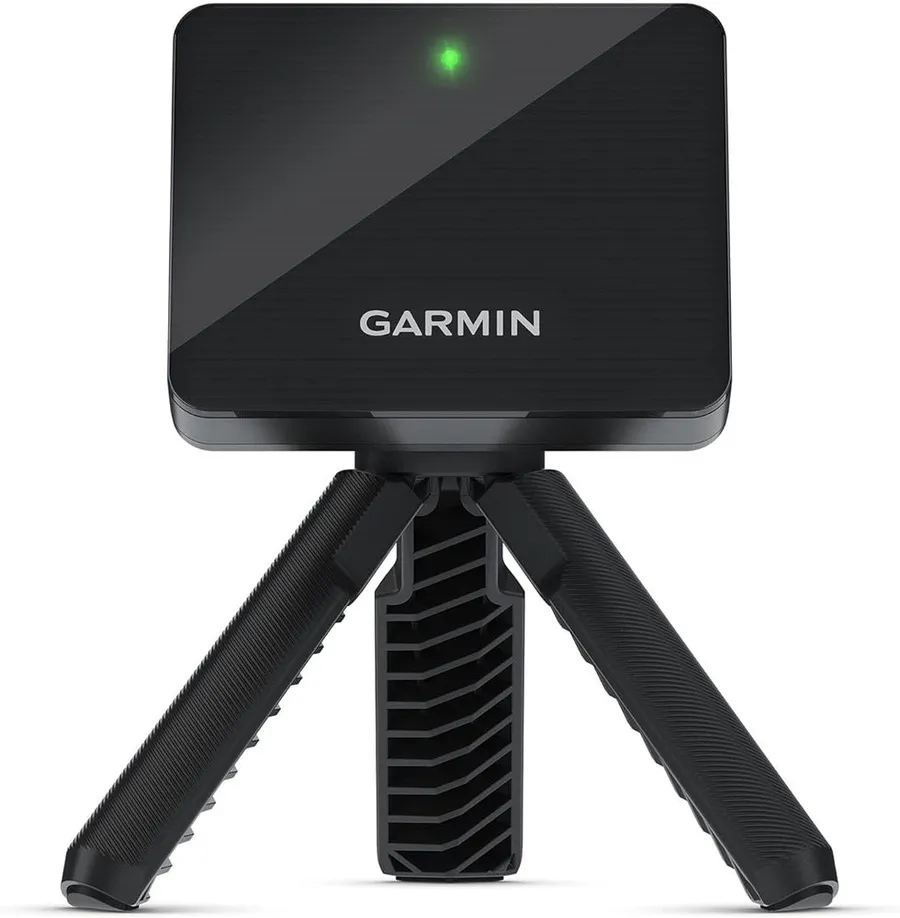
At around $500 the R10 is the cheapest credible way into GSPro, connecting through a third-party bridge to run full simulator rounds on a portable radar.
What we like
- Lowest entry price of any GSPro-capable launch monitor here
- Portable radar that also works standalone at the range
- Huge verified owner base with more than 1,000 ratings
What we don't
- The GSPro link uses a community connector rather than official Garmin support, so expect setup and occasional maintenance
| Type | Radar (Doppler) |
|---|---|
| Key metrics | 14 metrics |
| Gspro support | Via connector |
| Price | $500 |
| Warranty | 1 year |
| Install difficulty | Moderate |
| Price bracket | $ |
Most people discover GSPro after already owning a Garmin Approach R10, and the good news is the two can work together. The R10 is a Doppler radar that reads 14 metrics, and through a widely used third-party connector it feeds those numbers into GSPro so you can play full simulated courses for a fraction of the cost of a dedicated camera unit.
The trade-off is the nature of radar. It needs to watch the ball travel, so you want roughly 7 to 8 feet of ball flight in front of the unit for reliable spin and carry numbers. In a short garage or spare room those readings get less consistent, and GSPro will only ever be as accurate as the data it receives. The connection is also a community bridge rather than an official Garmin integration, so expect a little setup and the occasional update to manage.
What you get for the money is hard to beat. The same unit that runs GSPro indoors folds into a bag for standalone range sessions, and the enormous owner base means quirks are well documented. It is the natural first step for anyone testing whether a GSPro habit is worth a bigger investment.
Buy the R10 if budget and portability matter most and you have room for the radar to breathe. If your space is tight or you want the crispest sim feel, a camera pick like the EYE MINI CORE or Bushnell Launch Pro i earns its premium.
Research-based pick: this recommendation is based on product data, owner feedback and comparison with products we have tested, not on direct hands-on testing.
Buy it if: Golfers who want GSPro on a tight budget and a unit they can carry
Skip it if: You have a short bay and cannot give the radar room to read flight
Best Portable
Rapsodo MLM2Pro
by Rapsodo
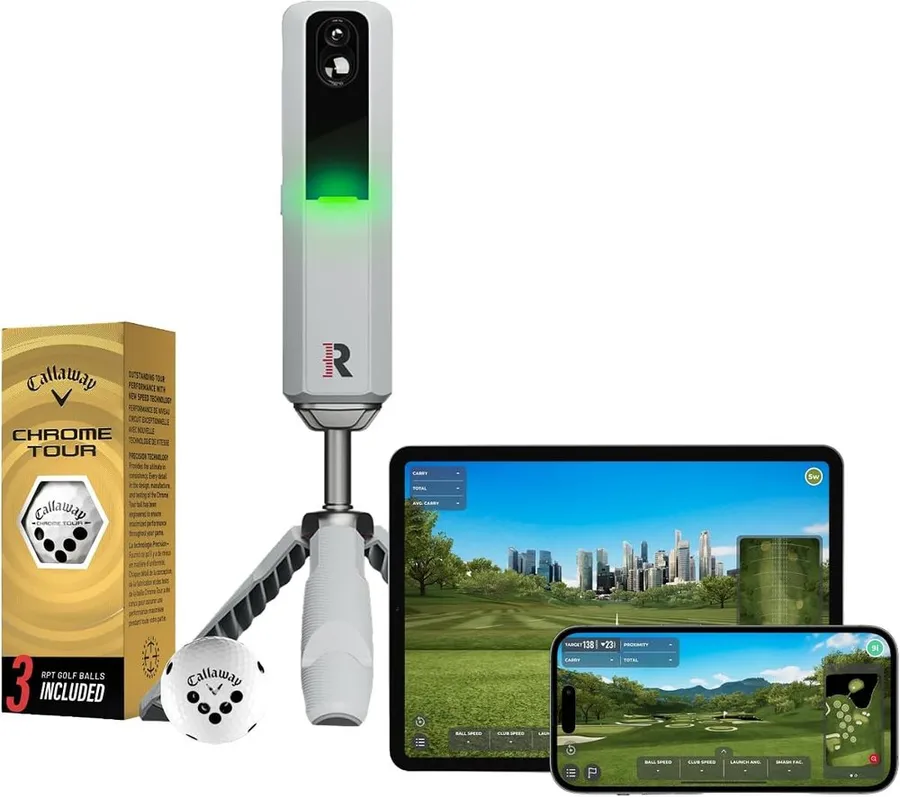
The MLM2Pro pairs a dual camera and radar system with a bag-friendly build, giving you GSPro at home and a full standalone monitor at the range from one $600 device.
What we like
- Combines camera and radar for solid ball and club data
- Fully portable and runs standalone without a PC when away from GSPro
- Strong owner base with hundreds of verified ratings
What we don't
- Full metrics and features sit behind a paid Rapsodo membership on top of your GSPro subscription
| Type | Camera plus radar |
|---|---|
| Key metrics | 15 metrics |
| Gspro support | Via connector |
| Price | $600 |
| Warranty | 1 year |
| Install difficulty | Moderate |
| Price bracket | $ |
The Rapsodo MLM2Pro is the pick for golfers who refuse to choose between an indoor simulator and a range tool. It uses a dual camera and radar setup to report 15 metrics, and it connects to GSPro so you can play simulated courses at home while still folding into a bag for standalone sessions anywhere the weather cooperates.
For GSPro use the MLM2Pro sits in a sweet spot on price, coming in well under the camera-based bays while offering more club-side data than a pure radar. The catch worth knowing is Rapsodo’s own membership model: the fullest metric set and features run through a paid subscription tier, so before you compare sticker prices, add that recurring cost on top of your GSPro membership. Two subscriptions can quietly change the value math.
In practice it is one of the most flexible units on this list. The same device that drives a GSPro round in the garage gives you trustworthy speed, carry and shot-shape numbers on the range, and the large owner base means setup guidance is easy to find.
Pick the MLM2Pro if portability and dual use are your priorities and you accept a second subscription. If you want the lowest possible cost, the Garmin R10 undercuts it, and if you want native GSPro accuracy in a fixed bay, step up to a camera system.
Research-based pick: this recommendation is based on product data, owner feedback and comparison with products we have tested, not on direct hands-on testing.
Buy it if: Golfers who split time between a home GSPro bay and the range
Skip it if: You want native GSPro support without a paid membership tier
Best for Accuracy
Bushnell Launch Pro i
by Bushnell
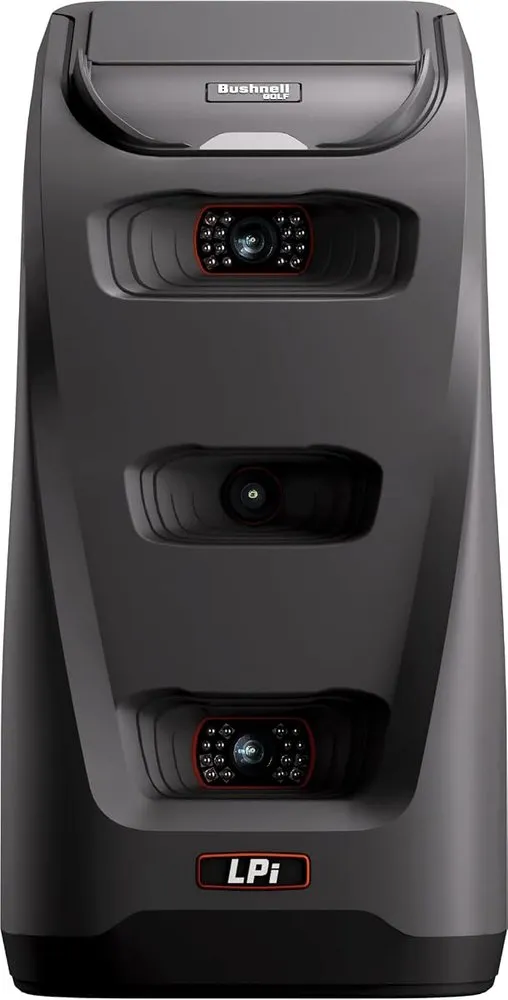
The Launch Pro i brings tour-level camera measurement to GSPro in a footprint that reads shots right in front of a net, making it the most accurate pick for a tight bay.
What we like
- Camera-based measurement rated for tour-level accuracy
- Reads shots at impact, so it fits short indoor spaces
- Native GSPro connection with a clean, reliable data feed
What we don't
- Full club data can require paid unlocks, and it is a fixed-bay unit rather than something portable
| Type | Photometric (camera) |
|---|---|
| Key metrics | Full ball and club |
| Gspro support | Native connection |
| Price | $1,500 |
| Warranty | 1 year |
| Install difficulty | Moderate |
| Price bracket | $$ |
If GSPro accuracy is the whole point, the Bushnell Launch Pro i is the standout. It is a photometric camera system with a reputation for tour-level precision, and because it measures the ball and club at impact rather than tracking flight, it delivers full data in a space where a radar unit would struggle to keep up.
That impact-based measurement is the reason it earns the accuracy award for GSPro specifically. You can set it just in front of a hitting net in a short garage or spare room and still get dependable spin, launch and club numbers feeding the simulator. Radar units in the same space start guessing, and GSPro simply cannot render a shot better than the data behind it. The Launch Pro i keeps that data honest even when the room is small.
The main limitation is cost and configuration. Bushnell offers different unlock levels for its full club data, so confirm which metrics the version you buy includes before checking out, and know that this is a fixed-bay device rather than something you carry to the range. It also expects a capable PC to run GSPro alongside it.
Choose the Launch Pro i if a compact, accurate indoor GSPro setup is your goal and you want camera precision without jumping to a five thousand dollar all-in-one. If you value portability or the lowest price, look to the Rapsodo or Garmin picks instead.
Research-based pick: this recommendation is based on product data, owner feedback and comparison with products we have tested, not on direct hands-on testing.
Buy it if: Accuracy-focused golfers with a short indoor GSPro bay
Skip it if: You need a portable unit or want the full metric set without unlocks
Best for Simulator Use
SkyTrak ST MAX
by SkyTrak
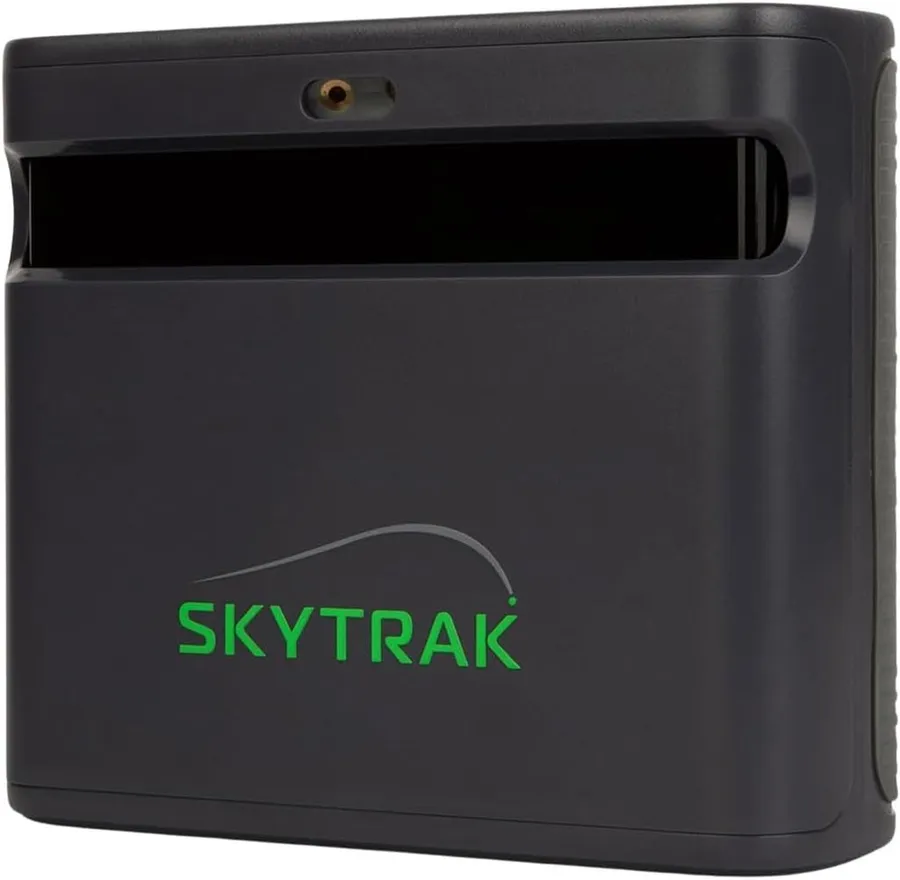
The ST MAX blends dual Doppler radar and photometric cameras into a monitor purpose-built for full-time simulator play, with a native GSPro connection at its core.
What we like
- Dual radar and camera design tuned for indoor simulator accuracy
- Native GSPro connection plus wide third-party software support
- Handles a dedicated bay as a permanent, always-ready centerpiece
What we don't
- Not portable and priced well above the entry picks, so it only pays off in a permanent bay
| Type | Dual radar plus camera |
|---|---|
| Key metrics | Full ball and club |
| Gspro support | Native connection |
| Price | $1,995 |
| Warranty | 1 year |
| Install difficulty | Moderate |
| Price bracket | $$ |
SkyTrak has been a fixture in home simulators for years, and the ST MAX is the version tuned for people who want a dedicated GSPro room rather than an occasional session. It combines dual Doppler radar with photometric cameras, so it captures both flight and impact data, and it connects natively to GSPro along with the other major simulator platforms.
The reason it wins the simulator award is that it is built to live in a bay. Set it once, level it, and it becomes the reliable centerpiece of a room where GSPro runs regularly. The mixed sensor approach gives it a fuller picture of each shot than a single-technology unit, which pays off across a long session where consistency matters more than portability. It is comfortable as the hub of an enclosure, mat and projector build.
The flip side is that it is not the unit you carry to the range, and at nearly $2,000 it sits above the entry picks. It also assumes you are committing to a fixed setup with a PC for GSPro, so it makes the most sense once you know simulator golf is a lasting part of your routine.
Buy the ST MAX if you are furnishing a permanent GSPro bay and want a monitor engineered for exactly that. If you are still testing the waters or need to travel with the unit, the Garmin R10 or Rapsodo MLM2Pro fit better.
Research-based pick: this recommendation is based on product data, owner feedback and comparison with products we have tested, not on direct hands-on testing.
Buy it if: Golfers building a permanent GSPro simulator room
Skip it if: You want a portable unit or the cheapest way into GSPro
Best for Indoor Studios
Uneekor Eye MINI LITE
by Uneekor
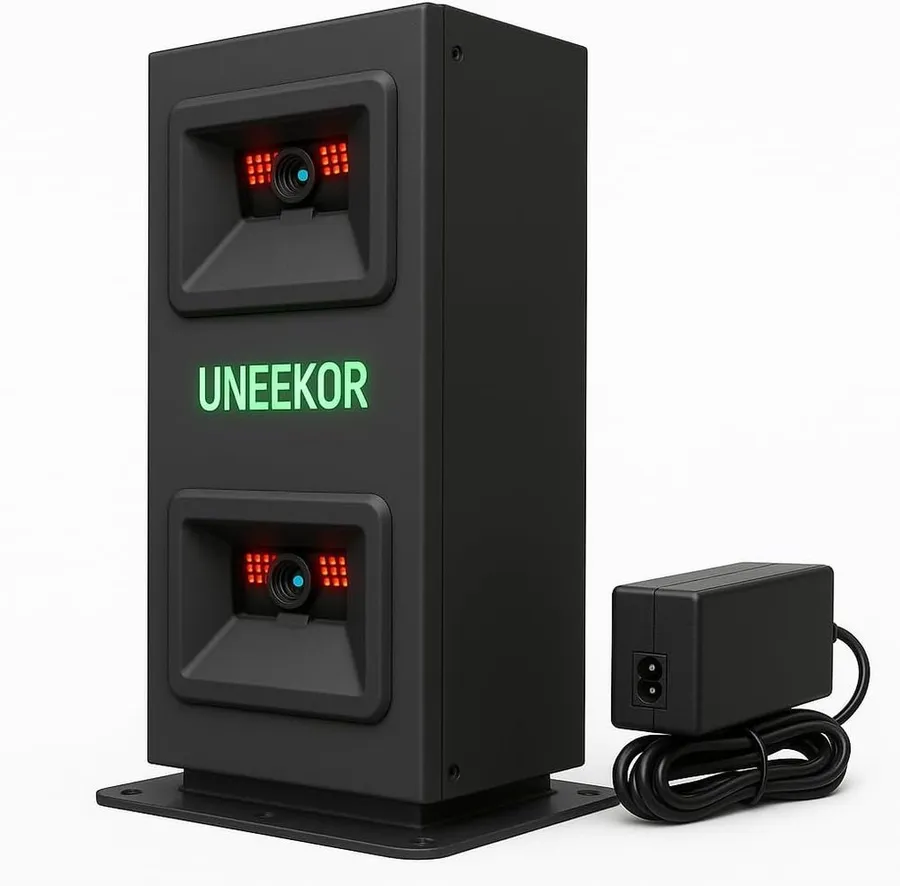
The Eye MINI LITE reads 19 precision metrics from an overhead camera and connects natively to GSPro, making it a step-up choice for a dedicated indoor studio.
What we like
- Reports 19 precision metrics, the deepest data set among the camera picks
- Native GSPro connection with near-zero latency
- Overhead placement keeps the hitting area clear in a studio build
What we don't
- Costs more than the EYE MINI CORE for a similar GSPro role, and needs a fixed bay plus a Windows PC
| Type | Photometric (camera) |
|---|---|
| Key metrics | 19 metrics |
| Gspro support | Native connection |
| Price | $2,749 |
| Warranty | 1 year |
| Install difficulty | Moderate |
| Price bracket | $$$ |
The Uneekor Eye MINI LITE is the choice for enthusiasts who want their indoor GSPro studio to feel finished. It is a photometric camera unit that reads 19 precision metrics, the richest data set among the camera picks here, and it connects natively to GSPro with the same near-zero latency that makes Uneekor a favorite for simulator play.
For a dedicated studio it does two things well. The overhead mounting keeps the hitting area uncluttered so you can swing freely, and the deeper metric set gives GSPro more to work with, which shows up in more faithful shot shaping and spin behavior on screen. It slots naturally into an enclosure and mat build where GSPro runs as the main platform on a connected PC.
The reasons it is not the outright winner are practical. It costs more than the EYE MINI CORE while serving a similar GSPro role, and like every camera unit here it is a fixed-bay device that expects a Windows machine. You are paying for extra metrics and a studio-grade fit rather than a dramatic jump in playability.
Pick the Eye MINI LITE if you are building a serious indoor studio and want the fullest camera data feeding GSPro. If you want the same low-latency Uneekor experience for less, the EYE MINI CORE covers the essentials, and budget-minded players should start with the Garmin R10.
Research-based pick: this recommendation is based on product data, owner feedback and comparison with products we have tested, not on direct hands-on testing.
Buy it if: Enthusiasts building a polished, data-rich indoor GSPro studio
Skip it if: You want portability or the lowest cost of entry
Best Premium
Garmin Approach R50
by Garmin
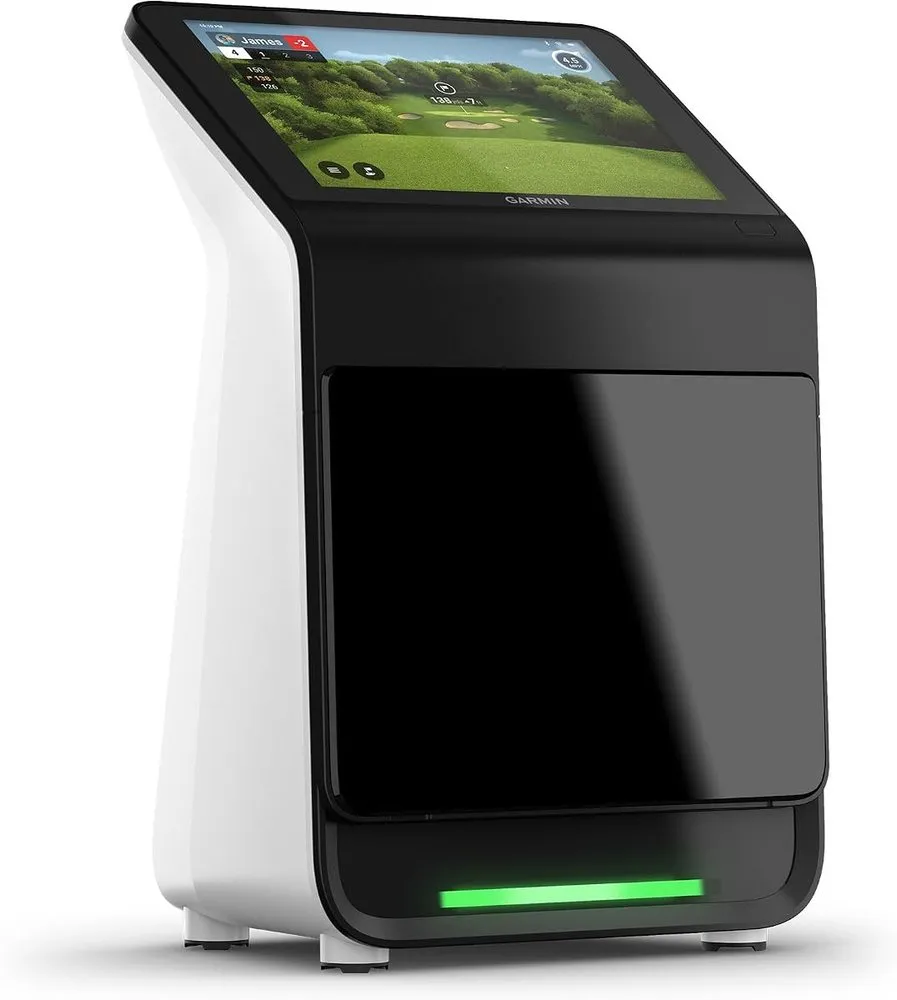
The R50 packs three high-speed cameras, radar and a built-in touchscreen into one polished unit, delivering premium accuracy that also feeds GSPro through a connector.
What we like
- Triple camera and radar system captures 15 plus metrics
- Built-in 10-inch touchscreen works standalone without a PC
- Premium build with a strong verified owner rating
What we don't
- You pay a steep premium for a screen and standalone courses you may rarely use if GSPro is your only goal
| Type | Triple camera plus radar |
|---|---|
| Key metrics | 15 plus metrics |
| Gspro support | Via connector |
| Price | $5,000 |
| Warranty | 1 year |
| Install difficulty | Easy |
| Price bracket | $$$ |
The Garmin Approach R50 is the splurge pick, a flagship that bundles three high-speed cameras, radar and a 10-inch built-in touchscreen into a single device. It reports more than 15 metrics and, like its cheaper R10 sibling, connects to GSPro through a community bridge so you can drive full simulated rounds when you want the deeper course experience GSPro provides.
Its premium status comes from doing so much on its own. The built-in screen and course library mean the R50 works as a complete launch monitor and simulator without any PC at all, which is unusual at this level. When you do want GSPro’s graphics and course roster, the connector lets the same hardware feed it, so you are not locked into one ecosystem. That flexibility, plus the multi-camera accuracy, is what justifies the price for buyers who want the best.
The honest limitation is value for GSPro specifically. If GSPro is the only reason you are buying, you are paying a large premium for a screen and standalone features you may rarely use, when a fixed camera unit would feed GSPro just as well for far less. The R50 makes sense when you want a do-everything flagship, not a GSPro-only feeder.
Choose the R50 if you want the most capable all-in-one on this list and value standalone use as much as GSPro. If GSPro is your sole aim, the EYE MINI CORE or Bushnell Launch Pro i deliver the accuracy that matters for less money.
Research-based pick: this recommendation is based on product data, owner feedback and comparison with products we have tested, not on direct hands-on testing.
Buy it if: Buyers who want a flagship all-in-one that also runs GSPro
Skip it if: You only need GSPro and do not want to pay for the built-in screen
How we researched these picks#
We started from the best golf launch monitors that GSPro golfers actually cross-shop, then narrowed to seven real, currently sold units that are confirmed to work with GSPro, either through a native connection or a widely used community bridge. Every pick has published manufacturer specifications and, in most cases, a meaningful base of verified owner reviews, which keeps the list grounded in devices you can order today rather than spec-sheet promises.
For each unit we weighed the factors that matter for GSPro specifically: how it connects and how reliable that connection is, whether it measures by camera or radar, how much latency it adds between your swing and the on-screen ball, how much room it needs to read shots accurately, the depth of its metrics and its value at the price. We compared them head to head on those points rather than judging any one in isolation. These picks are research-based and not hands-on tested, so treat them as a shortlist to verify against your own space and budget.
How to choose a launch monitor for GSPro#
Check GSPro compatibility first. GSPro only works with launch monitors on its supported list. Native partners like Uneekor, Bushnell and SkyTrak connect directly, while Garmin and Rapsodo units link through a community connector that takes a little setup. Confirm your exact model is supported before you spend a cent.
Decide between camera and radar. Camera units measure the ball and club at impact, so they fit short indoor bays and report spin and club data with very low latency. Radar units watch the ball fly and need roughly 7 to 8 feet of travel to stay accurate. For a dedicated indoor GSPro room, camera usually wins; for portability and price, radar has the edge.
Match the unit to your space. Measure your bay before shopping. A short garage or spare room favors an impact-based camera like the Bushnell Launch Pro i or Uneekor EYE MINI CORE. A deeper garage or a setup you also use at the range can take a radar like the Garmin R10.
Weigh latency for how the sim feels. GSPro renders the ball the moment your monitor reports. Low-latency camera units make that feel instant and lifelike, while radar adds a small delay. If immersion matters most to you, prioritize a native, low-latency connection.
Add up the full cost. The monitor is only one line item. Budget for the GSPro membership, a Windows PC to run it, and any second subscription a monitor requires, as the Rapsodo MLM2Pro does. Two units at the same sticker price can have very different real costs once memberships are counted.
Do not overpay for features you will not use. A flagship like the Garmin R50 includes a screen and its own standalone course library that is wasted if GSPro is your only reason to buy. If you just need a clean feed into GSPro, a fixed camera unit delivers the accuracy that matters for far less money.
Frequently asked questions
Do I need a specific launch monitor to use GSPro?
Yes. GSPro is simulator software with no sensor of its own, so it needs a compatible launch monitor to measure your shots. Some units connect natively, like the Uneekor EYE MINI CORE, Bushnell Launch Pro i and SkyTrak ST MAX, while others such as the Garmin R10 and R50 or the Rapsodo MLM2Pro connect through a community bridge. Confirm your monitor is on GSPro's supported list before you buy.
Does GSPro run on any computer?
GSPro is Windows software, so you need a Windows PC or laptop with a dedicated graphics card to run it smoothly. It will not run on a phone or tablet on its own, which is why some standalone monitors like the Garmin R50 include their own screen for use away from GSPro. Budget for a capable PC on top of the monitor and the GSPro membership.
Are camera launch monitors better than radar for GSPro?
For most indoor GSPro bays, yes. Camera units measure at impact, so they fit short rooms and report spin and club data directly with very low latency, which makes the simulated ball launch feel instant. Radar units need several feet of ball flight to read accurately and add a slight delay. Radar still wins on portability and price, so match the technology to your space.
How much does a GSPro setup really cost?
Add three things: the GSPro membership, a Windows PC to run it, and the launch monitor. The monitor is the biggest variable, ranging from about $500 for a Garmin R10 to $5,000 for a Garmin R50. Camera picks like the EYE MINI CORE and Bushnell Launch Pro i sit in the middle. Factor in any second subscription too, since the Rapsodo MLM2Pro gates its full features behind its own membership.
About the author

Jim Bennett Founder & lead reviewer
Jim is the guy behind Golf Sim Jim. He builds home golf simulators and compares launch monitors by the numbers that actually decide a setup, room fit, accuracy and software.
Home setup: Garage bay: SkyTrak+, 10 ft ceiling, BenQ LK936ST short-throw
- Launch monitor accuracy
- Home simulator builds
- Impact screens & enclosures
- Sim software (GSPro, E6, TGC)