
7 Golf Simulator Programs Compared by Courses and Cost
We compared 7 real golf simulator programs and the units that run them, from $279 to $4,999, ranked by course libraries, software support and cost.

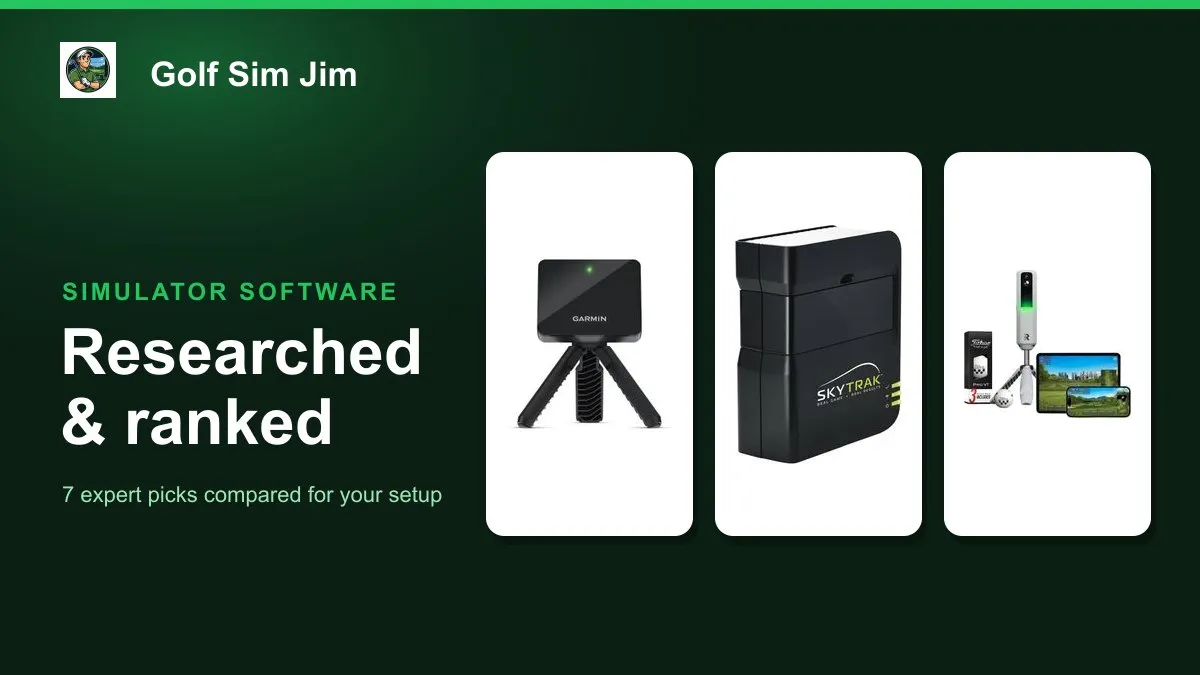
Golf simulator programs live or die on two things: how many courses you can play and how much the whole setup costs to own. The catch is that the programs themselves, from Home Tee Hero and E6 Connect to GSPro, only run when a launch monitor is feeding them data, so the hardware you pick decides which software you can use. This guide compares seven real, currently sold units and the simulator programs each one drives, spanning about $279 to $4,999. We weighed every pick on the sensing technology behind it, the specific programs it supports, the size of the course library you can reach, whether it needs a subscription, and the true cost of ownership once software is added. Whether you want the widest program choice, the deepest software ecosystem, an all-in-one premium screen or the cheapest credible way to play virtual courses, there is a match here. Below you will find the best overall pick plus category winners for software, shot data, premium, budget, no-subscription play and portability, followed by a plain buying guide.
Table of contents
- Quick picks
- Price compared
- Comparison table
- Best Overall: Garmin Approach R10
- Best for Simulator Software: SkyTrak Launch Monitor
- Best for Shot Data: Rapsodo MLM2PRO
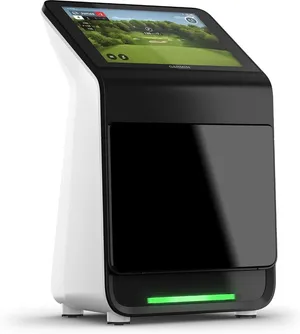
- Best Premium: Garmin Approach R50
- Best for No Subscription: Voice Caddie SC4 PRO
- Best Budget: PHIGOLF Home Simulator
- Best Portable: Swinora Portable Launch Monitor
- How we researched these picks
- How to choose a golf simulator program (buying guide)
- FAQ
Quick picks
Every pick wins a specific use case. Jump to the full review before you buy.
-
Best Overall
Garmin Approach R10
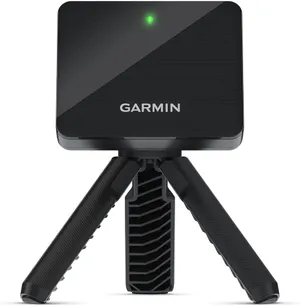
The R10 runs the widest range of simulator programs for the money, from Garmin's own 43,000-course library to E6 Connect and GSPro, which makes it the most flexible software brain most home golfers will need.
-
Best for Simulator Software
SkyTrak Launch Monitor
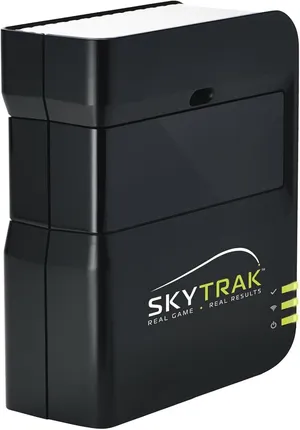
SkyTrak has the deepest and most mature simulator program support here, natively driving E6 Connect, TGC and WGT, so it is the pick if the software ecosystem matters more than anything.
-
Best for Shot Data
Rapsodo MLM2PRO
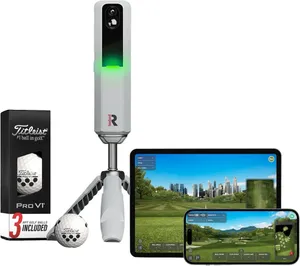
The MLM2PRO pairs dual-camera and radar sensing with 15 tracked metrics and E6 Connect course play, making it the best pick if you want rich practice data alongside your simulator programs.
-
Best Premium
Garmin Approach R50
The R50 folds triple-camera accuracy, a built-in touchscreen and a 43,000-course library into one unit, so it is the premium pick when you want the whole simulator program experience with almost no setup.
-
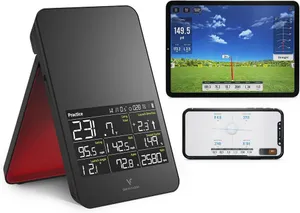
Best for No Subscription
Voice Caddie SC4 PRO
The SC4 PRO bundles a built-in screen and five free E3 courses with no monthly fee, so it is the pick if you want simulator program play without an ongoing subscription.
-
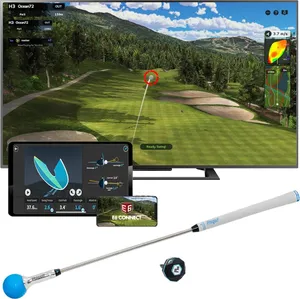
Best Budget
PHIGOLF Home Simulator
For under $300 the PHIGOLF pairs a motion-sensor swing stick with a 38,000-course app and E6 Connect support, making it the cheapest credible way into simulator program play.
-
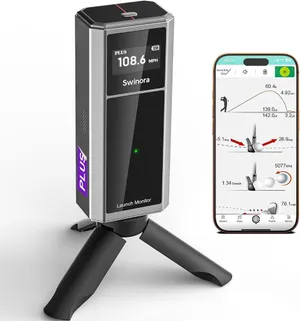
Best Portable
Swinora Portable Launch Monitor
The Swinora is a pocketable launch monitor with a 3D driving range and 13 tracked metrics and no subscription, making it the easiest program to carry between the range and home.
Compare every pick
| Product | Award | Type | Software | Courses | Subscription | Price | Best for | Where to buy |
|---|---|---|---|---|---|---|---|---|
| Garmin Approach R10 | Best Overall | Radar (Doppler) | Garmin Golf, E6 Connect, GSPro | 43,000+ via Home Tee Hero | Optional for full course play | $499 | Home golfers who want the most program choice for the price | Check price on Amazon for Garmin Approach R10 at Amazon (affiliate link) |
| SkyTrak Launch Monitor | Best for Simulator Software | Photometric (single camera) | SkyTrak, E6 Connect, TGC, WGT | 100,000+ across supported programs | Play and Improve plan for full sim | $649 | Builders who want the widest, most proven simulator program support | Check price on Amazon for SkyTrak Launch Monitor at Amazon (affiliate link) |
| Rapsodo MLM2PRO | Best for Shot Data | Dual camera plus radar | Rapsodo, E6 Connect, GSPro | 30,000+ via E6 Connect | MLM Premium for full data | $599 | Golfers who want detailed practice data plus course play | Check price on Amazon for Rapsodo MLM2PRO at Amazon (affiliate link) |
| Garmin Approach R50 | Best Premium | Photometric (triple camera) | Built-in, E6 Connect, GSPro | 43,000+ via Home Tee Hero | Optional for full course play | $4,999 | Buyers who want an all-in-one premium unit with courses built in | Check price on Amazon for Garmin Approach R50 at Amazon (affiliate link) |
| Voice Caddie SC4 PRO | Best for No Subscription | Radar with built-in screen | Built-in E3, GSPro ready | 5 free E3 courses included | None required | $499 | Golfers who want course play without recurring fees | Check price on Amazon for Voice Caddie SC4 PRO at Amazon (affiliate link) |
| PHIGOLF Home Simulator | Best Budget | Motion sensor swing stick | PHIGOLF app, E6 Connect | 38,000+ worldwide | E6 tier optional | $279 | Newcomers who want lots of courses on a tight budget | Check price on Amazon for PHIGOLF Home Simulator at Amazon (affiliate link) |
| Swinora Portable Launch Monitor | Best Portable | Portable optical sensor | Swinora app, 3D driving range | 3D range and target practice | None required | $319 | Golfers who want portable practice with no ongoing fees | Check price on Amazon for Swinora Portable Launch Monitor at Amazon (affiliate link) |
Swipe sideways to compare every column.
Best Overall
Garmin Approach R10
by Garmin
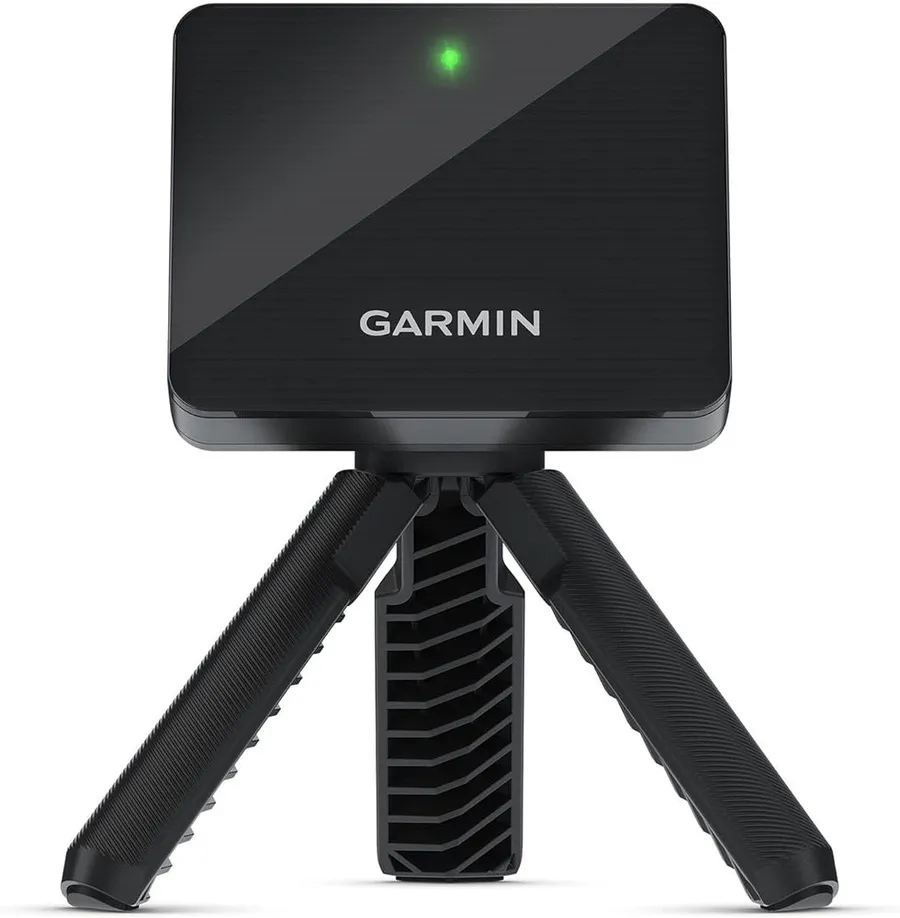
The R10 runs the widest range of simulator programs for the money, from Garmin's own 43,000-course library to E6 Connect and GSPro, which makes it the most flexible software brain most home golfers will need.
What we like
- Works with Garmin Golf, E6 Connect and GSPro, so you are not locked into one program
- Home Tee Hero unlocks a huge virtual course library for course play
- Under $500 with a tripod, phone mount and case in the box
What we don't
- Full course play and the deepest program features sit behind a paid Garmin Golf membership
| Type | Radar (Doppler) |
|---|---|
| Software | Garmin Golf, E6 Connect, GSPro |
| Courses | 43,000+ via Home Tee Hero |
| Subscription | Optional for full course play |
| Price | $499 |
| Install difficulty | Easy |
| Price bracket | $$ |
The Approach R10 wins this list because it is the most program-friendly unit at a mainstream price. Where many cheaper devices lock you into one app, the R10 feeds Garmin’s own Home Tee Hero, E6 Connect and GSPro, so the software you play matters less than the hardware you own. That flexibility is exactly what someone searching for golf simulator programs is trying to solve.
Day to day it is a simple radar unit on a tripod that pairs with your phone or laptop. The Garmin Golf app gives you a large virtual course library, practice modes and shot tracking, while E6 and GSPro open the door to premium course rendering when you want a more realistic bay.
The honest limitation is the subscription. The unit is affordable up front, but the fullest course play and the best program features want a paid Garmin Golf membership, and E6 or GSPro carry their own costs. Factor that recurring spend into your budget before you buy.
Choose the R10 if you want maximum program choice without spending four figures. If you would rather have everything built into one screen with no ongoing fees, look at the Garmin R50 or the Voice Caddie SC4 PRO further down.
Research-based pick: this recommendation is based on product data, owner feedback and comparison with products we have tested, not on direct hands-on testing.
Buy it if: Home golfers who want the most program choice for the price
Skip it if: You want a self-contained screen and zero subscriptions
Best for Simulator Software
SkyTrak Launch Monitor
by SkyTrak
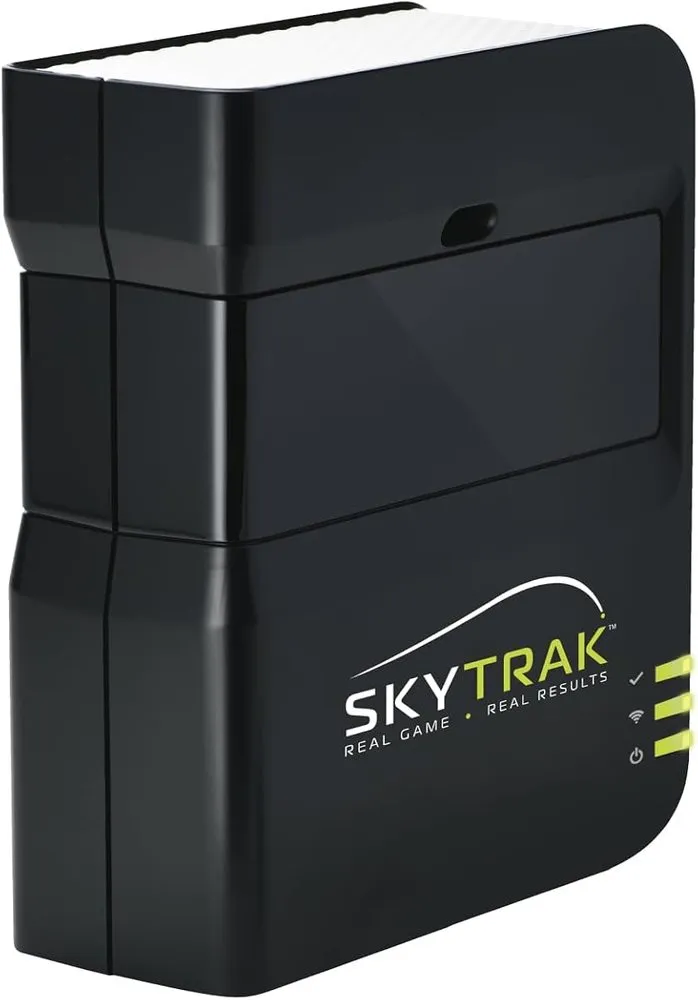
SkyTrak has the deepest and most mature simulator program support here, natively driving E6 Connect, TGC and WGT, so it is the pick if the software ecosystem matters more than anything.
What we like
- Native support for E6 Connect, TGC and WGT unlocks a very large course catalog
- Camera measurement stays accurate a few feet from an impact screen
- Well-established platform with deep community and setup resources
What we don't
- The best programs and course play require the paid Play and Improve plan
| Type | Photometric (single camera) |
|---|---|
| Software | SkyTrak, E6 Connect, TGC, WGT |
| Courses | 100,000+ across supported programs |
| Subscription | Play and Improve plan for full sim |
| Price | $649 |
| Install difficulty | Moderate |
| Price bracket | $$ |
If your goal is to play the widest set of simulator programs, SkyTrak is the specialist. It plugs into E6 Connect, The Golf Club and WGT, which between them cover a very large catalog of famous courses and practice environments. That software depth is why serious home bays have leaned on SkyTrak for years.
The hardware is a single-camera photometric unit, so it reads the ball at impact and holds accuracy just a few feet in front of a screen. That suits tight garages and basements where a radar unit would want more ball flight to work with.
The catch is cost of ownership. The launch monitor is mid-priced, but the programs that make it shine, along with full course play, sit behind the SkyTrak Play and Improve subscription. Add that recurring fee to your budget rather than treating the sticker price as the whole story.
Pick SkyTrak if the software ecosystem is your priority and you will use it enough to justify the plan. If you want the programs without the subscription, the Voice Caddie SC4 PRO or the budget PHIGOLF are better fits.
Research-based pick: this recommendation is based on product data, owner feedback and comparison with products we have tested, not on direct hands-on testing.
Buy it if: Builders who want the widest, most proven simulator program support
Skip it if: You want a low upfront price with no recurring software plan
Best for Shot Data
Rapsodo MLM2PRO
by Rapsodo
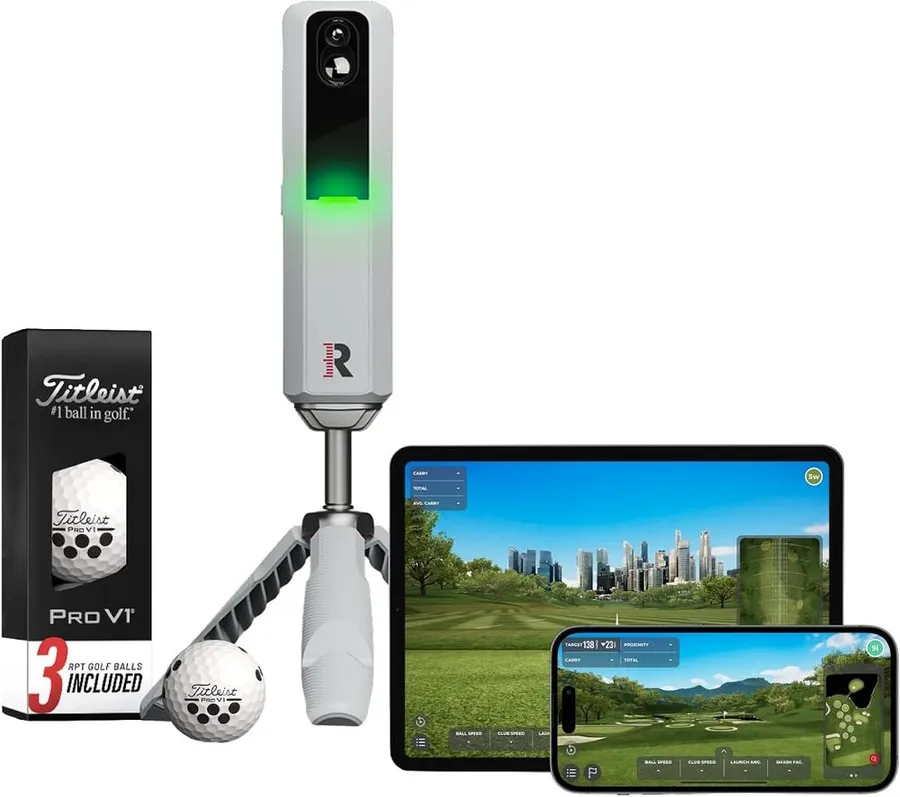
The MLM2PRO pairs dual-camera and radar sensing with 15 tracked metrics and E6 Connect course play, making it the best pick if you want rich practice data alongside your simulator programs.
What we like
- Dual camera plus radar captures 15 metrics including impact video
- Runs E6 Connect and GSPro for real course play, not just a driving range
- Ships with premium tour balls for accurate spin readings
What we don't
- Full metrics and simulator courses need the paid MLM Premium membership
| Type | Dual camera plus radar |
|---|---|
| Software | Rapsodo, E6 Connect, GSPro |
| Courses | 30,000+ via E6 Connect |
| Subscription | MLM Premium for full data |
| Price | $599 |
| Install difficulty | Easy |
| Price bracket | $$ |
The Rapsodo MLM2PRO earns its award by doing two jobs well: it is a genuine practice tool and a simulator front end. The dual-camera and radar setup tracks 15 metrics and records impact video, so you get lesson-grade feedback, then E6 Connect and GSPro let you turn that same unit into a course-play machine.
In daily use it is a portable box you set beside the ball and drive from a phone or tablet. The bundled tour balls with reflective markings matter more than they sound, because they let the cameras read spin accurately, which is where cheaper units guess.
The honest drawback is the paywall. Out of the box you get core numbers, but the full 15-metric picture and the simulator course library live behind MLM Premium. If you skip the plan you lose a lot of what makes the unit special, so budget for it.
Choose the MLM2PRO if you want data and course play in one affordable device. If deep metrics are not the point and you just want to play, the PHIGOLF or Voice Caddie options cost less to live with.
Research-based pick: this recommendation is based on product data, owner feedback and comparison with products we have tested, not on direct hands-on testing.
Buy it if: Golfers who want detailed practice data plus course play
Skip it if: You only want to play courses and do not care about deep metrics
Best Premium
Garmin Approach R50
by Garmin
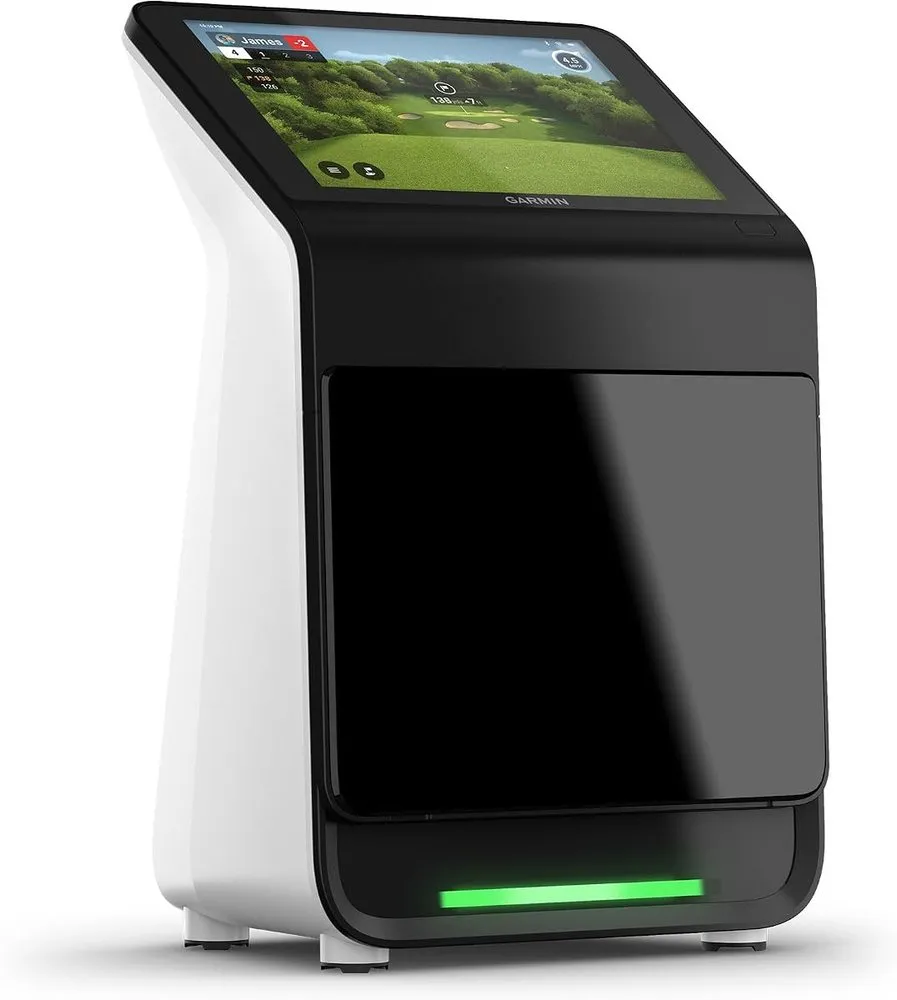
The R50 folds triple-camera accuracy, a built-in touchscreen and a 43,000-course library into one unit, so it is the premium pick when you want the whole simulator program experience with almost no setup.
What we like
- Three high-speed cameras deliver 15-plus metrics including spin and spin axis
- Built-in 10-inch touchscreen runs courses without a separate computer
- Also drives E6 Connect and GSPro for even more program choice
What we don't
- At around $5,000 it costs many times more than the radar picks here
| Type | Photometric (triple camera) |
|---|---|
| Software | Built-in, E6 Connect, GSPro |
| Courses | 43,000+ via Home Tee Hero |
| Subscription | Optional for full course play |
| Price | $4,999 |
| Install difficulty | Easy |
| Price bracket | $$$ |
The Approach R50 is the premium answer to the same question the R10 tackles: how do I run great simulator programs at home? It does it by building the software in. The 10-inch touchscreen loads courses and practice modes on its own, so you can play a full round without wiring up a laptop, and the Home Tee Hero library gives you 43,000-plus courses to work through.
Under the screen sit three high-speed cameras that capture 15-plus metrics including spin and spin axis, which is fitting-grade data rather than radar estimation. When you want to step outside the Garmin ecosystem, it also feeds E6 Connect and GSPro, so your program options stay open.
The obvious limitation is price. At roughly $5,000 the R50 costs as much as a full studio package and many times more than a capable radar unit. You are paying for the all-in-one convenience and camera accuracy, not for a wider course list than the cheaper Garmin.
Choose the R50 if you want the cleanest, most self-contained premium setup and the budget to match. If you want the same program flexibility for a tenth of the cost, the R10 is the smarter buy.
Research-based pick: this recommendation is based on product data, owner feedback and comparison with products we have tested, not on direct hands-on testing.
Buy it if: Buyers who want an all-in-one premium unit with courses built in
Skip it if: Your budget is closer to $500 than $5,000
Best for No Subscription
Voice Caddie SC4 PRO
by Voice Caddie
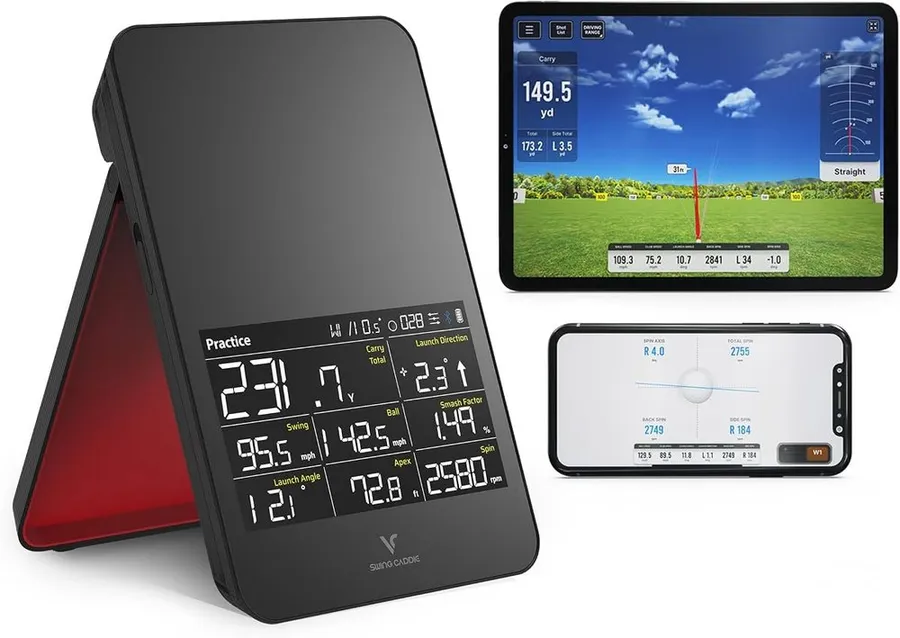
The SC4 PRO bundles a built-in screen and five free E3 courses with no monthly fee, so it is the pick if you want simulator program play without an ongoing subscription.
What we like
- Five E3 courses included with no monthly subscription
- Built-in screen and voice output run without a phone or laptop
- GSPro ready if you later want a deeper program library
What we don't
- The included course count is small next to subscription-based libraries
| Type | Radar with built-in screen |
|---|---|
| Software | Built-in E3, GSPro ready |
| Courses | 5 free E3 courses included |
| Subscription | None required |
| Price | $499 |
| Install difficulty | Easy |
| Price bracket | $$ |
The Voice Caddie SC4 PRO stands out for a simple reason: it lets you play simulator golf without paying a monthly fee. It ships with five E3 courses built in, plus a self-contained screen and voice output, so you can practice and play rounds straight out of the box with nothing else connected.
In use it is a compact launch monitor with its own display, which is refreshing next to units that demand a phone, tablet or PC to do anything. That makes it easy to set up in a garage bay or take to the range without a laptop in tow.
The limitation is the course count. Five included courses is modest compared with the tens of thousands you reach through a subscription program, so heavy course players will feel boxed in. The unit is GSPro ready, which opens a bigger library later, but that route does add cost.
Choose the SC4 PRO if you value owning your setup outright and hate recurring fees. If you want a huge rotating course list and do not mind paying for it, the Garmin or SkyTrak picks give you far more programs.
Research-based pick: this recommendation is based on product data, owner feedback and comparison with products we have tested, not on direct hands-on testing.
Buy it if: Golfers who want course play without recurring fees
Skip it if: You want thousands of courses and will pay a subscription for them
Best Budget
PHIGOLF Home Simulator
by PHIGOLF
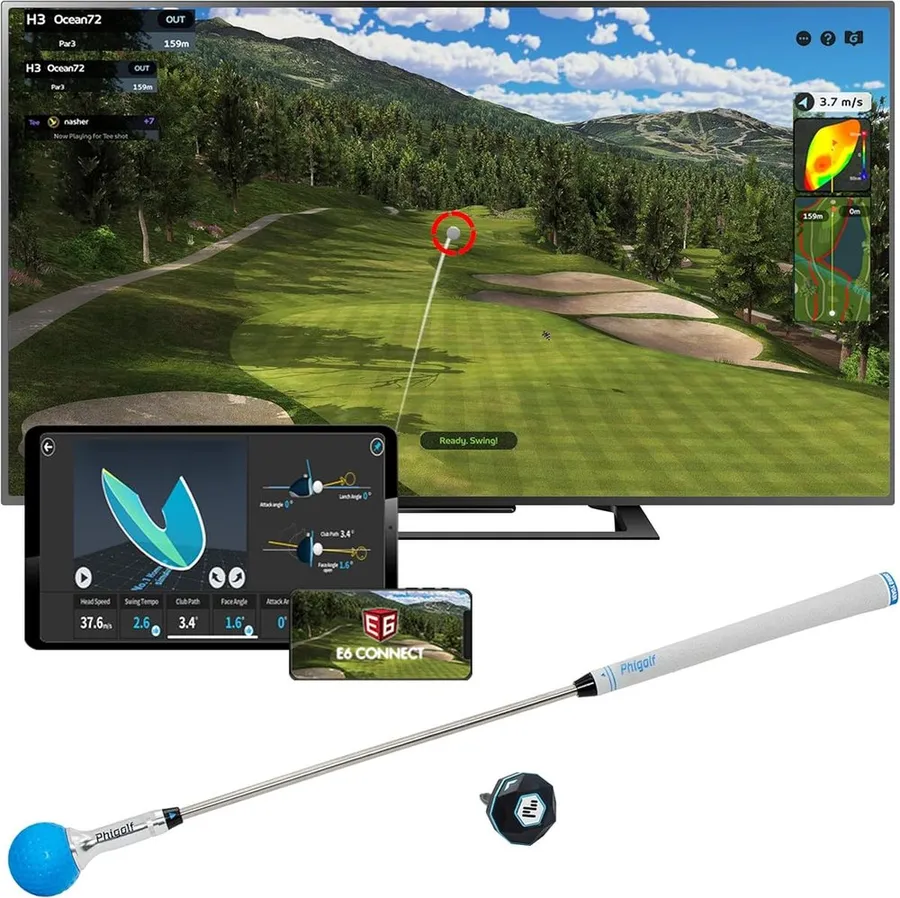
For under $300 the PHIGOLF pairs a motion-sensor swing stick with a 38,000-course app and E6 Connect support, making it the cheapest credible way into simulator program play.
What we like
- Access to 38,000-plus courses through the PHIGOLF app
- Compatible with E6 Connect for a more realistic sim experience
- Swing stick works indoors and outdoors with minimal space
What we don't
- A motion sensor estimates the shot rather than measuring a real ball, so data is approximate
| Type | Motion sensor swing stick |
|---|---|
| Software | PHIGOLF app, E6 Connect |
| Courses | 38,000+ worldwide |
| Subscription | E6 tier optional |
| Price | $279 |
| Install difficulty | Easy |
| Price bracket | $ |
The PHIGOLF is the budget entry point for anyone who mainly wants to play courses rather than dissect their swing. Its app opens a library of more than 38,000 courses, and it connects to E6 Connect if you want a more polished simulator look, so you get a lot of program access for the price of a single premium ball set.
The device itself is a sensor-equipped swing stick, so you swing the stick rather than hitting a real ball. That keeps the footprint tiny and the price low, and it plays happily in a living room or a small patch of yard.
The trade-off is honesty about data. A motion sensor infers your shot from the swing rather than measuring an actual struck ball, so the numbers are approximate and it will not replace a camera or radar unit for real practice or fitting. Treat it as fun course play, not lesson-grade feedback.
Choose the PHIGOLF if your goal is affordable access to lots of virtual courses. If you want measurements you can trust or plan to practice seriously, step up to the Rapsodo MLM2PRO or a camera unit.
Research-based pick: this recommendation is based on product data, owner feedback and comparison with products we have tested, not on direct hands-on testing.
Buy it if: Newcomers who want lots of courses on a tight budget
Skip it if: You need accurate ball and club numbers for real practice
Best Portable
Swinora Portable Launch Monitor
by Swinora
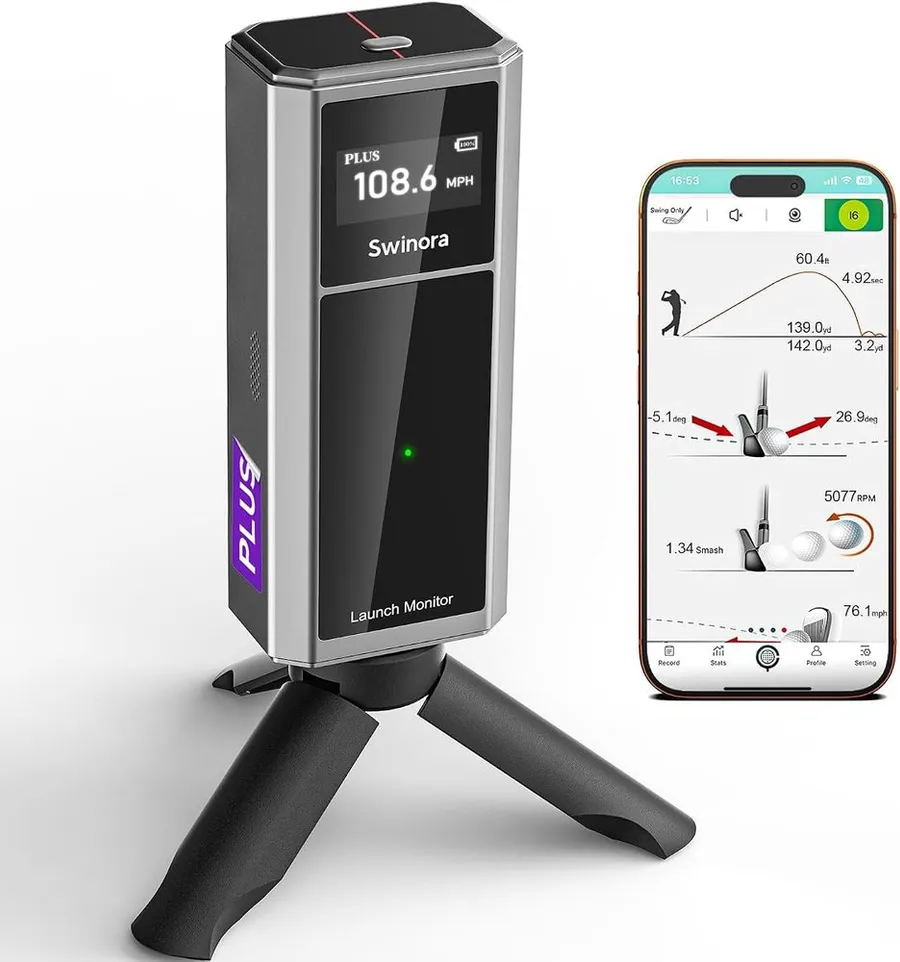
The Swinora is a pocketable launch monitor with a 3D driving range and 13 tracked metrics and no subscription, making it the easiest program to carry between the range and home.
What we like
- Small, portable unit that sets up in seconds indoors or outdoors
- 3D driving range and shot trajectory with 13 metrics, no monthly fee
- Records video and works with both iOS and Android
What we don't
- Focused on range practice rather than a large virtual course library
| Type | Portable optical sensor |
|---|---|
| Software | Swinora app, 3D driving range |
| Courses | 3D range and target practice |
| Subscription | None required |
| Price | $319 |
| Install difficulty | Easy |
| Price bracket | $ |
The Swinora is the grab-and-go option on this list. It is a small optical launch monitor that pairs with a phone app to give you a 3D driving range, shot trajectory and 13 metrics, and it does all of that without asking for a monthly subscription. For a golfer who wants feedback at the range and at home, that portability is the whole appeal.
Setup takes seconds: place the unit, open the app on iOS or Android, and start hitting. The built-in video record feature is handy for reviewing your swing, and because there is no recurring fee, the price you pay is the price you own.
The honest limitation is scope. This is a practice-first program rather than a course simulator, so you get a strong driving range and target games but not the tens of thousands of virtual courses the subscription platforms offer. If playing famous layouts is the point, it is not the right tool.
Choose the Swinora if you want affordable, portable practice data with nothing to renew. If you want to play full simulated rounds, the PHIGOLF or Garmin picks give you the course libraries this one leaves out.
Research-based pick: this recommendation is based on product data, owner feedback and comparison with products we have tested, not on direct hands-on testing.
Buy it if: Golfers who want portable practice with no ongoing fees
Skip it if: You mainly want to play full simulated courses
How we researched these picks#
We started from the launch monitors and sensor kits that can actually drive a home simulator, then filtered hard on relevance to anyone searching for golf simulator programs. Every product here is a real, currently sold unit, and where owner reviews exist we leaned on that aggregated feedback to keep the list grounded in devices you can order today.
For each candidate we pulled the manufacturer specifications, read across aggregated verified owner feedback, and then compared units head to head on the factors that decide a simulator program purchase: the sensing technology behind the data, the specific programs each unit supports, the size of the course library you can reach, whether a subscription is required, and the total cost once software is added. We deliberately spread the final seven across price brackets and use cases, from a sub-$300 motion-sensor starter to a near-$5,000 all-in-one, so there is a sensible pick for different budgets and rooms. These picks are research-based and not hands-on tested.
How to choose a golf simulator program (buying guide)#
Start with the hardware, because it picks your software. The program you can run is decided by the unit feeding it. Garmin devices open Home Tee Hero, E6 Connect and GSPro, SkyTrak drives E6, TGC and WGT, and budget sensor kits stick to their own app plus E6. Choose the unit whose supported programs match how you want to play.
Count the courses you will actually reach. Subscription platforms like E6 and Home Tee Hero list tens of thousands of courses, while an own-it-outright unit such as the Voice Caddie SC4 PRO includes a handful. Decide whether you want a huge rotating library or a fixed set with no renewals.
Check whether a subscription is required. Several picks here gate their best programs and course play behind a paid annual plan. Others, like the SC4 PRO and the portable Swinora, run with no recurring fee. This single factor can swing the three-year cost by hundreds of dollars.
Match the sensing technology to your room. Camera units like SkyTrak and the Garmin R50 read the ball at impact and stay accurate a few feet from a screen, which suits tight garages. Radar units such as the R10 want more ball flight. Motion-sensor kits like PHIGOLF need almost no space but give approximate data.
Weigh total cost, not sticker price. Add the software tier, any subscription, and a screen, projector and mat to the hardware. A cheaper monitor with a required membership can cost more over a few years than a pricier all-in-one you own, so compare the full setup.
Decide how much data you need. If you want to practice and improve, a camera or dual-sensor unit like the Rapsodo MLM2PRO gives trustworthy metrics. If you only want to play virtual courses for fun, a budget program like PHIGOLF covers it for far less.
Frequently asked questions
Do golf simulator programs run without a launch monitor?
Not for real shots. Programs like E6 Connect, GSPro and Home Tee Hero need shot data from a launch monitor or sensor to model your ball flight, so you buy the hardware first and it decides which programs you can run. A few motion-sensor kits like the PHIGOLF include their own sensor stick, but every unit on this list feeds the software rather than replacing it.
Which programs give you the most courses?
Subscription platforms win on volume. SkyTrak through E6 Connect, TGC and WGT reaches well over 100,000 course setups, Garmin's Home Tee Hero library covers 43,000-plus, and PHIGOLF's app lists 38,000-plus. If you want the largest rotating course list, plan on a paid membership. If you would rather own a fixed set outright, the Voice Caddie SC4 PRO includes five courses with no fee.
Are subscriptions required to play simulator courses?
It depends on the unit. The Garmin R10 and R50, SkyTrak and Rapsodo MLM2PRO all gate their fullest course play and features behind a paid plan, so budget for that recurring cost. The Voice Caddie SC4 PRO and the portable Swinora run without any subscription, which lowers the true cost of ownership even if the course list is smaller.
How do I compare the real cost of a simulator program setup?
Add the recurring software to the hardware sticker. A $499 monitor with a required annual membership can cost more over three years than a pricier unit you own outright, and premium programs like GSPro or E6 are a separate line item on top of most units here. Compare the full three-year cost, not just the box price, before you commit.
About the author

Jim Bennett Founder & lead reviewer
Jim is the guy behind Golf Sim Jim. He builds home golf simulators and compares launch monitors by the numbers that actually decide a setup, room fit, accuracy and software.
Home setup: Garage bay: SkyTrak+, 10 ft ceiling, BenQ LK936ST short-throw
- Launch monitor accuracy
- Home simulator builds
- Impact screens & enclosures
- Sim software (GSPro, E6, TGC)