
7 Best Affordable Indoor Golf Simulators for 2026 (Real Data Under $800)
We compared 7 real affordable indoor golf simulator setups under $800, from a $200 launch monitor to a full projected enclosure, on data, space and value.

An affordable indoor golf simulator can mean very different things, because the category runs from a $200 launch monitor you set behind the ball to an $800 projected enclosure, and the low prices rarely tell you what you are actually getting. This guide compares seven real, currently sold options, all under $800, spread across the pieces that make an indoor setup work: radar and camera launch monitors that measure your ball, an all-in-one unit with its own screen, a complete enclosure package and the hitting mat that ties a bay together. For each one we weighed the factors that decide whether the money is well spent, namely how accurate the data is and the technology behind it, how much room it needs indoors, what software or subscription it carries, what is actually included in the box and value at the price. The aim is to show you where the sensible tiers sit so you can match a setup to your space and your wallet instead of overpaying for capability you will not use or underspending on data you cannot trust. Below you will find the best overall pick plus category winners for budget, simulator play, all-in-one use, portability, a full room and a hitting surface, followed by a plain buying guide.
Table of contents
- Quick picks
- Price compared
- Comparison table
- Best Overall: Garmin Approach R10
- Best Budget: Rapsodo Mobile Launch Monitor (MLM)
- Best for Simulator Use: Rapsodo MLM2PRO
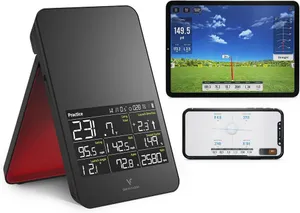
- Best All-in-One: SC4 PRO Golf Launch Monitor & Simulator
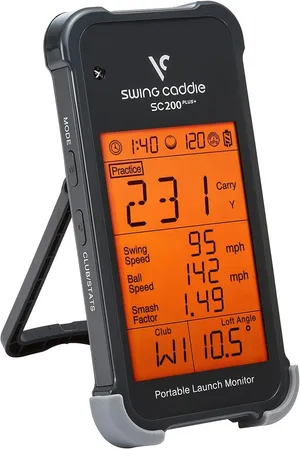
- Best Portable: Voice Caddie Portable Launch Monitor
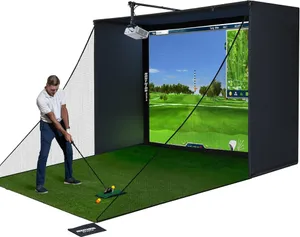
- Best Complete Setup: Complete Golf Simulator Enclosure Package
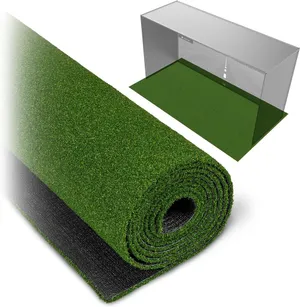
- Best Hitting Mat: GoSports Golf Simulator Turf
- How we researched these picks
- How to choose an affordable indoor golf simulator (buying guide)
- FAQ
Quick picks
Every pick wins a specific use case. Jump to the full review before you buy.
-
Best Overall
Garmin Approach R10
The Approach R10 wins overall because it pairs Garmin's proven radar with the deepest owner base in this guide, giving you trustworthy indoor data plus real course play for around $500.
-
Best Budget
Rapsodo Mobile Launch Monitor (MLM)
At around $200 with more than 3,100 reviews, the Rapsodo MLM is the cheapest way to get genuine measured ball data indoors, as long as you own an iPhone or iPad.
-
Best for Simulator Use
Rapsodo MLM2PRO
The MLM2PRO is the most complete affordable option for playing virtual golf, pairing dual-camera and radar tracking with 15 metrics and built-in course play for around $600.
-
Best All-in-One
SC4 PRO Golf Launch Monitor & Simulator
The SC4 PRO bundles a launch monitor, a built-in screen and free courses with no monthly fee, making it the most self-contained affordable simulator for a small room.
-
Best Portable
Voice Caddie Portable Launch Monitor
With up to 20 hours of battery and a pocketable radar unit, the Voice Caddie monitor is the easiest pick to move between an indoor net and the range for around $200.
-
Best Complete Setup
Complete Golf Simulator Enclosure Package
This 4K-ready package brings the screen, cage, side nets and projector mount together, so you can build a real projected bay around a monitor you already own for around $800.
-
Best Hitting Mat
GoSports Golf Simulator Turf
The GoSports simulator turf is the affordable surface that ties a home bay together, protecting your floor and clubs with a firm 15 mm mat that holds up to daily practice.
Compare every pick
| Product | Award | Type | Space needed | Price | Warranty | Best for | Where to buy |
|---|---|---|---|---|---|---|---|
| Garmin Approach R10 | Best Overall | Radar launch monitor | Medium room or garage | $499 | 1 year | Anyone who wants one affordable device that both measures and plays | Check price on Amazon for Garmin Approach R10 at Amazon (affiliate link) |
| Rapsodo Mobile Launch Monitor (MLM) | Best Budget | Camera launch monitor | Medium room or garage | $200 | 1 year | iPhone owners who want real data for the least money | Check price on Amazon for Rapsodo Mobile Launch Monitor (MLM) at Amazon (affiliate link) |
| Rapsodo MLM2PRO | Best for Simulator Use | Camera and radar launch monitor | Medium room or garage | $600 | 1 year | Players who want a real simulator experience on a budget | Check price on Amazon for Rapsodo MLM2PRO at Amazon (affiliate link) |
| SC4 PRO Golf Launch Monitor & Simulator | Best All-in-One | All-in-one launch monitor | Small to medium room | $500 | 1 year | Small-room players who want a self-contained, subscription-free setup | Check price on Amazon for SC4 PRO Golf Launch Monitor & Simulator at Amazon (affiliate link) |
| Voice Caddie Portable Launch Monitor | Best Portable | Radar launch monitor | Small room or range | $200 | 1 year | Golfers who want a grab-and-go monitor for practice anywhere | Check price on Amazon for Voice Caddie Portable Launch Monitor at Amazon (affiliate link) |
| Complete Golf Simulator Enclosure Package | Best Complete Setup | Enclosure package | Large room or garage | $800 | 1 year | Buyers ready to build a full projected simulator bay | Check price on Amazon for Complete Golf Simulator Enclosure Package at Amazon (affiliate link) |
| GoSports Golf Simulator Turf | Best Hitting Mat | Hitting mat | Small footprint | $200 | 1 year | Anyone building an indoor bay who needs a durable hitting surface | Check price on Amazon for GoSports Golf Simulator Turf at Amazon (affiliate link) |
Swipe sideways to compare every column.
Best Overall
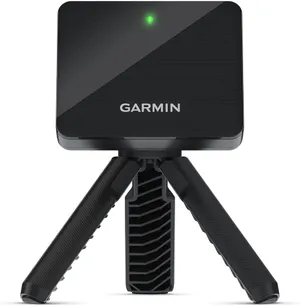
Garmin Approach R10
by Garmin
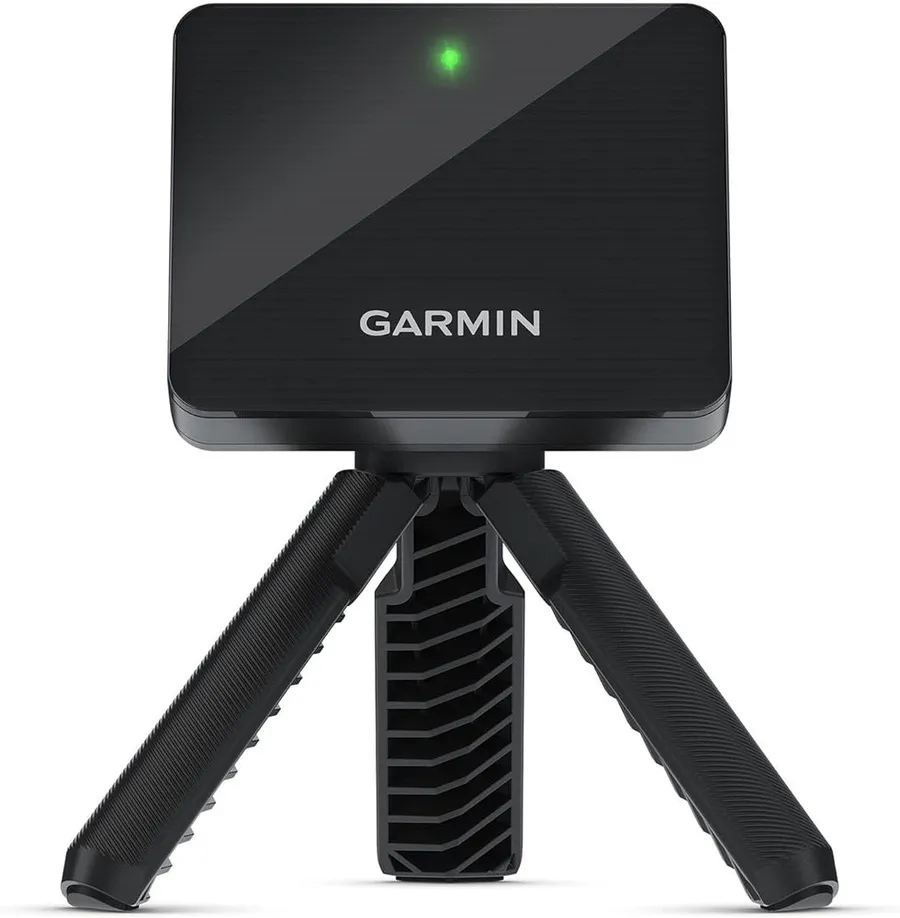
The Approach R10 wins overall because it pairs Garmin's proven radar with the deepest owner base in this guide, giving you trustworthy indoor data plus real course play for around $500.
What we like
- Radar tracks the struck ball for consistent, repeatable distance and dispersion
- Largest verified owner base here at over 1,100 reviews
- Up to 10 hours of battery with a bundled tripod, phone mount and case
- Plays virtual courses through the Garmin Golf app on iOS and Android
What we don't
- As a radar unit it wants a longer ball flight indoors than a tight garage may allow
| Type | Radar launch monitor |
|---|---|
| Best for | All-round indoor use |
| Space needed | Medium room or garage |
| Price | $499 |
| Warranty | 1 year |
| Install difficulty | Easy |
| Price bracket | $$ |
The R10 takes Best Overall because it does the two things an affordable indoor simulator needs to do, and it does both well. It measures a real struck ball with Garmin’s mature Doppler radar, and it plays virtual courses through the Garmin Golf app, so a single sub-$500 box covers practice and play. More than 1,100 verified reviews at a steady 4.2-star average is the largest evidence base in this roundup, which matters more than any spec line when you are trusting a device with your numbers.
Day to day it is refreshingly simple. The unit sits behind the ball on its included tripod, pairs to a phone or tablet, and runs up to 10 hours on a charge, so a long indoor session never strains the battery. You get distance, ball speed, launch and spin data plus app-based games and courses, which is why it works as a portable simulator rather than a pure practice aid.
The limitation to plan around is room depth. Radar reads ball flight, so the R10 prefers a longer throw to the screen or net than a camera unit does, and a cramped garage can clip its accuracy if you crowd it.
Buy the R10 if you want one dependable device that both measures and plays without a fixed screen. If your space is very short, look at the SC4 PRO, and if you want richer built-in course play, the MLM2PRO is the step up.
Research-based pick: this recommendation is based on product data, owner feedback and comparison with products we have tested, not on direct hands-on testing.
Buy it if: Anyone who wants one affordable device that both measures and plays
Skip it if: Your hitting space is very short or you want a self-contained screen
Best Budget
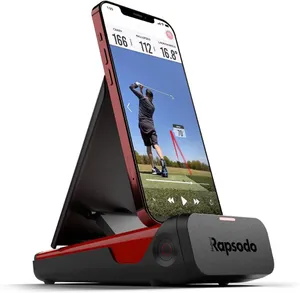
Rapsodo Mobile Launch Monitor (MLM)
by Rapsodo
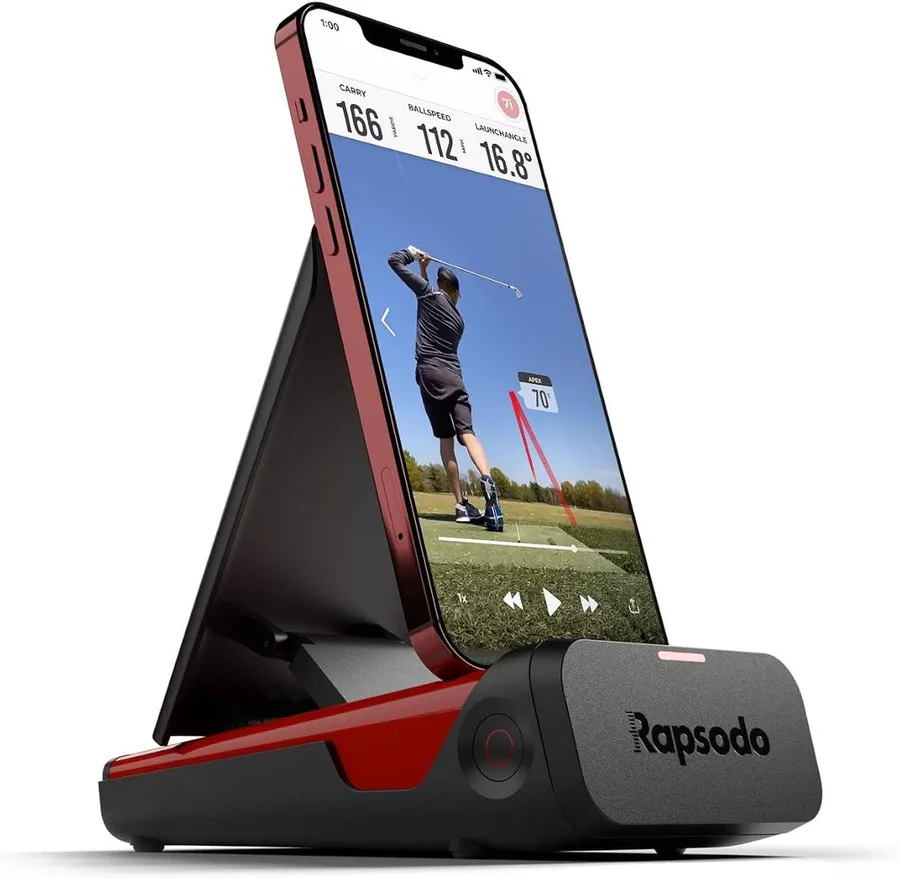
At around $200 with more than 3,100 reviews, the Rapsodo MLM is the cheapest way to get genuine measured ball data indoors, as long as you own an iPhone or iPad.
What we like
- Lowest price here for a monitor that measures a real struck ball
- Huge verified owner base at over 3,100 reviews
- Camera-based ball speed, club speed and launch angle with GPS shot view
- Works indoors and outdoors and packs down small
What we don't
- iPhone and iPad only, so Android users are shut out
| Type | Camera launch monitor |
|---|---|
| Best for | Lowest-cost real data |
| Space needed | Medium room or garage |
| Price | $200 |
| Warranty | 1 year |
| Install difficulty | Easy |
| Price bracket | $ |
The original Rapsodo Mobile Launch Monitor earns Best Budget because it is the cheapest device in this guide that actually measures your struck ball rather than estimating from a swing. At roughly $200 it undercuts the R10 by more than half, and with over 3,100 verified reviews it has the broadest track record of any pick here, which is reassuring at a price this low.
Setup is quick. The unit sits behind the ball, pairs with the Rapsodo app on your iPhone or iPad, and gives you ball speed, club speed, launch angle and a GPS-style satellite view of each shot. For indoor practice into a net you get the core numbers that let you track progress session to session without spending big.
The catch, and it is a real one, is the platform. This model runs on iOS only, so Android owners are locked out and should look at the Garmin R10 or Voice Caddie instead. The metric set is also narrower than the pricier monitors, so it is a practice and data tool more than a full course simulator.
Choose this MLM if you have an iPhone or iPad and want honest measured data for the smallest outlay. If you need Android support or virtual course play, step up to the R10 or the MLM2PRO.
Research-based pick: this recommendation is based on product data, owner feedback and comparison with products we have tested, not on direct hands-on testing.
Buy it if: iPhone owners who want real data for the least money
Skip it if: You use Android or you want a full 15-metric course simulator
Best for Simulator Use
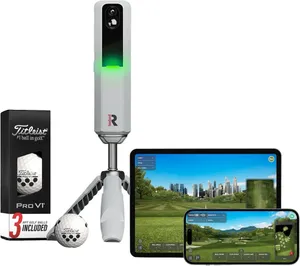
Rapsodo MLM2PRO
by Rapsodo
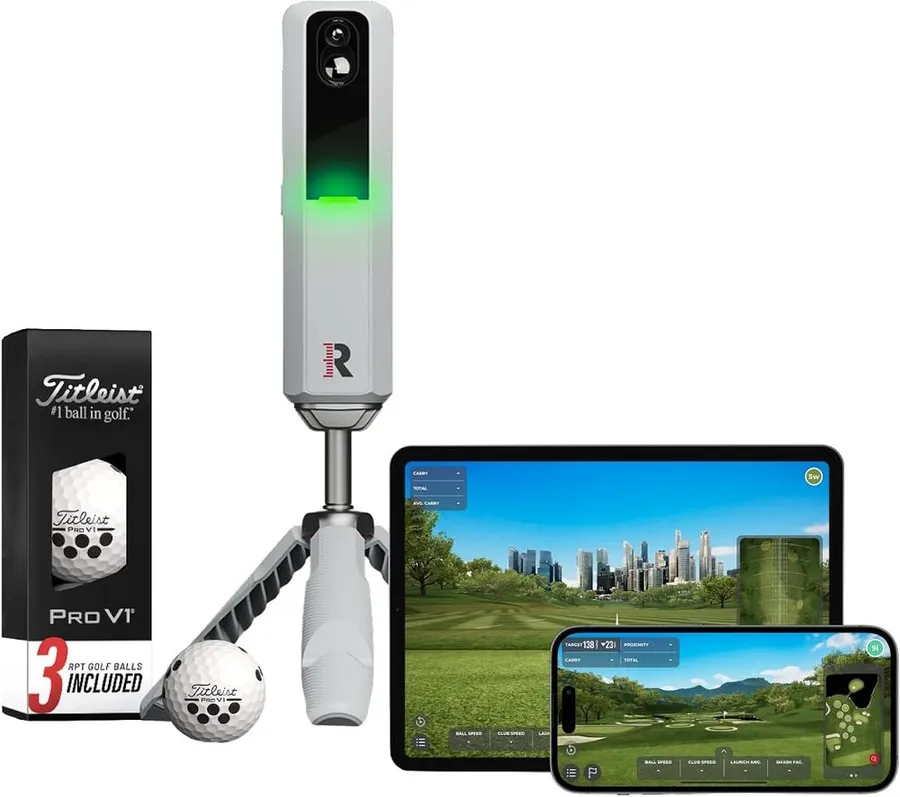
The MLM2PRO is the most complete affordable option for playing virtual golf, pairing dual-camera and radar tracking with 15 metrics and built-in course play for around $600.
What we like
- Dual camera plus radar captures 15 metrics including spin and club data
- Built-in simulation and virtual course play out of the box
- Includes three Pro V1 balls to get accurate data from day one
- Works on iOS and Android indoors or outdoors
What we don't
- Full metric set and course library sit behind a paid membership
| Type | Camera and radar launch monitor |
|---|---|
| Best for | Virtual course play |
| Space needed | Medium room or garage |
| Price | $600 |
| Warranty | 1 year |
| Install difficulty | Easy |
| Price bracket | $$ |
The MLM2PRO takes Best for Simulator Use because it is the most fully featured affordable device for playing virtual golf, not just measuring it. A dual-camera and radar system captures 15 metrics, including spin and club-path data the cheaper monitors leave out, and it drives built-in simulation and virtual courses, so it feels like a real simulator rather than a data readout.
In practice it is close to plug and play. The bundle includes three Pro V1 balls, which matters because the cameras read marked premium balls best, and it runs on both iOS and Android. Set it behind the ball, hit into a net or screen, and you can play courses and log rich shot data in the same session.
The honest limitation is running cost. The headline 15 metrics and the full course library live behind a paid membership, so the real price over a couple of years is higher than the sticker, and it is worth budgeting for before you commit.
Choose the MLM2PRO if course play and detailed data both matter and you are fine with a subscription. If you want the same idea without recurring fees, the SC4 PRO plays offline, and if you only need distance numbers, save money with the R10 or the original MLM.
Research-based pick: this recommendation is based on product data, owner feedback and comparison with products we have tested, not on direct hands-on testing.
Buy it if: Players who want a real simulator experience on a budget
Skip it if: You only need distance data or want to avoid subscription costs
Best All-in-One
SC4 PRO Golf Launch Monitor & Simulator
by SC4
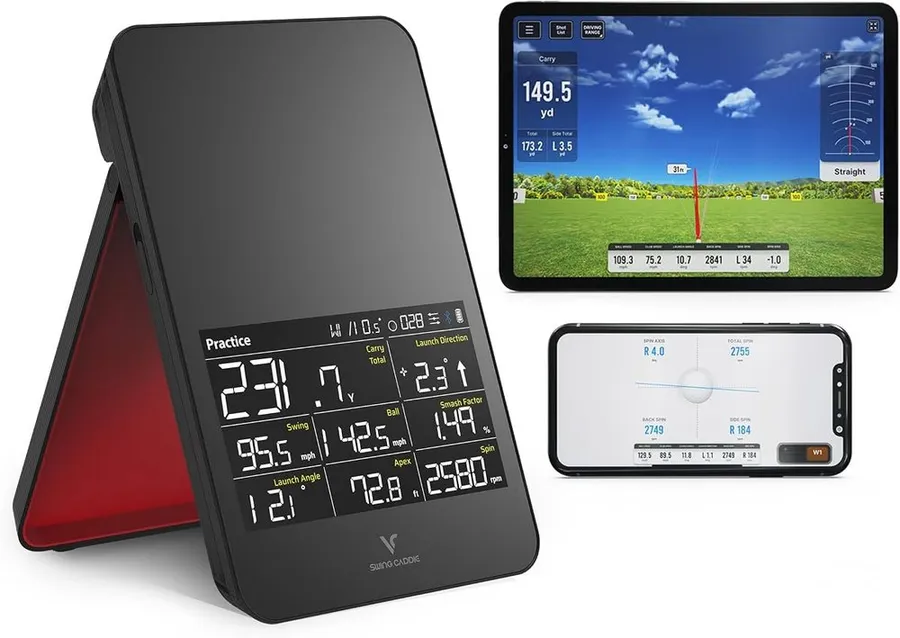
The SC4 PRO bundles a launch monitor, a built-in screen and free courses with no monthly fee, making it the most self-contained affordable simulator for a small room.
What we like
- Built-in color screen and voice output work without a phone or laptop
- Five free E3 courses with no monthly subscription
- Portable 3D driving range and simulator for indoor or outdoor use
- Solid owner base at over 120 reviews for a newer device
What we don't
- Data is less proven than Garmin or Rapsodo with a smaller review history
| Type | All-in-one launch monitor |
|---|---|
| Best for | No-subscription play |
| Space needed | Small to medium room |
| Price | $500 |
| Warranty | 1 year |
| Install difficulty | Easy |
| Price bracket | $$ |
The SC4 PRO wins Best All-in-One because it folds the most pieces of a simulator into a single device. It carries its own color screen and voice output, so you can read data and play without tethering a phone or laptop, and it ships with five free E3 courses and no monthly subscription, which sets it apart from the Rapsodo membership model.
For a small indoor room this is the easiest way to get going. You set the unit down, hit into a net, and use the built-in 3D driving range and simulator on the spot. At around $500 with over 120 reviews it has enough of a track record to trust for casual play, and the no-fee courses keep the long-term cost predictable.
The trade-off is pedigree. Garmin and Rapsodo have far longer histories and larger review pools, so the SC4 PRO’s data is less battle-tested, and its bundled course library is smaller than a subscription platform’s.
Choose the SC4 PRO if you want a genuinely self-contained, subscription-free simulator for a compact space. If proven accuracy or a bigger course catalog matters more, the R10 and MLM2PRO are the safer picks.
Research-based pick: this recommendation is based on product data, owner feedback and comparison with products we have tested, not on direct hands-on testing.
Buy it if: Small-room players who want a self-contained, subscription-free setup
Skip it if: You want the deepest data accuracy or a huge course library
Best Portable
Voice Caddie Portable Launch Monitor
by Voice Caddie
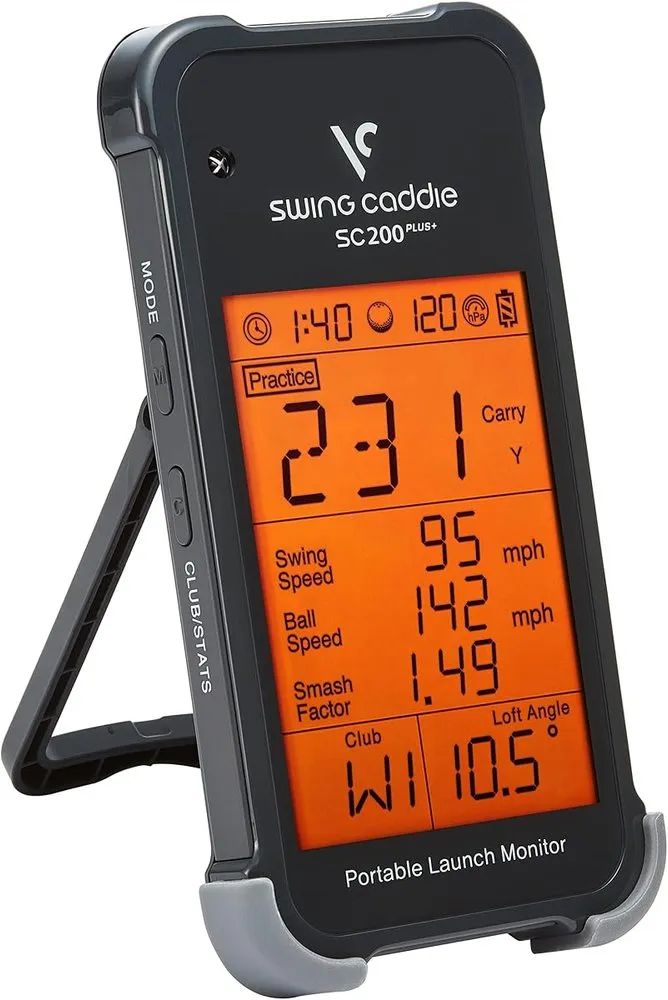
With up to 20 hours of battery and a pocketable radar unit, the Voice Caddie monitor is the easiest pick to move between an indoor net and the range for around $200.
What we like
- Up to 20 hours of battery, the longest life in this guide
- Compact radar unit with real-time voice shot readouts
- Well over 700 verified reviews at a steady rating
- Works indoors into a net or outdoors at the range
What we don't
- Gives core distance data rather than the full metric set of pricier monitors
| Type | Radar launch monitor |
|---|---|
| Best for | Grab-and-go practice |
| Space needed | Small room or range |
| Price | $200 |
| Warranty | 1 year |
| Install difficulty | Easy |
| Price bracket | $ |
The Voice Caddie portable monitor takes Best Portable because it is the pick you can throw in a bag and use anywhere. Up to 20 hours of battery is the longest life in this guide, the radar unit is small enough to pocket, and real-time voice output calls your numbers back without you looking at a screen, which suits both indoor net work and a quick range trip.
In use it is about as simple as a launch monitor gets. Stand it behind the ball, hit, and hear your carry and speed read aloud. With more than 700 verified reviews at a consistent rating, it has a solid record for a device at this price, and it needs very little space to give you useful feedback.
The honest limit is depth of data. This is a distance-focused monitor, so it does not deliver the spin, club-path or 15-metric detail of the MLM2PRO, and it has no built-in course simulation.
Choose the Voice Caddie if portability and battery life matter most and you mainly want reliable distance feedback. If you want richer metrics or virtual courses, step up to the R10 or MLM2PRO.
Research-based pick: this recommendation is based on product data, owner feedback and comparison with products we have tested, not on direct hands-on testing.
Buy it if: Golfers who want a grab-and-go monitor for practice anywhere
Skip it if: You want spin, club-path data or built-in course play
Best Complete Setup
Complete Golf Simulator Enclosure Package
by Generic
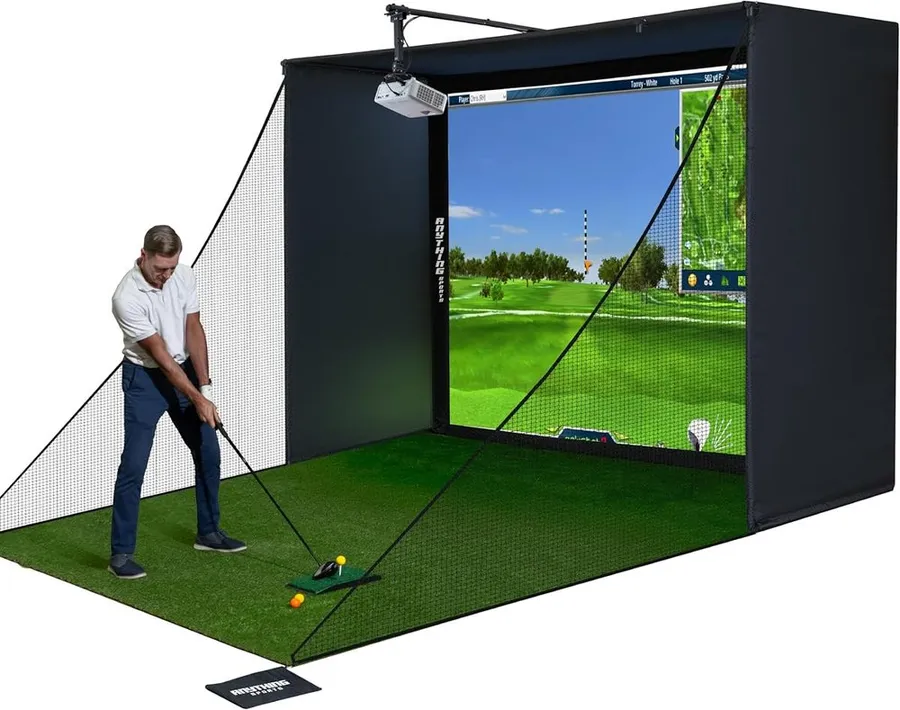
This 4K-ready package brings the screen, cage, side nets and projector mount together, so you can build a real projected bay around a monitor you already own for around $800.
What we like
- 4K-ready impact screen with a blackout cage for a bright, clean image
- Includes frame poles, side shank nets and a projector mount
- Strong owner base at over 170 reviews with a 12-month warranty
- Turns any launch monitor into a full projected simulator room
What we don't
- Still needs a projector, computer and launch monitor you supply separately
| Type | Enclosure package |
|---|---|
| Best for | Building a full bay |
| Space needed | Large room or garage |
| Price | $800 |
| Warranty | 1 year |
| Install difficulty | Moderate |
| Price bracket | $$$ |
This complete enclosure package wins Best Complete Setup because it is the affordable route to a real projected bay rather than hitting into a bare net. The bundle pairs a 4K-ready impact screen with a blackout cage, frame poles, side shank nets and a projector mount, so the picture stays bright and the errant shots stay contained. Over 170 reviews and a 12-month warranty give it a solid record for a product at this price.
Living with it is a weekend-project affair. You assemble the frame, hang the screen, mount your projector and drop in the launch monitor you already own, and from then on you have a fixed simulator room you can walk into and play. That permanence is the appeal over portable setups that you set up and tear down each time.
The limitation to be clear-eyed about is that a package is not a whole simulator. It contains no sensor, projector or computer, so you must add a launch monitor like the R10, a projector and a PC or laptop on top of the $800. Total those parts before you compare it with a standalone device.
Choose this package if you are ready to commit a room and build a proper projected bay. If your space is tight or you want to play straight out of the box, the SC4 PRO or a standalone monitor is the smarter start.
Research-based pick: this recommendation is based on product data, owner feedback and comparison with products we have tested, not on direct hands-on testing.
Buy it if: Buyers ready to build a full projected simulator bay
Skip it if: You have a tight room or want an all-in-one out of the box
Best Hitting Mat
GoSports Golf Simulator Turf
by GoSports
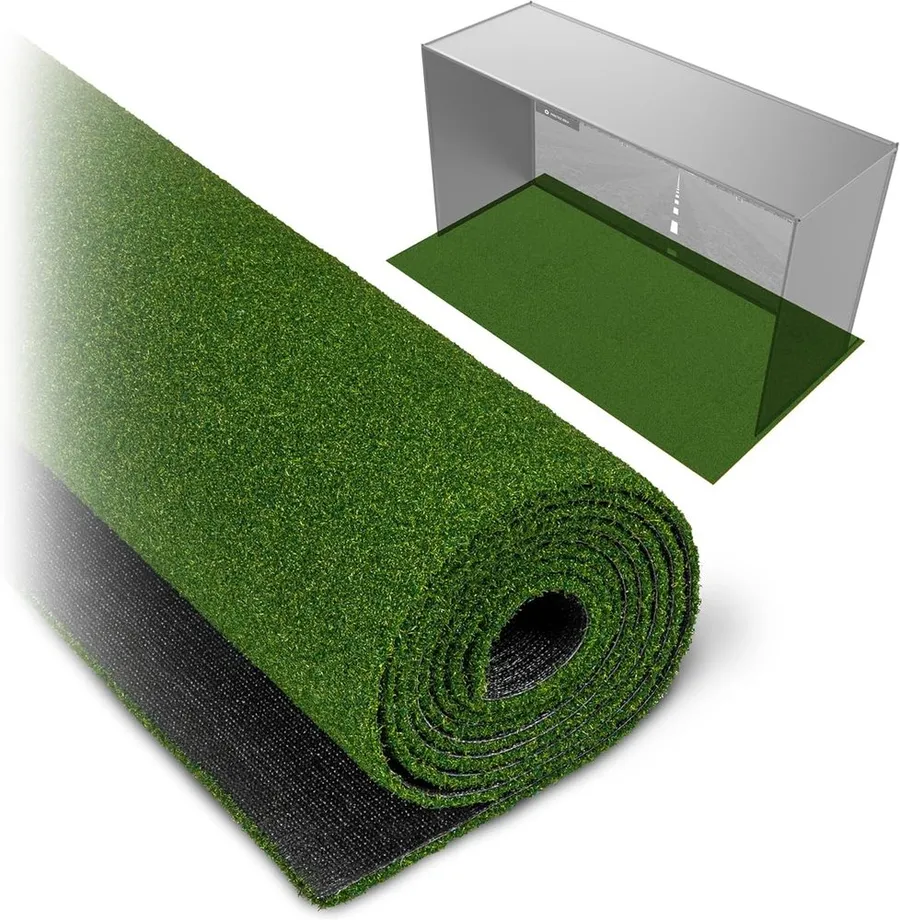
The GoSports simulator turf is the affordable surface that ties a home bay together, protecting your floor and clubs with a firm 15 mm mat that holds up to daily practice.
What we like
- Firm 15 mm turf that takes real driver and iron strikes
- Highest rating in this guide at 4.7 stars across 70-plus reviews
- Sold in 10, 12 or 15 ft lengths to match your bay
- Protects flooring and reduces shock through your wrists
What we don't
- It is a hitting surface only and captures no data on its own
| Type | Hitting mat |
|---|---|
| Best for | Protecting floors and clubs |
| Space needed | Small footprint |
| Price | $200 |
| Warranty | 1 year |
| Install difficulty | Easy |
| Price bracket | $ |
The GoSports simulator turf earns Best Hitting Mat because a home simulator is only as comfortable as the surface you swing from, and this one is built for daily use. The 15 mm turf is firm enough to take real driver and iron strikes without folding, and at 4.7 stars across more than 70 reviews it holds the highest rating of any pick in this guide.
In everyday use it does the quiet, important jobs. It protects your garage or basement floor, softens the shock that travels up your wrists on a fat shot, and gives you a consistent lie so your launch monitor reads clean contact. You can buy it in 10, 12 or 15 ft lengths to fit the depth of your bay.
The obvious limitation is that a mat is not a simulator by itself. It measures nothing, so it only earns its place alongside a launch monitor and a net or screen, and it is best thought of as the foundation of a setup rather than the centerpiece.
Choose this turf if you are assembling an indoor bay and want a durable, comfortable surface under your feet. If you want the piece that measures your shots, start with the R10 or the original Rapsodo MLM instead.
Research-based pick: this recommendation is based on product data, owner feedback and comparison with products we have tested, not on direct hands-on testing.
Buy it if: Anyone building an indoor bay who needs a durable hitting surface
Skip it if: You want a device that measures shots rather than a mat
How we researched these picks#
We built this list by starting from the setups people actually buy when they search for an affordable indoor golf simulator, then filtering hard on evidence and relevance. Every product here is a real, currently sold unit or package priced under $800, and we favored those with a meaningful base of verified owner reviews so the list reflects gear you can order today rather than spec-sheet promises. Where a product had a thin review count or a poor rating, we left it off.
For each candidate we pulled the manufacturer specifications, read across aggregated verified owner feedback and compared setups head to head on the factors that decide whether the money is well spent: measurement accuracy and the technology behind it, how much space the setup needs indoors, what software or subscription it carries, what is actually included in the box, and value at the price. Because this is an affordable guide, we deliberately spread the seven picks across roles, from a $200 monitor to an $800 enclosure, so you can see how the pieces of an indoor simulator stack up and where each dollar goes.
These recommendations are research-based, not hands-on tested. We have not built each setup ourselves, so we lean on published specs and the consistent themes in owner feedback rather than our own range data. Where a product carries a hidden cost, such as a required projector, a launch monitor you must add or a paid membership, we call it out plainly so the price you compare is the price you actually pay.
How to choose an affordable indoor golf simulator (buying guide)#
Start with the job you need done. An indoor simulator is really three jobs: measuring the ball, showing an image and giving you a safe surface to hit from. The cheapest useful buy depends on which you care about. Want data to improve? Start with a launch monitor like the Garmin R10 or the original Rapsodo MLM. Want to play courses in a small room with nothing else? An all-in-one such as the SC4 PRO covers it. Want a full projected bay? A complete enclosure package gets you there once you add the parts.
Match the technology to your space. The most trusted data comes from measured monitors, but radar and camera units behave differently indoors. Radar devices like the Garmin R10 and Voice Caddie read ball flight, so they want a longer throw to the net and suit a garage or basement. Camera units like the Rapsodo MLM and MLM2PRO can work a little closer. Measure your ceiling height and room depth before you buy, because a swing that clips the ceiling is a dealbreaker no spec sheet fixes.
Separate the launch monitor from the screen. The biggest budget mistake is assuming a monitor includes a projected picture, or that an enclosure includes a sensor. Neither is true. A standalone monitor plays through your phone or tablet for a few hundred dollars, while a projected image means adding a screen or enclosure, a projector and a computer on top. That gap is why an all-in-one, a bare monitor and a full package look so different in price.
Add up the parts a package leaves out. A complete enclosure sounds all-inclusive, but the package here still expects you to supply a projector, a computer and a launch monitor. Before comparing an $800 package with a $500 all-in-one, total the parts you would have to add to each so you are comparing finished rooms, not boxes.
Check software, courses and subscription costs. Confirm the app or built-in software supports your device and offers the courses and metrics you want. The Garmin R10 and Rapsodo units run on Android and iOS, while the older MLM is iPhone only. Remember that a monitor’s full metric set and course play can sit behind a paid membership, as with the MLM2PRO, which raises the real running cost beyond the sticker. The SC4 PRO avoids that with free courses and no monthly fee.
Buy the tier that fits, not the flashiest one. Spend the least that still covers the job and the space you have. A hitting mat gives you a durable surface for around $200, a Garmin R10 or Rapsodo MLM adds real data, the SC4 PRO packs a screen and courses into one box, and a complete enclosure builds a projected bay only when you are ready. Most warranties here run about a year, so let capability, space and total cost, not the warranty, make the final call.
Frequently asked questions
What is the best affordable indoor golf simulator overall?
For most people it is the Garmin Approach R10 at around $500, because it is the pick here that both measures a real struck ball with proven radar and plays virtual courses through its app, and it works on iOS and Android. If you want to spend less, the original Rapsodo MLM gives real data for about $200 on iPhone, and if you want a self-contained unit with its own screen and no subscription, the SC4 PRO plays offline for around $500.
Can you build an indoor golf simulator for under $500?
Yes. A common path is a launch monitor for measured data plus a net and a mat to hit into. Pairing a monitor like the original Rapsodo MLM at $200 with a GoSports mat and a net you may already own keeps you well under $500. If you want an all-in-one that needs nothing else, the SC4 PRO packs a monitor, a screen and free courses into a single device at around $500.
How much space do you need for an indoor golf simulator?
Plan for enough ceiling height to swing freely, usually at least 9 feet, and enough depth for the ball to travel to a net or screen. Radar monitors like the Garmin R10 want a longer throw than camera units, so a garage or basement suits them best. Compact radar units like the Voice Caddie and all-in-ones like the SC4 PRO cope with smaller rooms, while a full enclosure package needs real floor space.
Do affordable simulators need a monthly subscription?
Some do and some do not, and it changes the real cost. The Rapsodo MLM2PRO puts its full 15 metrics and course library behind a paid membership, so budget for that beyond the sticker. The SC4 PRO ships with free courses and no monthly fee, and the Garmin R10's core app use is free, so factor subscriptions in before you compare prices.
About the author

Jim Bennett Founder & lead reviewer
Jim is the guy behind Golf Sim Jim. He builds home golf simulators and compares launch monitors by the numbers that actually decide a setup, room fit, accuracy and software.
Home setup: Garage bay: SkyTrak+, 10 ft ceiling, BenQ LK936ST short-throw
- Launch monitor accuracy
- Home simulator builds
- Impact screens & enclosures
- Sim software (GSPro, E6, TGC)