
6 Rapsodo MLM2PRO Golf Simulator Setup Essentials for 2026
We compared 6 real picks that build a complete Rapsodo MLM2PRO golf simulator, from leveling stands and turf to an impact screen and ball stencil.

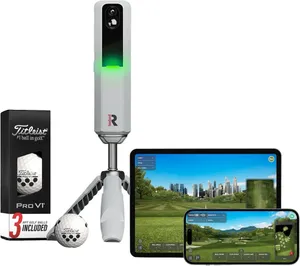
The Rapsodo MLM2PRO is one of the best value launch monitors you can buy, but out of the box it is just a small camera-and-radar unit reading numbers to your phone. To get accurate data, protect your joints and actually play courses indoors, you need the right gear built around it. This guide compares six real, widely owned picks that turn a bare MLM2PRO into a complete simulator setup, starting with the unit itself and adding the leveling stands, hitting turf, enclosure screen and ball stencil that make it perform. We weighed each on what it adds to the MLM2PRO, how much space it needs, build quality and value, then spread the picks across price brackets so there is a sensible choice whether you are finishing a permanent sim room or just want honest numbers at the range. Below you will find the best overall pick plus category winners for accuracy, value, flooring, playing courses and budget add-ons, followed by a plain buying guide.
Table of contents
- Quick picks
- Price compared
- Comparison table
- Best Overall: Rapsodo MLM2PRO Mobile Launch Monitor
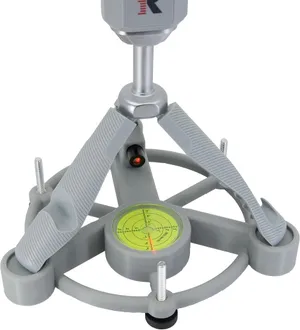
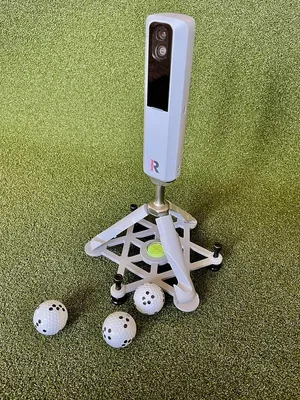
- Best for Accuracy: Laser Alignment and Leveling Stand for MLM2PRO (V2)
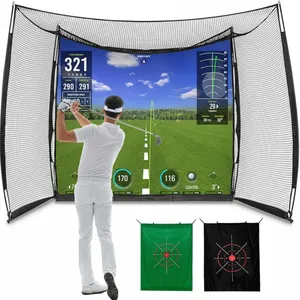
- Best for Playing Courses: 11x8 ft Golf Simulator Enclosure and Impact Screen
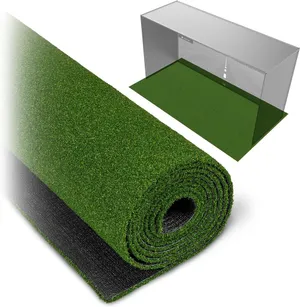
- Best for a Full Bay Floor: Elite 15 mm Golf Simulator Turf
- Best Value Accessory: Leveling Stand for Rapsodo MLM2PRO
- Best Budget: Golf Ball Marker Template for MLM2PRO
- How we researched these picks
- How to choose a MLM2PRO simulator setup (buying guide)
- FAQ
Quick picks
Every pick wins a specific use case. Jump to the full review before you buy.
-
Best Overall
Rapsodo MLM2PRO Mobile Launch Monitor
The MLM2PRO is the piece that makes everything else on this list matter: a dual-camera, radar-backed launch monitor that reads 15 metrics and doubles as a portable simulator you can run from a phone.
-
Best for Accuracy
Laser Alignment and Leveling Stand for MLM2PRO (V2)
A purpose-built laser alignment and leveling stand fixes the single biggest cause of bad MLM2PRO data: a unit that is tilted, too low or aimed slightly off the target line.
-
Best for Playing Courses
11x8 ft Golf Simulator Enclosure and Impact Screen
This 11x8 ft enclosure and impact screen is what turns the MLM2PRO from a data device into a simulator you can project a course onto and actually play.
-
Best for a Full Bay Floor
Elite 15 mm Golf Simulator Turf
A dense 15 mm turf that gives your MLM2PRO bay one continuous, level floor so the unit, your stance and the ball all sit on the same plane.
-
Best Value Accessory
Leveling Stand for Rapsodo MLM2PRO
This compact leveling stand does the one thing every MLM2PRO owner needs, getting the unit level and off the ground, for a fraction of the cost of the laser model.
-
Best Budget
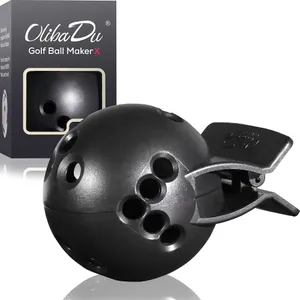
Golf Ball Marker Template for MLM2PRO
For about $22 this stencil lets you draw the exact alignment dots the MLM2PRO cameras need, so you get accurate spin data on any ball, not just the marked ones in the box.
Compare every pick
| Product | Award | Type | Size | Price | Warranty | Best for | Where to buy |
|---|---|---|---|---|---|---|---|
| Rapsodo MLM2PRO Mobile Launch Monitor | Best Overall | Launch monitor | Handheld unit | $599 | 1 year | Golfers who want real numbers plus casual simulator play from one portable device | Check price on Amazon for Rapsodo MLM2PRO Mobile Launch Monitor at Amazon (affiliate link) |
| Laser Alignment and Leveling Stand for MLM2PRO (V2) | Best for Accuracy | Alignment and leveling stand | Tripod stand | $75 | 1 year | Data-focused owners who compare sessions and want the readings to be trustworthy | Check price on Amazon for Laser Alignment and Leveling Stand for MLM2PRO (V2) at Amazon (affiliate link) |
| 11x8 ft Golf Simulator Enclosure and Impact Screen | Best for Playing Courses | Enclosure and impact screen | 11x8 ft | $161 | 1 year | Owners who want to project courses and play virtual rounds indoors | Check price on Amazon for 11x8 ft Golf Simulator Enclosure and Impact Screen at Amazon (affiliate link) |
| Elite 15 mm Golf Simulator Turf | Best for a Full Bay Floor | Hitting turf and flooring | 10, 12 or 15 ft | $200 | 1 year | Owners building a permanent or semi-permanent indoor MLM2PRO bay | Check price on Amazon for Elite 15 mm Golf Simulator Turf at Amazon (affiliate link) |
| Leveling Stand for Rapsodo MLM2PRO | Best Value Accessory | Leveling stand | Compact stand | $40 | 1 year | Owners who want level, elevated readings without paying for a laser | Check price on Amazon for Leveling Stand for Rapsodo MLM2PRO at Amazon (affiliate link) |
| Golf Ball Marker Template for MLM2PRO | Best Budget | Ball marking stencil | Pocket-size stencil | $22 | 30-day returns | Owners who want camera-grade spin numbers without buying pre-marked balls | Check price on Amazon for Golf Ball Marker Template for MLM2PRO at Amazon (affiliate link) |
Swipe sideways to compare every column.
Best Overall
Rapsodo MLM2PRO Mobile Launch Monitor
by Rapsodo
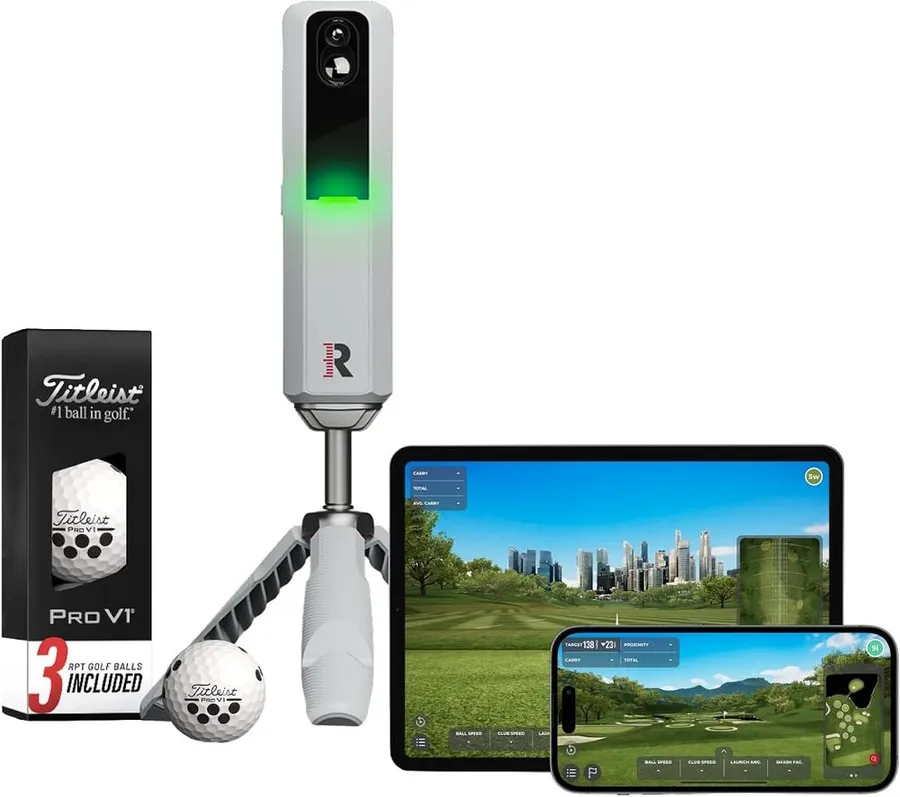
The MLM2PRO is the piece that makes everything else on this list matter: a dual-camera, radar-backed launch monitor that reads 15 metrics and doubles as a portable simulator you can run from a phone.
What we like
- Dual camera plus radar captures 15 ball and club metrics, including spin
- Works indoors into a net or outdoors at the range from one small unit
- Runs on the phone you already own, no PC required to get started
- Bundle includes premium balls with the marked dots the cameras read
What we don't
- Small indoor bays can starve the radar of the ball flight it wants, so a short garage may cap accuracy
| Type | Launch monitor |
|---|---|
| Size | Handheld unit |
| Best for | The core of a MLM2PRO simulator build |
| Price | $599 |
| Warranty | 1 year |
| Install difficulty | Easy |
| Price bracket | $$$ |
Every other pick on this list exists to support this one. The MLM2PRO pairs a Doppler radar with a dual-camera system, so instead of estimating spin from ball speed it actually photographs the marked ball and reports the number. That is the difference between a toy and a training tool, and it is why the unit anchors any MLM2PRO simulator build rather than sitting beside it as an optional extra.
Day to day it is genuinely portable. You set it a few feet behind the ball, level it, connect your phone and start hitting, whether that is into a net in the garage or down an open range bay. The bundled premium balls come pre-marked with the alignment dots the cameras need, so you get trustworthy spin data out of the box before you buy your own stencil.
Its real limitation is space. As a camera-and-radar hybrid it still wants room to see ball flight, and a cramped indoor bay can leave the radar guessing on longer clubs. Owners in short garages report their best numbers outdoors or in a deeper room, which is worth knowing before you build a tight enclosure around it.
Buy this first, then spend on the stand, floor and screen that let it do its best work. If you want casual course play and honest practice numbers from a single device you can also throw in the car, nothing else here replaces it.
Research-based pick: this recommendation is based on product data, owner feedback and comparison with products we have tested, not on direct hands-on testing.
Buy it if: Golfers who want real numbers plus casual simulator play from one portable device
Skip it if: You already own a premium photometric monitor or only ever practice in a very short bay
Best for Accuracy
Laser Alignment and Leveling Stand for MLM2PRO (V2)
by GolfSimGear
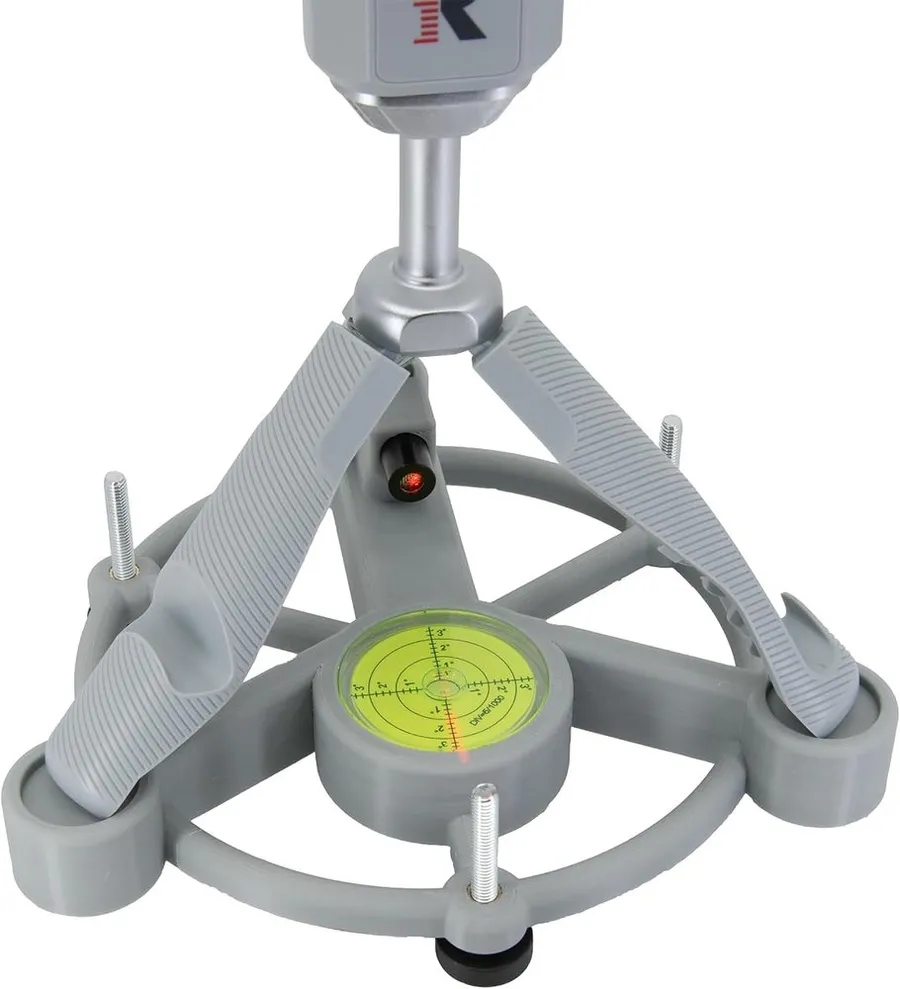
A purpose-built laser alignment and leveling stand fixes the single biggest cause of bad MLM2PRO data: a unit that is tilted, too low or aimed slightly off the target line.
What we like
- Built-in laser and level make aiming the unit fast and repeatable
- Heat-proof V2 design holds up to sun exposure at the range
- Raises the unit to the height the cameras and radar prefer
- Machined specifically to cradle the MLM2PRO, not a generic tripod
What we don't
- At $75 it costs more than a plain stand and only earns its price if you value consistent, comparable numbers
| Type | Alignment and leveling stand |
|---|---|
| Size | Tripod stand |
| Best for | Locking in accurate, repeatable readings |
| Price | $75 |
| Warranty | 1 year |
| Install difficulty | Easy |
| Price bracket | $ |
The MLM2PRO is fussy about how it sits. If the unit is tilted, set too low or aimed a few degrees off the target line, the numbers drift and your session data stops being comparable. This stand attacks that problem directly with a built-in laser for alignment and a level to get the unit sitting square, so setup becomes a repeatable routine instead of a guess.
What sets it apart from the cheaper stand further down this list is the alignment laser and the heat-proof V2 construction. The laser lets you aim the unit at your target line in seconds, and the heat resistance matters if you leave it out in the sun at the range. It is machined to hold the MLM2PRO specifically, so the unit locks in at the right height and angle every time.
The obvious drawback is price. At around $75 it is one of the pricier accessories here, and a casual hitter who never compares numbers will not miss it. But if you track progress over weeks and want each session measured the same way, this is the accessory that makes your data mean something.
Pick this over the compact stand when accuracy and repeatability matter more than saving thirty dollars. If you just want a cheap way to get the unit off the floor, the value stand does that for less.
Research-based pick: this recommendation is based on product data, owner feedback and comparison with products we have tested, not on direct hands-on testing.
Buy it if: Data-focused owners who compare sessions and want the readings to be trustworthy
Skip it if: You only hit casually and are happy eyeballing the unit on the ground
Best for Playing Courses
11x8 ft Golf Simulator Enclosure and Impact Screen
by GolfSimGear
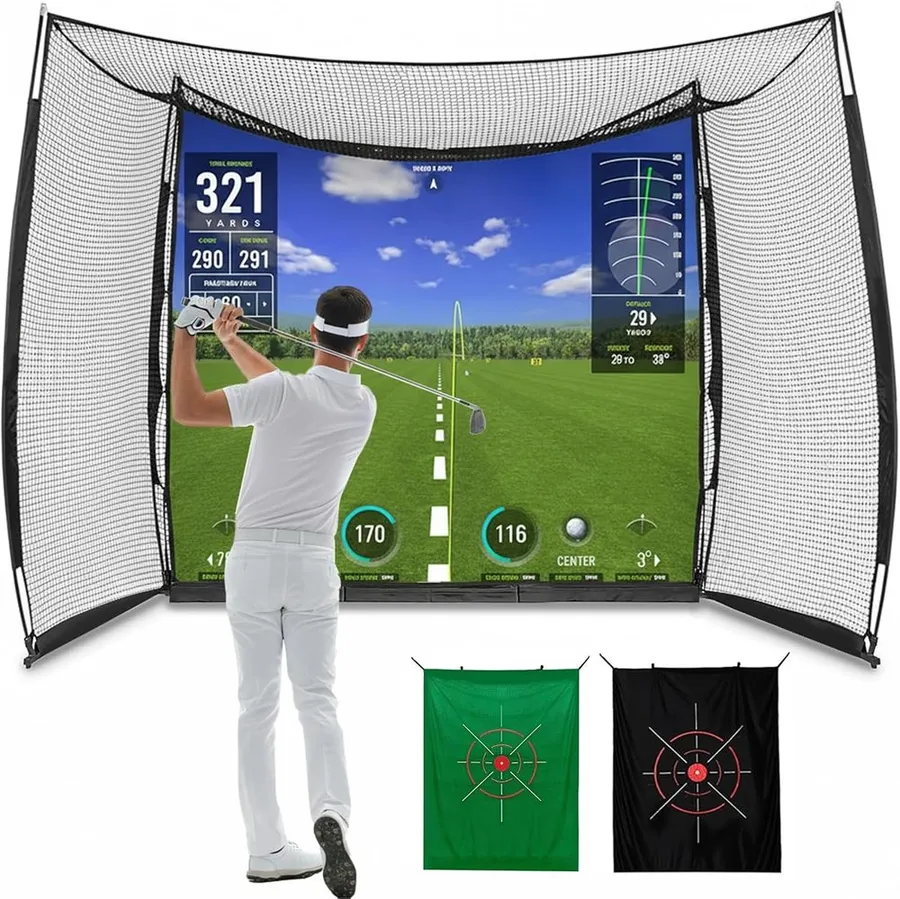
This 11x8 ft enclosure and impact screen is what turns the MLM2PRO from a data device into a simulator you can project a course onto and actually play.
What we like
- Bundles the frame, netting and a blank impact screen you can project onto
- 11x8 ft footprint fits most garages, basements and spare rooms
- Catches full-speed shots while giving a flat surface for the image
- Affordable entry into projected sim play compared with premium kits
What we don't
- The projector and a device to run the sim software are extra costs the kit does not include
| Type | Enclosure and impact screen |
|---|---|
| Size | 11x8 ft |
| Best for | Projecting courses and playing indoors |
| Price | $161 |
| Warranty | 1 year |
| Install difficulty | Moderate |
| Price bracket | $$ |
On its own the MLM2PRO shows numbers on a phone. This enclosure is what turns those numbers into a game: a rigid frame, blackout netting and a blank impact screen that a projector throws the course onto while the unit reads your ball. That is the jump from studying data to actually playing a virtual round, which is why it wins Best for Playing Courses.
The kit arrives as a set, so you are not matching poles, screen and side netting from three sellers and hoping the sizes agree. The 11x8 foot footprint suits most garages, basements and spare rooms, and the screen absorbs full driver strikes while staying flat enough to hold a clean projected image. For the price it is an accessible way into projected sim play next to the four-figure premium enclosures.
The catch is completeness. The kit gives you a surface to project onto but not the projector itself, and you still need a computer or tablet to run the sim software. Budget for both before you buy, and remember the MLM2PRO wants room to read ball flight, so measure your depth against the 11 foot frame.
Choose this when your goal is to play courses indoors rather than just read numbers. If you only care about practice data, skip it and put the money toward the stand and turf instead.
Research-based pick: this recommendation is based on product data, owner feedback and comparison with products we have tested, not on direct hands-on testing.
Buy it if: Owners who want to project courses and play virtual rounds indoors
Skip it if: You only want swing numbers and are happy hitting into a bare net
Best for a Full Bay Floor
Elite 15 mm Golf Simulator Turf
by GolfSimGear
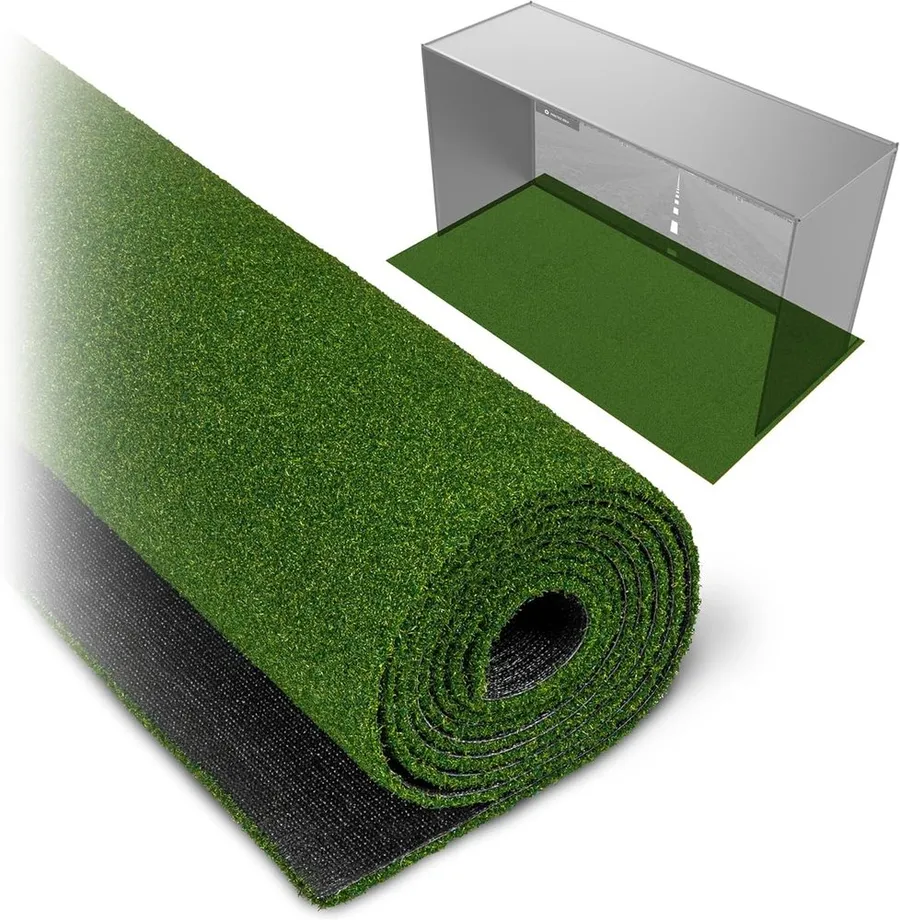
A dense 15 mm turf that gives your MLM2PRO bay one continuous, level floor so the unit, your stance and the ball all sit on the same plane.
What we like
- Highly rated 15 mm pile absorbs strikes and protects joints
- Sold in 10, 12 and 15 ft lengths to fit different bays
- Puts the unit, ball and your feet on one level surface
- Durable enough to hold up over thousands of swings
What we don't
- A full turf run is bulkier and costlier than a single stance mat, so it only pays off in a dedicated space
| Type | Hitting turf and flooring |
|---|---|
| Size | 10, 12 or 15 ft |
| Best for | A level, full-bay floor for the whole setup |
| Price | $200 |
| Warranty | 1 year |
| Install difficulty | Moderate |
| Price bracket | $$ |
The MLM2PRO reads the ball and club, not the floor, but the floor still shapes your data indirectly. If your stance mat sits at a different height from where the unit rests, everything is slightly out of level and your strikes get less consistent. This 15 mm turf fixes that by running one continuous surface under the whole bay, so the unit, the ball and your feet all share the same plane.
The dense 15 mm pile is what owners rate highly. It absorbs full-swing impact, protects your wrists and elbows over a long session and holds up to heavy repeat use rather than matting down after a few weeks. Offered in 10, 12 and 15 foot lengths, it lets you size the run to a garage, basement or spare room instead of forcing one footprint.
Its limitation is practicality. A full turf run is bulkier and more expensive than dropping a single stance mat on the floor, and it really only makes sense when you have a dedicated space to leave it down. If you tear the setup down after every session, a standalone mat is the more sensible buy.
Choose this when you are committing a room to the MLM2PRO and want a proper, level floor. If space is shared or temporary, save the money and use a single hitting mat instead.
Research-based pick: this recommendation is based on product data, owner feedback and comparison with products we have tested, not on direct hands-on testing.
Buy it if: Owners building a permanent or semi-permanent indoor MLM2PRO bay
Skip it if: You practice in a shared room and need to pack the setup away each time
Best Value Accessory
Leveling Stand for Rapsodo MLM2PRO
by GolfSimGear
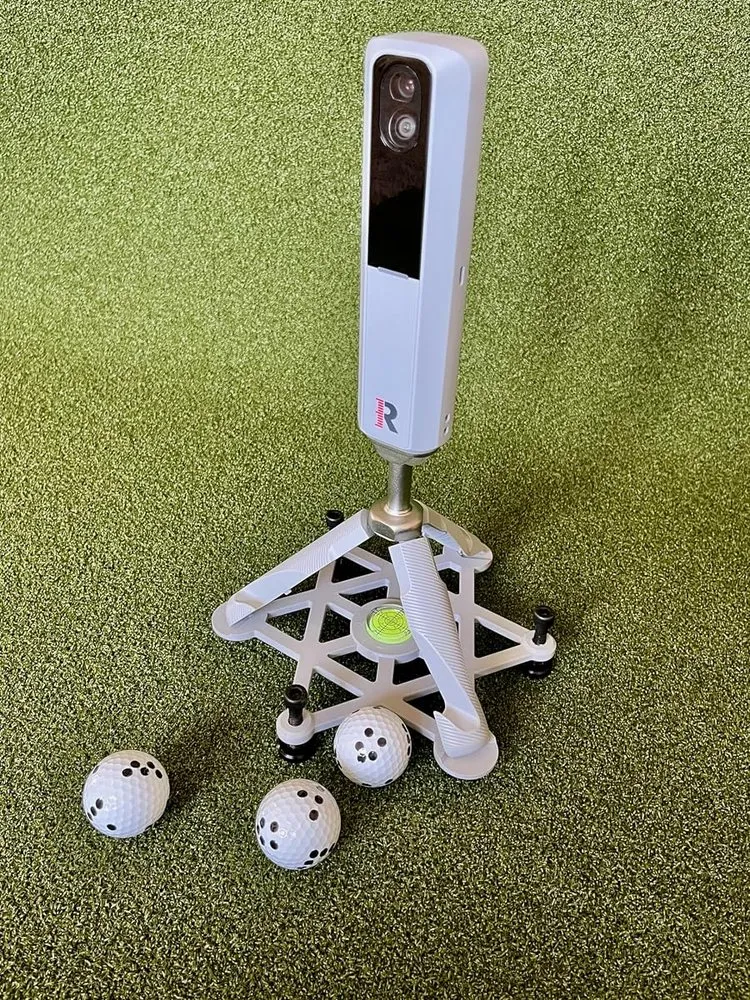
This compact leveling stand does the one thing every MLM2PRO owner needs, getting the unit level and off the ground, for a fraction of the cost of the laser model.
What we like
- Highly rated by owners for a simple, sturdy design
- Light and packable, so it travels easily to the range
- Gets the unit to a stable, level height for better readings
- Costs about half what the laser alignment stand does
What we don't
- No alignment laser, so you still line the unit up to the target by eye
| Type | Leveling stand |
|---|---|
| Size | Compact stand |
| Best for | A cheap, packable stand for the range |
| Price | $40 |
| Warranty | 1 year |
| Install difficulty | Easy |
| Price bracket | $ |
Not everyone needs a laser. A large share of MLM2PRO accuracy problems come down to the unit simply sitting flat on the floor, too low and slightly tilted. This compact stand solves that for around $40 by lifting the unit to a stable, level height, which is most of the accuracy benefit for half the money.
Owners rate it highly for exactly that reason: it is simple, sturdy and does its job without fuss. It is also light and packable, so it is the stand to toss in the bag when you take the MLM2PRO to the driving range rather than leaving it set up at home. For a lot of golfers this is all the stand they will ever need.
The trade-off is the missing laser. You still aim the unit at your target line by eye, which is fine for casual practice but less precise than the V2 stand when you want every session aimed identically. It is also less suited to being left out in strong sun than the heat-proof model.
Choose this when you want the level-and-elevate benefit on a budget or a stand that travels. Step up to the laser V2 only if aiming precision and heat resistance are worth the extra outlay to you.
Research-based pick: this recommendation is based on product data, owner feedback and comparison with products we have tested, not on direct hands-on testing.
Buy it if: Owners who want level, elevated readings without paying for a laser
Skip it if: You want built-in laser alignment or plan to leave the stand baking in the sun
Best Budget
Golf Ball Marker Template for MLM2PRO
by GolfSimGear
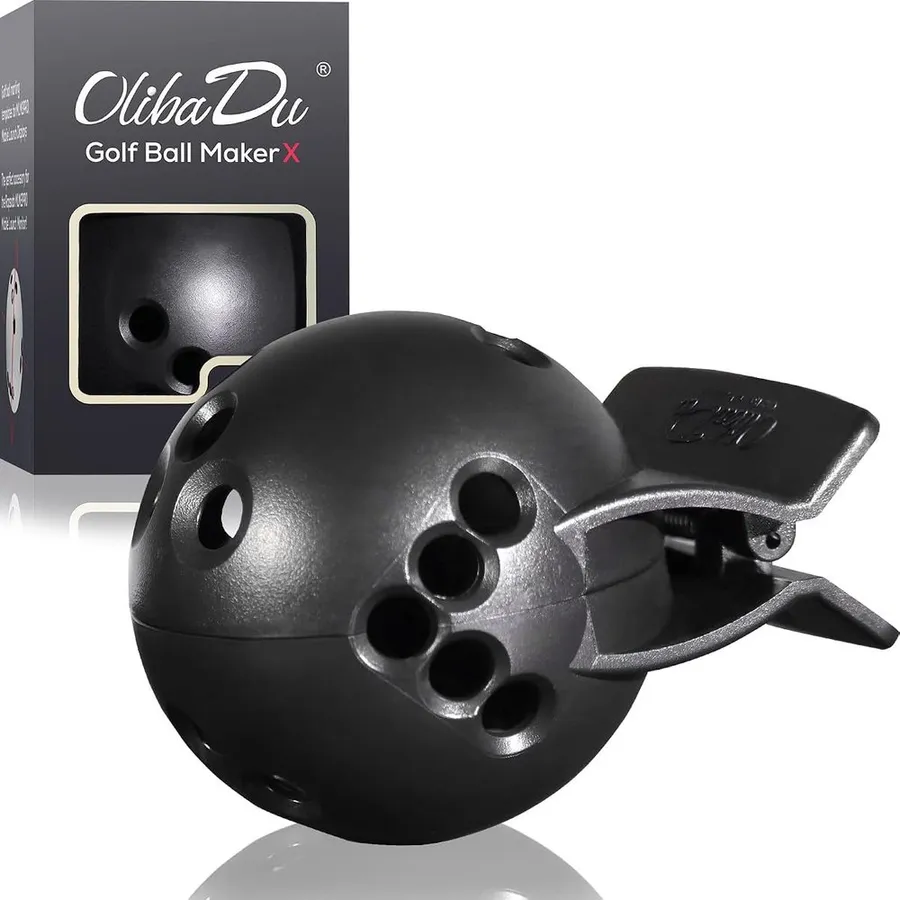
For about $22 this stencil lets you draw the exact alignment dots the MLM2PRO cameras need, so you get accurate spin data on any ball, not just the marked ones in the box.
What we like
- Cheapest way to unlock reliable spin readings on any ball
- Marks the precise dot pattern the MLM2PRO cameras track
- Strong owner rating across hundreds of reviews
- Tiny and pocket-friendly, so it travels with the unit
What we don't
- You have to re-mark balls periodically as the ink wears off in play
| Type | Ball marking stencil |
|---|---|
| Size | Pocket-size stencil |
| Best for | Reliable spin data on any ball |
| Price | $22 |
| Warranty | 30-day returns |
| Install difficulty | Easy |
| Price bracket | $ |
The MLM2PRO’s camera reads a specific dot pattern on the ball to measure spin. The unit ships with a few pre-marked balls, but once those are lost or scuffed your spin data suffers unless you mark your own. This stencil is the fix: line it up, trace the dots, and any ball in your bag becomes a ball the cameras can read.
At roughly $22 it is the cheapest accessory here and arguably the highest value per dollar, because it protects the one metric, spin, that separates the MLM2PRO from cheaper radar-only monitors. It has a strong rating across hundreds of owner reviews, and it is small enough to live in the bag next to the unit so you are never caught without marked balls at the range.
The only real downside is upkeep. The marks wear off during play, so you re-draw them every so often, and it takes a few seconds per ball. That is a minor chore against the cost and hassle of repeatedly buying pre-marked balls.
Buy this alongside the MLM2PRO on day one. It is the smallest line item in the whole setup and the one that keeps your spin numbers honest for the least money.
Research-based pick: this recommendation is based on product data, owner feedback and comparison with products we have tested, not on direct hands-on testing.
Buy it if: Owners who want camera-grade spin numbers without buying pre-marked balls
Skip it if: You only ever hit the marked balls that shipped with your MLM2PRO
How we researched these picks#
We built this list by starting from the gear MLM2PRO owners actually buy to get the most from the unit, then filtering hard on evidence and relevance. Every product here is a real, currently sold item with a base of verified owner reviews, so the list reflects gear you can order today rather than spec-sheet promises. Where two items did the same job, such as the two leveling stands, we kept both only because they serve genuinely different budgets and use cases.
For each pick we pulled the manufacturer specifications, read across aggregated verified owner feedback and then judged it on what actually matters for a MLM2PRO build: what it adds to the setup, how much space it needs, build quality and durability, and value at the price. Because the MLM2PRO is a camera-and-radar unit that is sensitive to how it is positioned and needs room to read ball flight, we paid particular attention to accuracy, leveling and how each item suits a small bay versus an open range.
We deliberately spread the six picks across categories and price brackets, from a $22 ball stencil to the $599 unit itself, so there is a sensible choice whether you are finishing a permanent sim room like the ones in our best home golf simulators roundup or just want honest numbers at the range. These recommendations are research-based, not hands-on tested. We have not built each setup ourselves, so we lean on published specs and the consistent themes in owner feedback, and we flag real weaknesses such as space limits and upkeep plainly.
How to choose a MLM2PRO simulator setup (buying guide)#
Start with the unit, then build outward. The MLM2PRO is the one piece that determines what your setup can do, so buy it first and add accessories in the order that matches your goal. If you want accurate practice numbers, prioritize a stand and marked balls. If you want to play virtual courses, the enclosure and screen come next.
Get the unit level and aimed, or the data lies. The most common complaint from MLM2PRO owners is inconsistent numbers, and the usual cause is a unit sitting tilted, too low or aimed off the target line. A leveling stand solves most of this. A laser alignment stand adds repeatable aim so every session is measured the same way, which matters if you track progress over time.
Respect the space the unit needs. As a camera-and-radar hybrid, the MLM2PRO wants room to read ball flight. A deep room or an outdoor bay gives its best data, while a short garage can cap accuracy on longer clubs. Measure your depth before committing to a fixed enclosure so you can sit the unit far enough behind the ball.
Match the floor to how hard you practice. A thin mat wears out fast and jars your joints. A dense hitting turf lasts through thousands of swings and, run across the whole bay, keeps the unit, ball and your stance on one level plane. Full turf only makes sense in a dedicated space, so a single stance mat is fine if you pack the setup away.
Protect the spin metric. Spin is what separates the MLM2PRO from cheaper radar-only monitors, and the camera needs marked balls to read it. Budget a few dollars for a marking stencil so you can keep accurate spin numbers on any ball instead of relying on the handful of pre-marked balls in the box.
Budget the projector separately for course play. An enclosure and impact screen give you a surface to project onto, but the projector and a computer or tablet to run the sim software are extra costs most kits leave out. Factor those in before deciding whether a full indoor sim or a simpler stand-and-net setup fits your budget.
Frequently asked questions
Do I really need a leveling stand for the MLM2PRO?
For accurate, repeatable data, yes. The MLM2PRO reads best when it sits level, at the right height and aimed square at your target line. Resting it flat on the floor is the most common cause of drifting numbers. A simple stand fixes most of that, and a laser alignment stand goes further by making the aim repeatable session to session.
How much room does the MLM2PRO need to read shots accurately?
As a camera-and-radar unit it wants room to see ball flight, so a deeper bay or an outdoor range gives its most accurate numbers. A very short garage can limit longer-club data. Measure your available depth before building a tight enclosure, and know that outdoors will often read better than a cramped indoor space.
Can I play virtual courses with just the MLM2PRO?
You can play in the Rapsodo and E6 software on your phone or tablet screen, but to project a full course onto a screen and play it in front of you, you need an enclosure, an impact screen, a projector and a device to run the software. The enclosure kit in this guide covers the screen and frame, but the projector is a separate purchase.
Why does the MLM2PRO need marked balls?
The camera reads a specific dot pattern on the ball to measure spin, which is the metric that sets it apart from radar-only monitors. It ships with a few pre-marked balls, but once those wear out your spin data suffers. A cheap marking stencil lets you put the correct dots on any ball so you keep accurate spin numbers without rebuying special balls.
About the author

Jim Bennett Founder & lead reviewer
Jim is the guy behind Golf Sim Jim. He builds home golf simulators and compares launch monitors by the numbers that actually decide a setup, room fit, accuracy and software.
Home setup: Garage bay: SkyTrak+, 10 ft ceiling, BenQ LK936ST short-throw
- Launch monitor accuracy
- Home simulator builds
- Impact screens & enclosures
- Sim software (GSPro, E6, TGC)