
6 Best Golf Simulator Games to Play at Home in 2026 (Rapsodo, Garmin R10 and More)
We compared 6 real golf simulator game systems from $150 to $699 on courses, accuracy, metrics and multiplayer fun to find the best pick for home play.

A golf simulator game turns a spare room, garage or living room into a place where you can play real courses, track your swing and compete with friends without leaving home. The catch is that the word game covers everything from a $150 swing trainer to a $700 launch monitor that drives full course software, and they play very differently. This guide compares six real, widely owned systems from around $150 to $699, spanning swing-stick party sims, measured launch monitors and no-ball trainers. We weighed each on the software and courses it runs, measurement type and accuracy, the space it needs, device compatibility and the true cost once subscriptions are added. Below you will find the best overall pick plus category winners for shot data, premium studio play, playing with friends, budget and small spaces, followed by a plain buying guide to match a system to your room and your goals.
Table of contents
- Quick picks
- Price compared
- Comparison table
- Best Overall: Rapsodo MLM2PRO
- Best for Shot Data: Garmin Approach R10
- Best Premium: SkyTrak Launch Monitor and Simulator
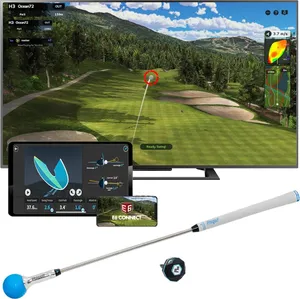
- Best for Playing With Friends: PhiGolf Home Golf Game Simulator
- Best Budget: Rapsodo Mobile Launch Monitor (MLM)
- Best for Small Spaces: Golf Daddy Golf at Home Simulator
- How we researched these picks
- How to choose a golf simulator game (buying guide)
- FAQ
Quick picks
Every pick wins a specific use case. Jump to the full review before you buy.
-
Best Overall
Rapsodo MLM2PRO
The MLM2PRO blends dual-camera and radar tracking with real course play in one portable unit, making it the most complete pick for turning your garage into a golf simulator game.
-
Best for Shot Data
Garmin Approach R10
The Approach R10 pairs trusted Garmin radar with a free companion app and optional E6 Connect course play, giving you deep, dependable numbers at a mid-range price.
-
Best Premium
SkyTrak Launch Monitor and Simulator
SkyTrak's photometric camera and its deep TGC 2019 course library make it the closest thing here to a dedicated home simulator studio for serious virtual rounds.
-
Best for Playing With Friends
PhiGolf Home Golf Game Simulator
PhiGolf turns any room into a party-ready golf game with a swing stick, a motion sensor and access to more than 38,000 courses for a fraction of a launch monitor's price.
-
Best Budget
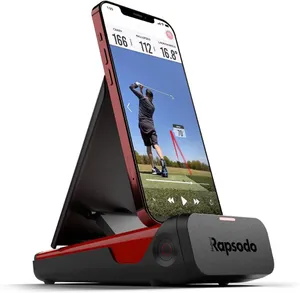
Rapsodo Mobile Launch Monitor (MLM)
The original Rapsodo MLM brings real camera-based shot tracking and virtual play to iPhone and iPad users for around $200, the lowest-cost way into measured simulator golf here.
-
Best for Small Spaces
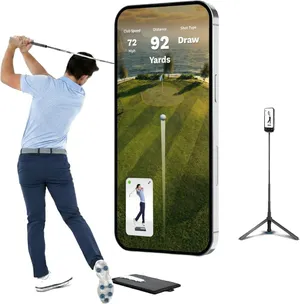
Golf Daddy Golf at Home Simulator
Golf Daddy is a no-ball, AI-driven swing trainer that needs almost no room, making it the most space-friendly and cheapest way to practice golf indoors.
Compare every pick
| Product | Award | Type | Software | Key metrics | Price | Warranty | Best for | Where to buy |
|---|---|---|---|---|---|---|---|---|
| Rapsodo MLM2PRO | Best Overall | Dual camera and radar (photometric hybrid) | Rapsodo app, GSPro, Awesome Golf | 15 club and ball metrics | $600 | 1 year | Golfers who want one device for practice, data and virtual rounds | Check price on Amazon for Rapsodo MLM2PRO at Amazon (affiliate link) |
| Garmin Approach R10 | Best for Shot Data | Radar (Doppler) | Garmin Golf app, E6 Connect (subscription) | 14 club and ball metrics | $500 | 1 year | Data-focused golfers who want reliable numbers without a big subscription upfront | Check price on Amazon for Garmin Approach R10 at Amazon (affiliate link) |
| SkyTrak Launch Monitor and Simulator | Best Premium | Photometric camera | TGC 2019, E6 Connect, WGT (subscription) | 10 club and ball metrics | $699 | 1 year | Golfers building a permanent simulator room who want the biggest course lists | Check price on Amazon for SkyTrak Launch Monitor and Simulator at Amazon (affiliate link) |
| PhiGolf Home Golf Game Simulator | Best for Playing With Friends | Swing stick motion sensor | PhiGolf app, WGT, E6 Connect, 38,000+ courses | 3 swing metrics | $280 | 1 year | Families and groups who want fun virtual rounds without a big setup | Check price on Amazon for PhiGolf Home Golf Game Simulator at Amazon (affiliate link) |
| Rapsodo Mobile Launch Monitor (MLM) | Best Budget | Camera and radar (iOS only) | Rapsodo app, WGT courses | 4 core shot metrics | $200 | 1 year | Apple users who want measured data on a tight budget | Check price on Amazon for Rapsodo Mobile Launch Monitor (MLM) at Amazon (affiliate link) |
| Golf Daddy Golf at Home Simulator | Best for Small Spaces | AI camera swing analyzer (no-ball) | Golf Daddy app | Swing path and tempo feedback | $150 | 1 year | Apartment golfers who only have room for practice swings | Check price on Amazon for Golf Daddy Golf at Home Simulator at Amazon (affiliate link) |
Swipe sideways to compare every column.
Best Overall
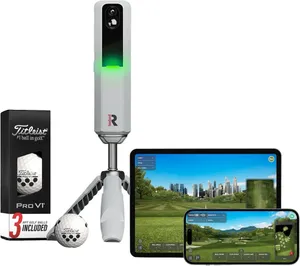
Rapsodo MLM2PRO
by Rapsodo
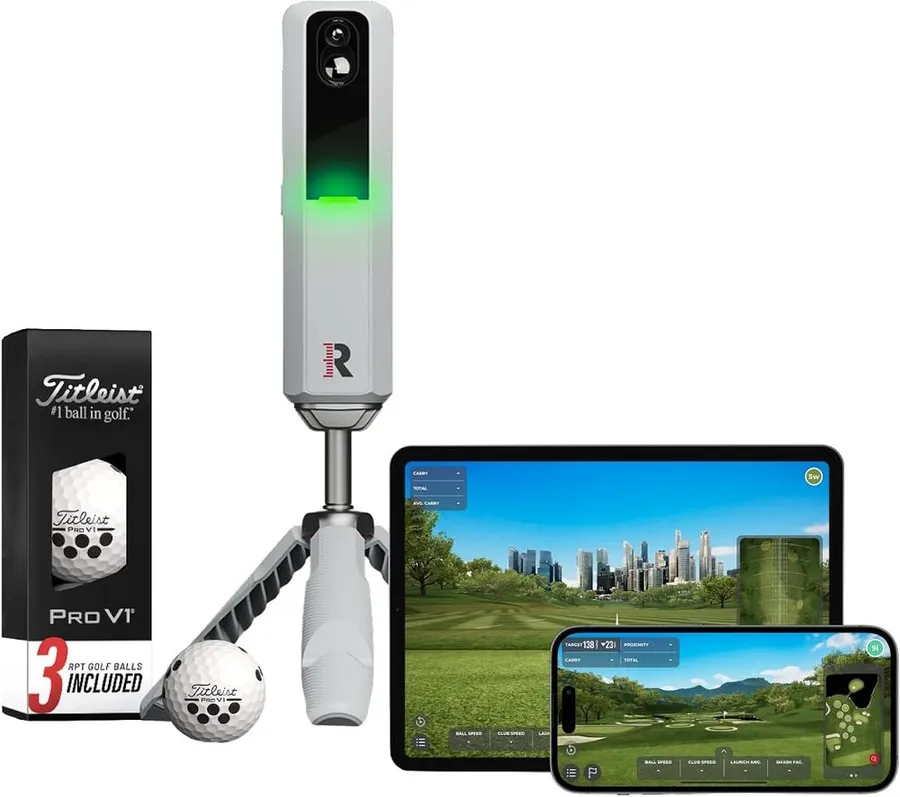
The MLM2PRO blends dual-camera and radar tracking with real course play in one portable unit, making it the most complete pick for turning your garage into a golf simulator game.
What we like
- Dual-camera and radar system reads 15 club and ball metrics
- Runs GSPro and Awesome Golf for real multiplayer course rounds
- Works indoors and at the driving range with the same device
What we don't
- The best course-play and video features sit behind a paid Rapsodo Premium subscription
| Type | Dual camera and radar (photometric hybrid) |
|---|---|
| Software | Rapsodo app, GSPro, Awesome Golf |
| Key metrics | 15 club and ball metrics |
| Price | $600 |
| Warranty | 1 year |
| Install difficulty | Easy |
| Price bracket | $$$ |
The Rapsodo MLM2PRO wins here because it does two jobs well at once. It measures your swing with a dual-camera and radar setup that reports 15 metrics, so you get real feedback on club and ball data, and it also drives full simulator software like GSPro and Awesome Golf so you can play actual courses against friends. Most units in this price band do one or the other.
Day to day it is genuinely portable. You set it a few feet behind the ball, pair your phone or tablet, and it works on a mat in the garage or out on the range. The included Pro V1 balls carry markings the cameras use for spin, which lifts accuracy above phone-only trackers.
The honest limitation is cost of ownership. The hardware price is only the start, because the deeper course libraries, unlimited shot video and some data features need the Rapsodo Premium plan. Budget for that annual fee before you buy, or you will feel boxed in.
Choose it if you want one tool that improves your ball striking and lets you play virtual golf as a game with friends. If you only want lighthearted living-room rounds, a swing-stick system like PhiGolf costs far less and sets up in seconds.
Research-based pick: this recommendation is based on product data, owner feedback and comparison with products we have tested, not on direct hands-on testing.
Buy it if: Golfers who want one device for practice, data and virtual rounds
Skip it if: You only want casual party play and do not care about shot data
Best for Shot Data
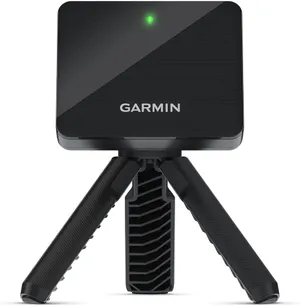
Garmin Approach R10
by Garmin
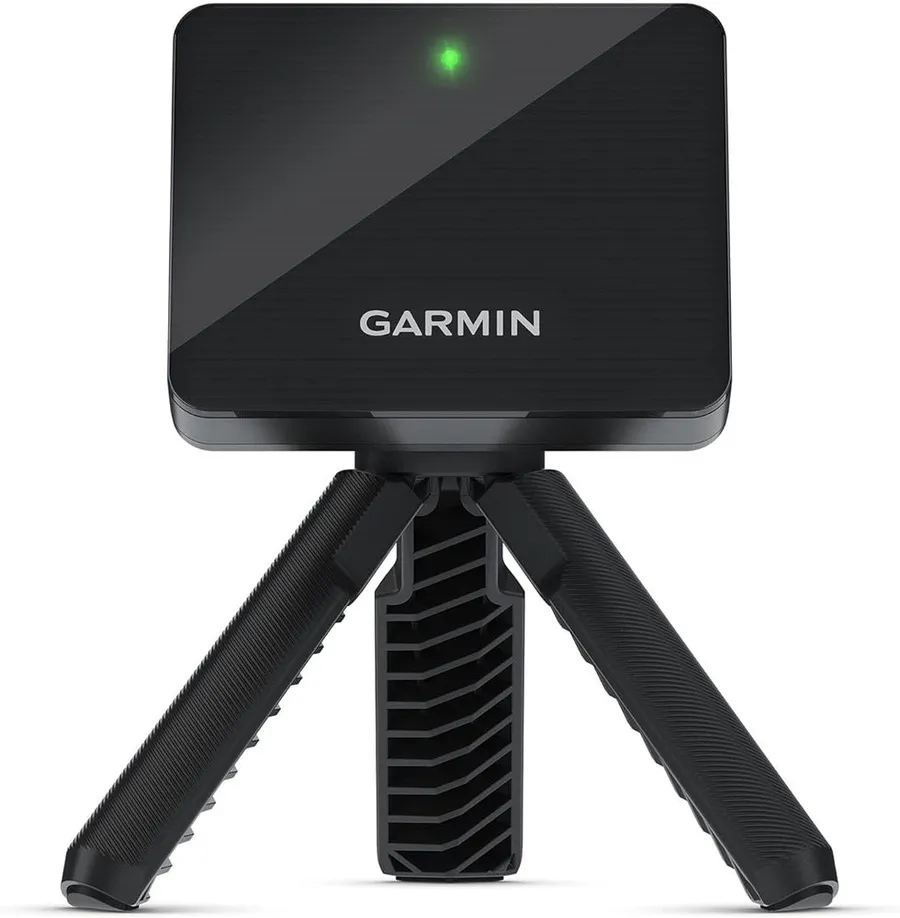
The Approach R10 pairs trusted Garmin radar with a free companion app and optional E6 Connect course play, giving you deep, dependable numbers at a mid-range price.
What we like
- Radar tracking reports 14 club and ball metrics
- Free Garmin Golf app covers practice, ranges and basic virtual play
- Backed by more than 1,000 verified owner ratings
What we don't
- Radar needs roughly 8 feet of ball flight, so it wants a deeper room than camera units
| Type | Radar (Doppler) |
|---|---|
| Software | Garmin Golf app, E6 Connect (subscription) |
| Key metrics | 14 club and ball metrics |
| Price | $500 |
| Warranty | 1 year |
| Install difficulty | Easy |
| Price bracket | $$ |
The Garmin Approach R10 is the pick when clean, trustworthy shot data matters most. Its Doppler radar tracks 14 metrics, and Garmin’s long history in golf hardware shows in how consistent those numbers feel round to round. With more than a thousand owner ratings behind it, this is a proven unit rather than a gamble.
What makes it easy to live with is the free Garmin Golf app. You can practice, run range sessions and record stats without paying a subscription, which is rare in this space. When you want to play full courses as a simulator game, E6 Connect adds that for a fee.
The real catch is space. As a radar unit it reads the ball in flight and wants around 8 feet of travel to be accurate, so a tight garage or spare room may cramp it. Camera-based picks like SkyTrak work closer to the screen if depth is your problem.
Buy the R10 if you want dependable data and a free app to start with, in a room deep enough for radar. If your space is short, look at a photometric option instead.
Research-based pick: this recommendation is based on product data, owner feedback and comparison with products we have tested, not on direct hands-on testing.
Buy it if: Data-focused golfers who want reliable numbers without a big subscription upfront
Skip it if: Your hitting space is short and cannot give the radar room to read ball flight
Best Premium
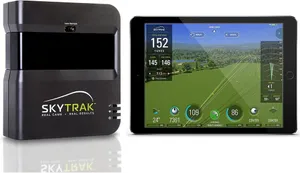
SkyTrak Launch Monitor and Simulator
by SkyTrak
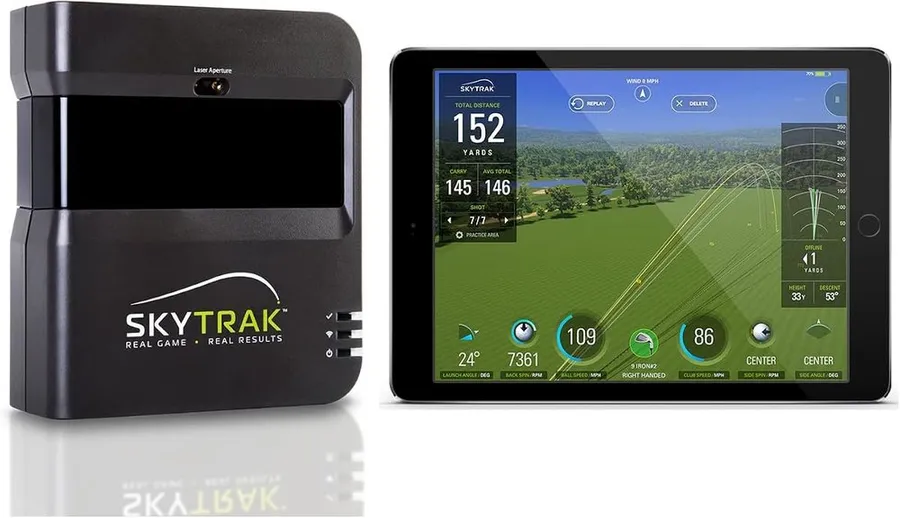
SkyTrak's photometric camera and its deep TGC 2019 course library make it the closest thing here to a dedicated home simulator studio for serious virtual rounds.
What we like
- Photometric camera stays accurate just a few feet from the screen
- Connects to TGC 2019, E6 Connect and WGT for thousands of courses
- Ships with a metal protective case for the unit
What we don't
- Full course-play software requires SkyTrak's paid Play or Improve plan
| Type | Photometric camera |
|---|---|
| Software | TGC 2019, E6 Connect, WGT (subscription) |
| Key metrics | 10 club and ball metrics |
| Price | $699 |
| Warranty | 1 year |
| Install difficulty | Moderate |
| Price bracket | $$$ |
SkyTrak earns the premium spot because it is built for playing golf as a game on a real screen. As a photometric camera unit it reads the ball at impact, so it stays accurate only a few feet from an impact screen, which is exactly what you want when you are building a fixed simulator bay rather than swinging in open space.
The draw is the software. SkyTrak connects to TGC 2019, E6 Connect and WGT, three of the biggest course platforms, so you and friends can play thousands of virtual holes with sharp graphics. The included metal case is a nice touch that signals this is gear meant to be used and moved carefully for years.
The trade-off is subscriptions and setup. The unit measures well out of the box, but full course play sits behind SkyTrak’s Play or Improve tiers, and you will want a mat, screen and projector to get the real studio feel. That pushes the total cost well past the sticker.
Pick SkyTrak if you are committing to a dedicated room and want the deepest course libraries. If you want something portable or subscription-free to start, the Garmin R10 or a swing-stick system fit better.
Research-based pick: this recommendation is based on product data, owner feedback and comparison with products we have tested, not on direct hands-on testing.
Buy it if: Golfers building a permanent simulator room who want the biggest course lists
Skip it if: You want a grab-and-go tracker or a no-subscription setup
Best for Playing With Friends
PhiGolf Home Golf Game Simulator
by PhiGolf
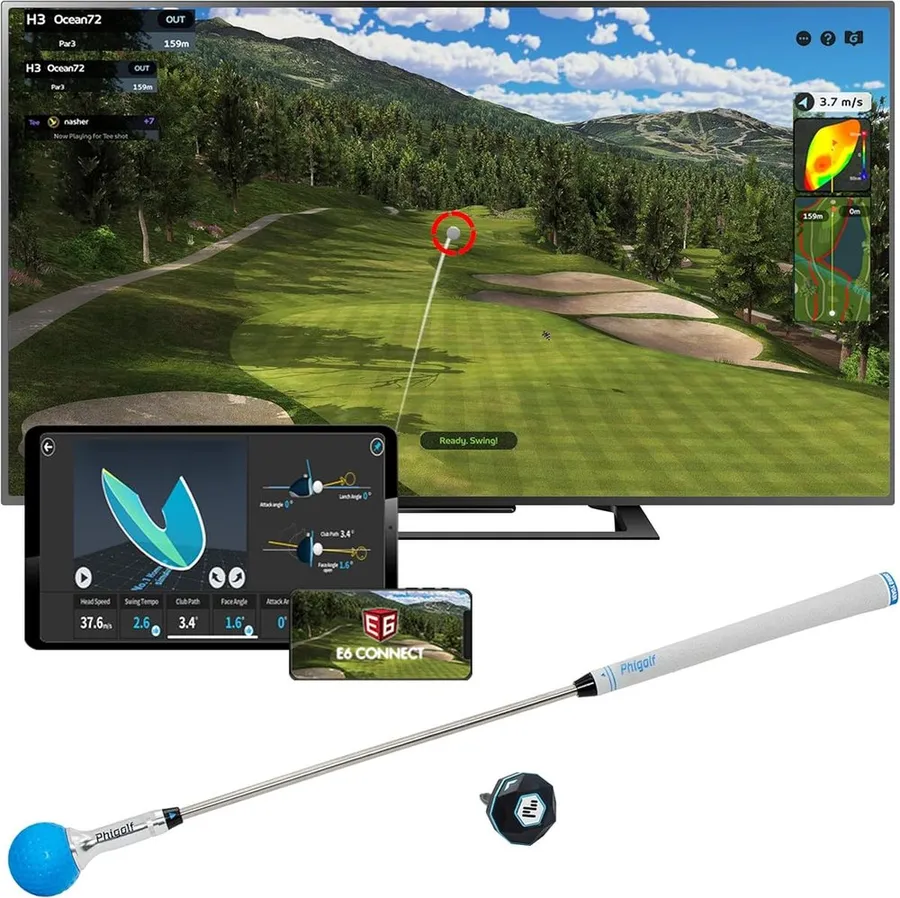
PhiGolf turns any room into a party-ready golf game with a swing stick, a motion sensor and access to more than 38,000 courses for a fraction of a launch monitor's price.
What we like
- Advertises more than 38,000 courses through WGT and E6 Connect
- Swing stick needs only room to swing, no balls or net
- Works on both Android and iOS for easy multiplayer
What we don't
- Estimates shots from a swing sensor rather than measuring real ball flight, so data is approximate
| Type | Swing stick motion sensor |
|---|---|
| Software | PhiGolf app, WGT, E6 Connect, 38,000+ courses |
| Key metrics | 3 swing metrics |
| Price | $280 |
| Warranty | 1 year |
| Install difficulty | Easy |
| Price bracket | $$ |
PhiGolf is the pick when the point is fun with friends, not fractions of a degree of spin. Instead of a launch monitor, you swing a weighted stick with a motion sensor on it, and the app turns that into a shot on screen. Because there is no ball, no net and no big footprint, it sets up in a living room in minutes.
The playful side is the huge course access. Through WGT and E6 Connect it advertises more than 38,000 courses, and it runs on both Android and iOS, so a group can take turns playing famous holes without anyone needing the same phone. For a games night, that reach and low price are hard to beat.
The honest limitation is accuracy. A swing sensor estimates ball flight rather than measuring it the way a camera or radar does, so the numbers are approximate and it will not diagnose your swing like the Rapsodo or Garmin units. Treat it as a game first and a trainer second.
Choose PhiGolf if you want the cheapest, most social way to play virtual golf at home. If your goal is real improvement and trustworthy data, step up to a measurement-based launch monitor instead.
Research-based pick: this recommendation is based on product data, owner feedback and comparison with products we have tested, not on direct hands-on testing.
Buy it if: Families and groups who want fun virtual rounds without a big setup
Skip it if: You want precise club and ball data to improve your real game
Best Budget
Rapsodo Mobile Launch Monitor (MLM)
by Rapsodo
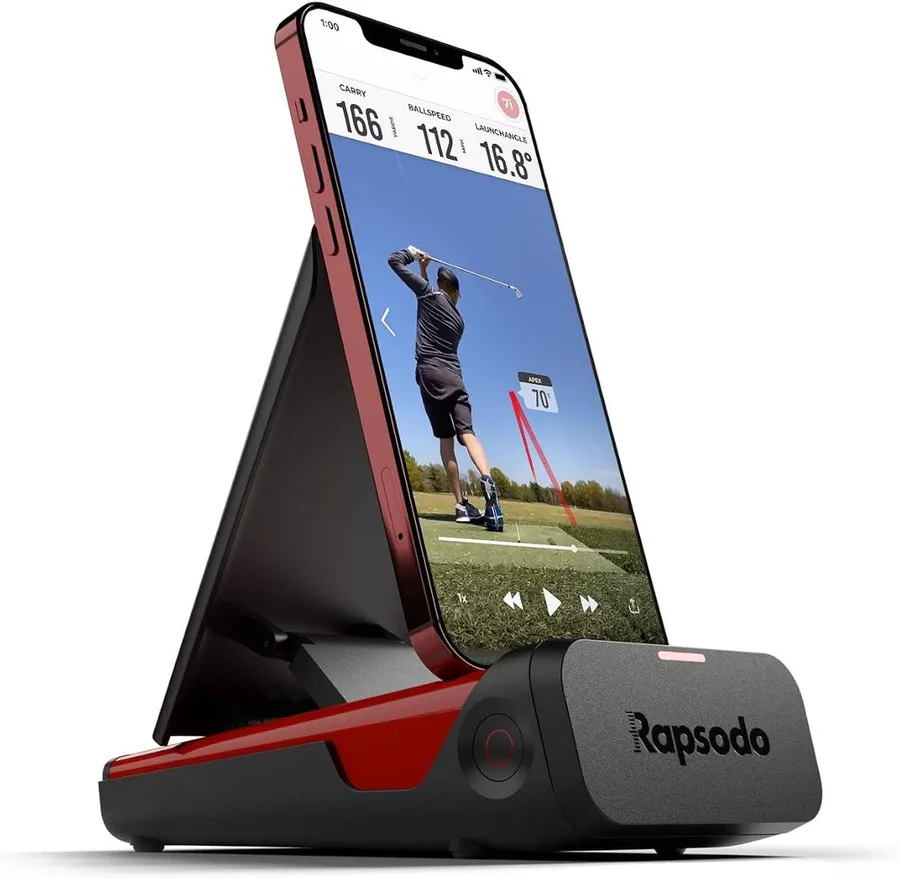
The original Rapsodo MLM brings real camera-based shot tracking and virtual play to iPhone and iPad users for around $200, the lowest-cost way into measured simulator golf here.
What we like
- Real shot tracking and video for around $200
- Backed by more than 3,000 verified owner ratings
- Free Rapsodo app covers practice and basic play
What we don't
- Works with iPhone and iPad only, so Android households are locked out
| Type | Camera and radar (iOS only) |
|---|---|
| Software | Rapsodo app, WGT courses |
| Key metrics | 4 core shot metrics |
| Price | $200 |
| Warranty | 1 year |
| Install difficulty | Easy |
| Price bracket | $ |
The original Rapsodo Mobile Launch Monitor is the value entry point to measured simulator golf. For roughly $200 it uses your phone’s camera plus its own sensor to track core shot data and record video, which is a real step above a swing-estimating toy. With more than 3,000 owner ratings, it is also the most reviewed pick on this list.
In daily use it is simple. You prop it behind the ball, open the free Rapsodo app, and start hitting into a net or at the range with automatic shot video and basic stats. For a golfer who wants to see carry and dispersion without spending launch-monitor money, that is a lot of value.
The dealbreaker for some is the platform lock. This model runs on iPhone and iPad only, so an Android household simply cannot use it, and its four core metrics are shallower than the 14 or 15 you get from the R10 or MLM2PRO. It is a starter, not a forever unit.
Buy it if you are on Apple and want the cheapest honest shot data here. If you use Android or want richer metrics and full course libraries, spend up to the R10 or the MLM2PRO.
Research-based pick: this recommendation is based on product data, owner feedback and comparison with products we have tested, not on direct hands-on testing.
Buy it if: Apple users who want measured data on a tight budget
Skip it if: You use Android or want the deep metrics of a premium unit
Best for Small Spaces
Golf Daddy Golf at Home Simulator
by Golf Daddy
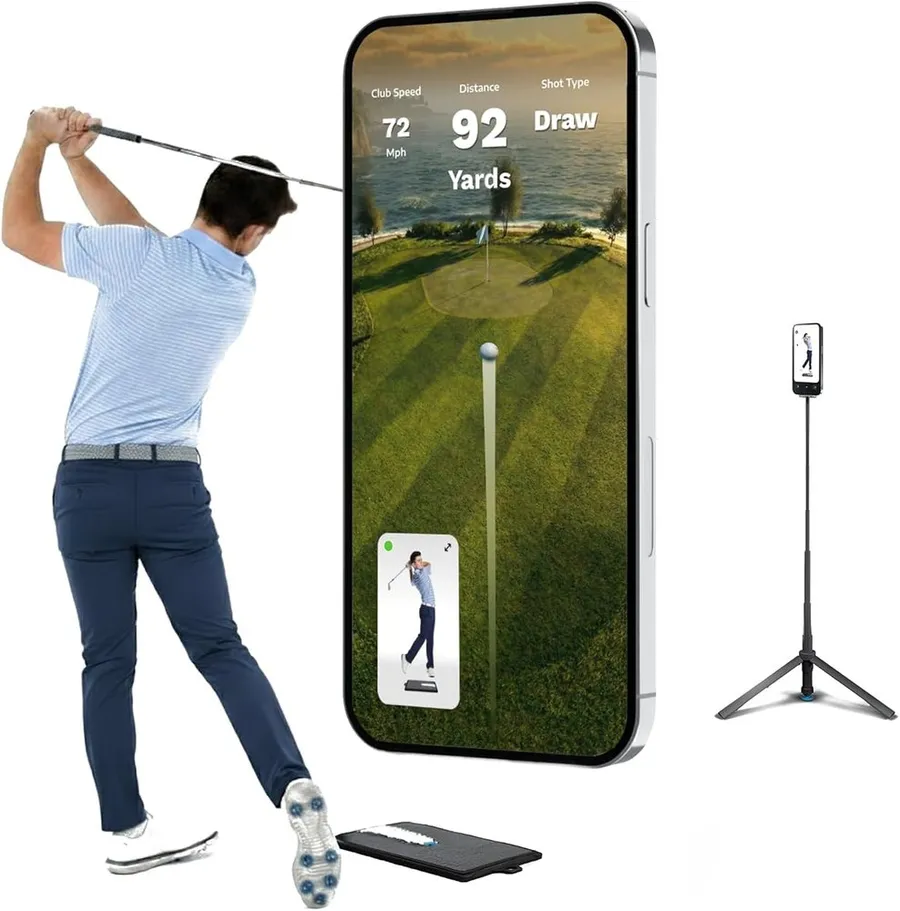
Golf Daddy is a no-ball, AI-driven swing trainer that needs almost no room, making it the most space-friendly and cheapest way to practice golf indoors.
What we like
- No-ball design works in tight indoor spaces with no net
- AI swing analyzer gives real-time path and tempo feedback
- Lowest price on this list at around $150
What we don't
- Owner ratings are low and mixed, so expect a training aid rather than a polished simulator
| Type | AI camera swing analyzer (no-ball) |
|---|---|
| Software | Golf Daddy app |
| Key metrics | Swing path and tempo feedback |
| Price | $150 |
| Warranty | 1 year |
| Install difficulty | Easy |
| Price bracket | $ |
Golf Daddy takes the opposite approach to everything else here. There is no ball and no net. Instead an AI system watches your practice swing and gives real-time feedback on path and tempo, so it fits in a corner of an apartment where a full launch monitor and screen never could.
That makes it appealing for one specific job: grooving a swing indoors when space and budget are both tight. At around $150 it is the cheapest pick on this list, and the daily practice loop of swing, feedback, adjust is genuinely low-friction.
The clear limitation is that it is a training aid, not a course-play simulator, and its owner ratings run low and mixed. You will not play virtual rounds with friends on it, and the analysis is guidance rather than lab-grade data. Go in expecting a swing helper, not a home simulator game.
Choose Golf Daddy only if space is your hard constraint and you want swing reps indoors. If you want to actually play golf as a game or track real ball flight, every other pick here serves you better.
Research-based pick: this recommendation is based on product data, owner feedback and comparison with products we have tested, not on direct hands-on testing.
Buy it if: Apartment golfers who only have room for practice swings
Skip it if: You want to play real virtual rounds or hit actual balls
How we researched these picks#
We built this list by starting from the systems people actually buy to play golf at home, then filtering hard on evidence and relevance. Every product here is a real, currently sold unit with verified owner reviews, from a swing-stick sim with more than a hundred ratings to a launch monitor with over three thousand, which keeps the list grounded in gear you can order and play today.
For each candidate we pulled the manufacturer specifications, mapped exactly which simulator programs and course libraries it runs, from free apps to GSPro, E6 Connect, TGC 2019 and WGT, and then read across aggregated verified owner feedback. We compared the systems head to head on the factors that change a buying decision: measurement type and accuracy, the depth of the software and course lineup, the space each unit needs, device and platform compatibility, and the true cost once subscriptions are added. We deliberately spread the final six across price brackets and use cases, from a $150 no-ball trainer to a $699 photometric simulator, so there is a sensible pick for different budgets and rooms.
These recommendations are research-based, not hands-on tested. We have not run each system on our own screen, so we lean on published specs, documented software compatibility and the consistent themes in owner feedback rather than our own range data. Where a system has a real weakness, such as a required subscription, a platform lock or approximate data, we call it out plainly.
How to choose a golf simulator game (buying guide)#
Decide whether you want to play or to improve. This is the first fork. If your main goal is fun virtual rounds with friends, a swing-stick system like PhiGolf gives you thousands of courses for very little money. If you want to actually improve your ball striking, prioritize a measured launch monitor like the Rapsodo MLM2PRO or Garmin R10 that reports real club and ball data. Buying for the wrong goal wastes money on features you will not use.
Match the measurement type to your space. Radar units read the ball in flight and want around 8 feet of travel, so they feed the game best in a deep room or outdoors. Photometric camera units measure at impact and stay accurate a few feet from a screen, which suits a tight garage. Swing-stick and no-ball systems need only room to swing, making them the choice for apartments and small living rooms.
Check the software and course library. The game itself is the software, so look at what each unit runs before you buy. SkyTrak connects to TGC 2019, E6 Connect and WGT for huge course lists, the MLM2PRO runs GSPro and Awesome Golf, and PhiGolf advertises more than 38,000 courses. Confirm the programs you want are on the unit’s supported list, because not every device runs every game.
Add up the subscriptions, not just the sticker. Sticker price is only part of the cost. Free apps from Garmin and Rapsodo cover basic practice, but full course play on E6, TGC, GSPro or SkyTrak’s higher tiers usually means a recurring annual fee. Two units at the same price can have very different real costs once you factor in the software plan you actually want to play.
Confirm device and platform compatibility. Some systems are locked to one ecosystem. The original Rapsodo MLM works with iPhone and iPad only, so Android households should look elsewhere, while PhiGolf and the newer units run on both. If friends will bring their own phones for multiplayer, make sure the app supports everyone’s device before you commit.
Weigh accuracy against price and fun. Measured launch monitors cost more but give trustworthy data and serious course realism. Swing-estimating and no-ball systems cost far less and set up in seconds, but their numbers are approximate. Be honest about whether you are buying a training tool, a party game, or something that has to do both, and let that set your budget.
Frequently asked questions
What is the difference between a golf simulator game and a launch monitor?
A launch monitor is the device that measures your shot, while the game is the software that turns those numbers into a course you play on screen. Measured systems like the Rapsodo MLM2PRO, Garmin R10 and SkyTrak do both: they read your ball and club data and feed programs such as GSPro, E6 Connect or TGC 2019 so you play real holes. A swing-stick system like PhiGolf skips true measurement and estimates the shot instead, which is cheaper and more casual. Decide first whether you mainly want accurate data or just fun rounds, then pick the type that fits.
Do I need a subscription to play courses on a golf simulator game?
Often yes for full course play. The Garmin Golf app and the original Rapsodo app are free and cover practice and basic play, but the deep course libraries in E6 Connect, TGC 2019, GSPro and WGT, and SkyTrak's higher tiers, usually sit behind a paid annual plan. Add that recurring fee to the hardware price before you decide, because two units at the same sticker can have very different real costs once you factor in the software you actually want to play.
How much space do I need for a golf simulator game at home?
It depends on the type. A swing-stick system like PhiGolf or a no-ball trainer like Golf Daddy needs only room to swing a club. Photometric camera units such as SkyTrak read the ball at impact and work a few feet from a screen, so they suit tight garages. Radar units like the Garmin R10 want roughly 8 feet of ball flight to stay accurate, so they need a deeper room or outdoor space to feed the game good numbers.
Can more than one person play a golf simulator game?
Yes. Most of these systems support multiplayer rounds through their course software, so a group can take turns on the same setup, and the swing-stick PhiGolf is built around passing the stick for casual games. The main thing to check is device compatibility: the original Rapsodo MLM is iPhone and iPad only, while PhiGolf and the newer units run on both Android and iOS, which matters when friends bring their own phones.
About the author

Jim Bennett Founder & lead reviewer
Jim is the guy behind Golf Sim Jim. He builds home golf simulators and compares launch monitors by the numbers that actually decide a setup, room fit, accuracy and software.
Home setup: Garage bay: SkyTrak+, 10 ft ceiling, BenQ LK936ST short-throw
- Launch monitor accuracy
- Home simulator builds
- Impact screens & enclosures
- Sim software (GSPro, E6, TGC)