
6 Best Golf Simulator Software Setups for 2026 (SkyTrak vs Garmin R10 and More)
We compared 6 real golf simulator software setups from $200 to $3,995 on course libraries, accuracy, compatibility and cost to find the best pick.

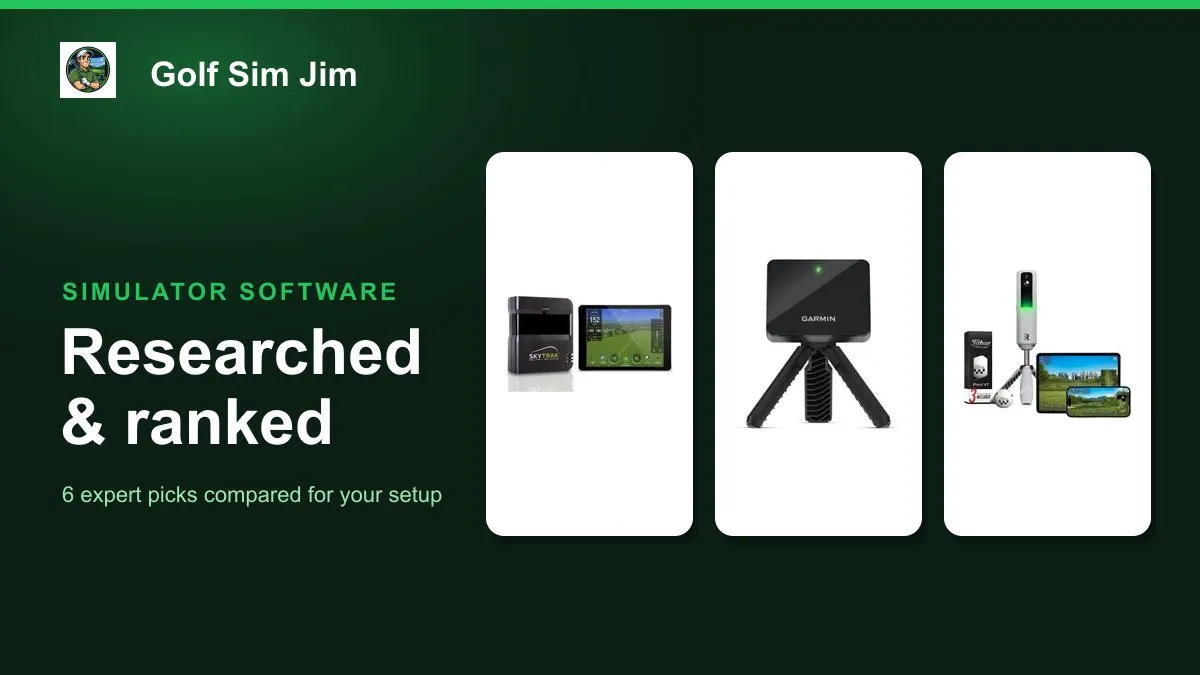
Golf simulator software is only as good as the hardware feeding it, so the smart way to choose is to look at the platforms and the programs together. This guide compares six real, widely owned simulator setups from around $200 to nearly $4,000, spanning free apps, subscription course play and full studio kits. We weighed each on the software it runs, from E6 Connect and TGC to GSPro and WGT, plus measurement accuracy, device and platform compatibility, course libraries and the true cost once subscriptions are added. Whether you want to play thousands of virtual courses on a budget, study deep shot data, or drop a turnkey studio into your garage, one of these picks fits. Below you will find the best overall software platform plus category winners for value, shot data, course play, budget and complete setups, followed by a plain buying guide to match the software to your room and your goals.
Table of contents
- Quick picks
- Price compared
- Comparison table
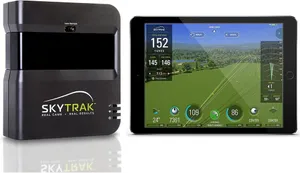
- Best Overall: SkyTrak Launch Monitor
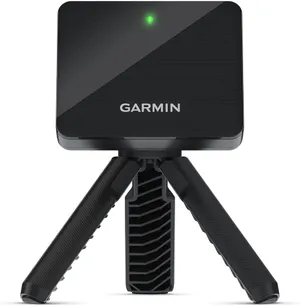
- Best Value: Garmin Approach R10
- Best for Shot Data: Rapsodo MLM2PRO
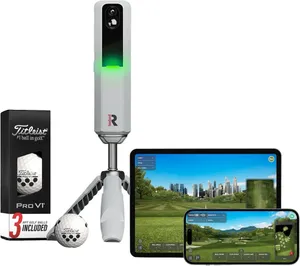
- Best for Course Play: PhiGolf Mobile Simulator
- Best Budget: Rapsodo Mobile Launch Monitor
- Best Complete Setup: SkyTrak ST MAX Studio Package
- How we researched these picks
- How to choose golf simulator software (buying guide)
- FAQ
Quick picks
Every pick wins a specific use case. Jump to the full review before you buy.
-
Best Overall
SkyTrak Launch Monitor
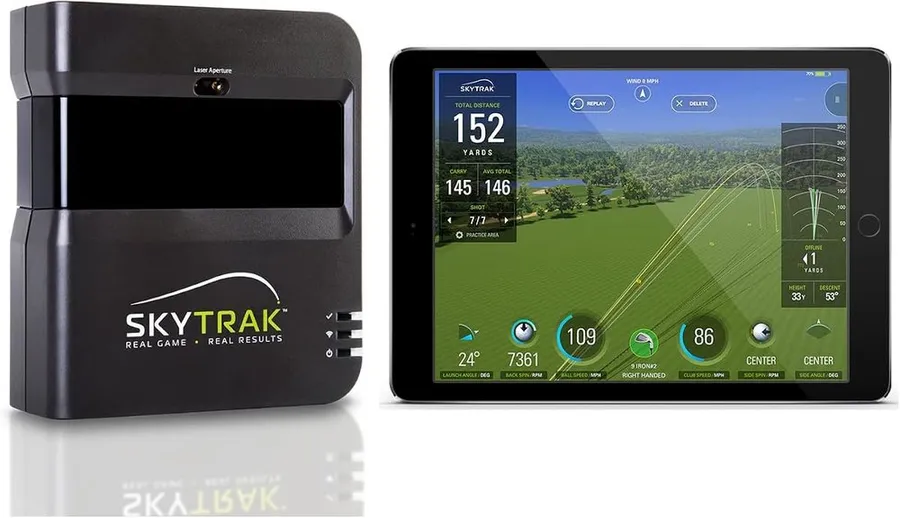
SkyTrak runs the widest range of premium simulator software, from TGC 2019 to E6 Connect, on accurate photometric hardware, which makes it the most flexible software platform for the money.
-
Best Value
Garmin Approach R10
The R10 pairs 14 metrics with the free Garmin Golf app and optional E6 Connect, delivering real simulator software at $499 with no forced subscription to get started.
-
Best for Shot Data
Rapsodo MLM2PRO
The MLM2PRO combines radar and dual cameras to report 15 metrics with Impact Vision video, and it opens the door to GSPro and Awesome Golf for serious practice software.
-
Best for Course Play
PhiGolf Mobile Simulator
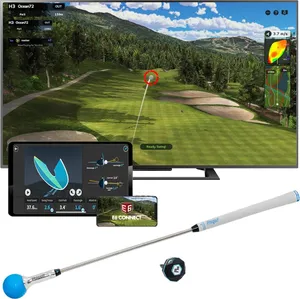
PhiGolf leans entirely on software, pairing a simple swing sensor with WGT and E6 Connect for access to more than 38,000 virtual courses at the lowest price here.
-
Best Budget
Rapsodo Mobile Launch Monitor
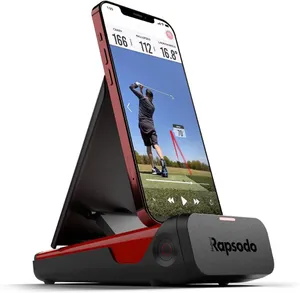
The original Rapsodo MLM delivers clean launch-monitor software and shot tracking for around $200, making it the cheapest credible way to add data to your practice.
-
Best Complete Setup
SkyTrak ST MAX Studio Package
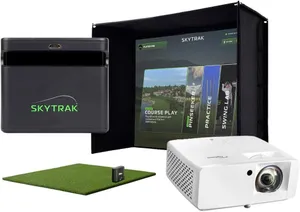
The ST MAX Studio Package bundles a hybrid radar-and-camera monitor with screen, mat, projector and trial software, so the whole simulator arrives ready to run out of the box.
Compare every pick
| Product | Award | Type | Software | Key metrics | Price | Warranty | Best for | Where to buy |
|---|---|---|---|---|---|---|---|---|
| SkyTrak Launch Monitor | Best Overall | Photometric camera | SkyTrak app, TGC 2019, E6 Connect, WGT | 10 ball and flight metrics | $699 | 1 year | Golfers who want the widest choice of simulator software on proven hardware | Check price on Amazon for SkyTrak Launch Monitor at Amazon (affiliate link) |
| Garmin Approach R10 | Best Value | Radar (Doppler) | Garmin Golf app, E6 Connect (subscription) | 14 club and ball metrics | $499 | 1 year | Golfers who want capable sim software without a mandatory monthly fee | Check price on Amazon for Garmin Approach R10 at Amazon (affiliate link) |
| Rapsodo MLM2PRO | Best for Shot Data | Radar plus dual camera | Rapsodo app, Impact Vision, GSPro and Awesome Golf ready | 15 metrics with video | $600 | 1 year | Data-driven golfers who want video feedback and deep practice software | Check price on Amazon for Rapsodo MLM2PRO at Amazon (affiliate link) |
| PhiGolf Mobile Simulator | Best for Course Play | Swing stick motion sensor | PhiGolf app, WGT, E6 Connect, 38,000+ courses | 3 swing metrics | $280 | 1 year | Casual players who mainly want to play virtual rounds affordably | Check price on Amazon for PhiGolf Mobile Simulator at Amazon (affiliate link) |
| Rapsodo Mobile Launch Monitor | Best Budget | Camera plus GPS | Rapsodo app (iPhone and iPad only) | 5 core metrics | $200 | 1 year | Budget-minded Apple users who want basic shot data at the range | Check price on Amazon for Rapsodo Mobile Launch Monitor at Amazon (affiliate link) |
| SkyTrak ST MAX Studio Package | Best Complete Setup | Radar plus camera hybrid | SkyTrak+ app, E6 Connect, TGC ready | 12 metrics with trial software | $3,995 | 1 year | Buyers who want a full room-ready simulator without sourcing parts separately | Check price on Amazon for SkyTrak ST MAX Studio Package at Amazon (affiliate link) |
Swipe sideways to compare every column.
Best Overall
SkyTrak Launch Monitor
by SkyTrak
SkyTrak runs the widest range of premium simulator software, from TGC 2019 to E6 Connect, on accurate photometric hardware, which makes it the most flexible software platform for the money.
What we like
- Compatible with TGC 2019, E6 Connect and WGT, the deepest software lineup here
- Photometric camera reads accurately just a few feet from a net, ideal for tight rooms
- Included metal case protects the unit for travel between home and range
- Large owner base and mature app after years on the market
What we don't
- Full course play and the best software tiers require a paid annual Play and Improve plan
| Type | Photometric camera |
|---|---|
| Software | SkyTrak app, TGC 2019, E6 Connect, WGT |
| Key metrics | 10 ball and flight metrics |
| Price | $699 |
| Warranty | 1 year |
| Install difficulty | Easy |
| Price bracket | $$ |
SkyTrak wins Best Overall for golf simulator software because it plays nicely with more of the good programs than anything else on this list. The same unit feeds TGC 2019 with its huge course library, E6 Connect for polished graphics and practice modes, and WGT for casual play. If your goal is to pick the software rather than have it picked for you, this is the platform that keeps the most doors open.
The hardware backs it up. A photometric camera measures the ball at impact, so it stays accurate a few feet in front of a net and does not need a deep bay the way a radar unit does. That makes SkyTrak a natural fit for a garage or spare-room build where space is tight and a projector screen sits close to the hitting mat.
The honest catch is cost beyond the box. The base app shows your numbers, but unlocking full course play and the E6 or TGC integrations means paying for an annual Play and Improve plan on top of the hardware. Budget for that recurring fee before you commit.
If you want one device that can grow into almost any simulator setup and you are comfortable with a subscription, SkyTrak is the safe pick. Buyers who refuse recurring costs, or who only want quick swing data, should look at the Garmin R10 or a budget option instead.
Research-based pick: this recommendation is based on product data, owner feedback and comparison with products we have tested, not on direct hands-on testing.
Buy it if: Golfers who want the widest choice of simulator software on proven hardware
Skip it if: You want free course play with no recurring subscription
Best Value
Garmin Approach R10
by Garmin
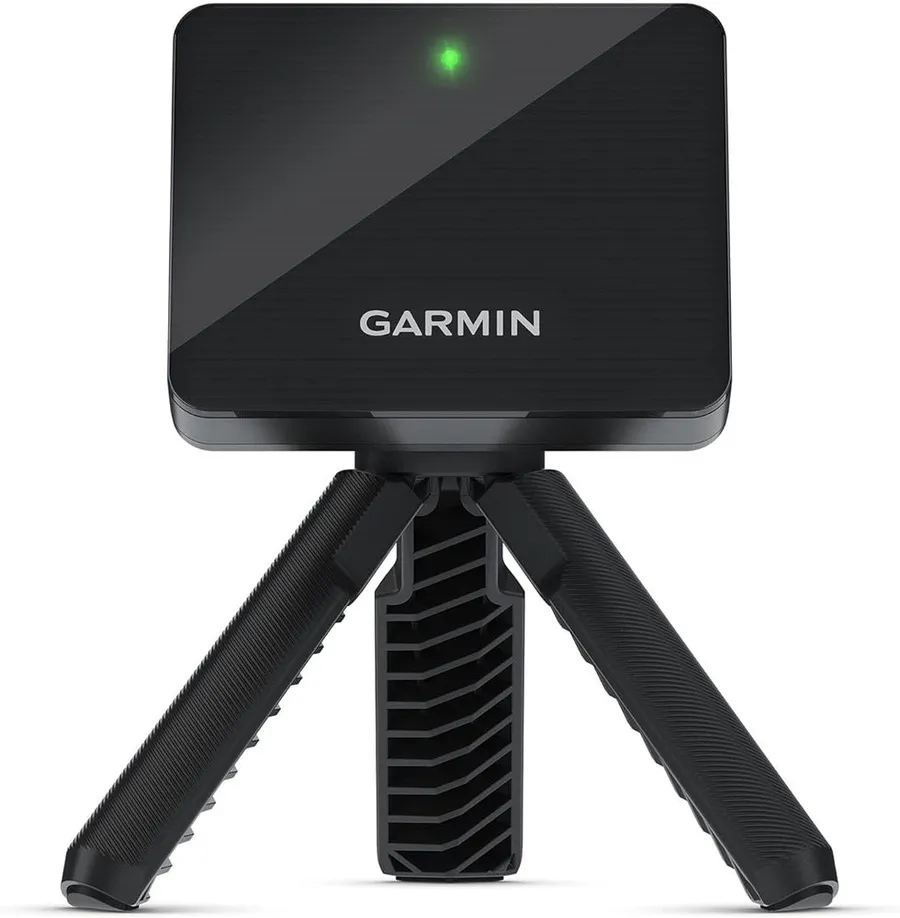
The R10 pairs 14 metrics with the free Garmin Golf app and optional E6 Connect, delivering real simulator software at $499 with no forced subscription to get started.
What we like
- Free Garmin Golf app includes practice ranges and a large virtual course library
- Optional E6 Connect adds premium simulator software when you want it
- Fourteen club and ball metrics from one pocket radar unit
- Bundled tripod, phone mount and case mean nothing else to buy
What we don't
- Doppler radar wants roughly 8 feet of ball flight, so a short garage bay limits indoor accuracy
| Type | Radar (Doppler) |
|---|---|
| Software | Garmin Golf app, E6 Connect (subscription) |
| Key metrics | 14 club and ball metrics |
| Price | $499 |
| Warranty | 1 year |
| Install difficulty | Easy |
| Price bracket | $$ |
The Approach R10 takes Best Value because it gives you usable simulator software for the lowest realistic entry price. The free Garmin Golf app is the star: it bundles practice ranges, video capture and a large library of virtual courses without a separate software charge. For golfers who just want to play a few holes indoors on a rainy day, that free tier alone justifies the purchase.
When you want more, the R10 also connects to E6 Connect, one of the most respected simulator programs, so the software can grow with your interest. You are not locked into a single ecosystem, and you can decide later whether premium course play is worth a subscription.
The limitation is space. As a Doppler radar unit it needs to watch the ball fly, ideally around 8 feet of travel, so a cramped garage bay against a close net will hurt its numbers. In a deep room, a backyard or on the range it reads well.
For most buyers building a first simulator on a budget, the R10 is the sensible middle path: real software, real metrics and no forced monthly cost. If your room is very shallow, a camera-based SkyTrak reads better up close.
Research-based pick: this recommendation is based on product data, owner feedback and comparison with products we have tested, not on direct hands-on testing.
Buy it if: Golfers who want capable sim software without a mandatory monthly fee
Skip it if: You only have a short indoor net with no room for the radar to read flight
Best for Shot Data
Rapsodo MLM2PRO
by Rapsodo
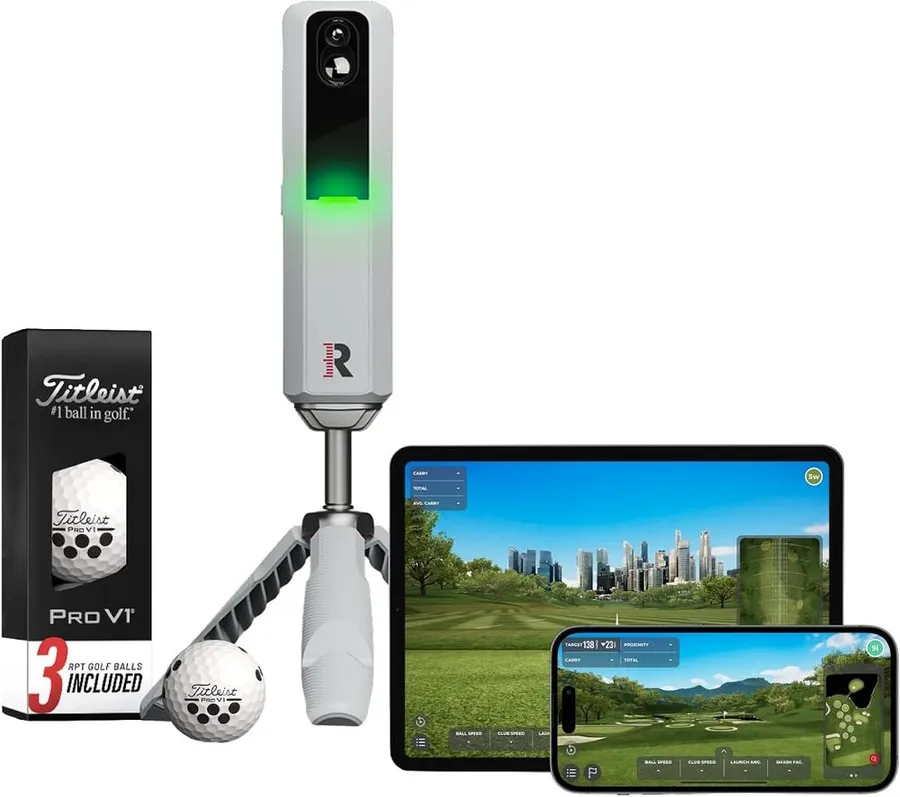
The MLM2PRO combines radar and dual cameras to report 15 metrics with Impact Vision video, and it opens the door to GSPro and Awesome Golf for serious practice software.
What we like
- Fifteen metrics with slow-motion Impact Vision video of every strike
- Dual camera plus radar reads both indoors and outdoors reliably
- Connects to GSPro and Awesome Golf for advanced simulator play
- Bundled Pro V1 balls with markings improve camera tracking accuracy
What we don't
- The richest data and course play sit behind a paid annual membership
| Type | Radar plus dual camera |
|---|---|
| Software | Rapsodo app, Impact Vision, GSPro and Awesome Golf ready |
| Key metrics | 15 metrics with video |
| Price | $600 |
| Warranty | 1 year |
| Install difficulty | Easy |
| Price bracket | $$ |
The Rapsodo MLM2PRO earns Best for Shot Data because it captures more about each swing than the other mid-priced units and turns it into software you can actually study. Fifteen metrics land in the app alongside Impact Vision, a slow-motion camera view of the ball leaving the face, which is genuinely useful for spotting strike patterns you cannot feel.
On the software side it reaches beyond its own app. The MLM2PRO connects to GSPro and Awesome Golf, two of the most respected simulator programs, so keen practicers can build a serious setup around it. The bundled marked Pro V1 balls also help the cameras track spin more reliably, which matters for the metrics that separate this unit from cheaper radars.
The trade-off is the membership. Much of the best data and the course play live behind Rapsodo Premium, a recurring annual fee. If you only want to hit a few casual shots, you will feel like you are paying for depth you never use.
Choose the MLM2PRO if you love numbers and video and want practice software that rewards attention. Golfers who just want to relax and play virtual holes will be happier with the Garmin R10 or PhiGolf.
Research-based pick: this recommendation is based on product data, owner feedback and comparison with products we have tested, not on direct hands-on testing.
Buy it if: Data-driven golfers who want video feedback and deep practice software
Skip it if: You want a simple play-a-round experience without studying numbers
Best for Course Play
PhiGolf Mobile Simulator
by PhiGolf
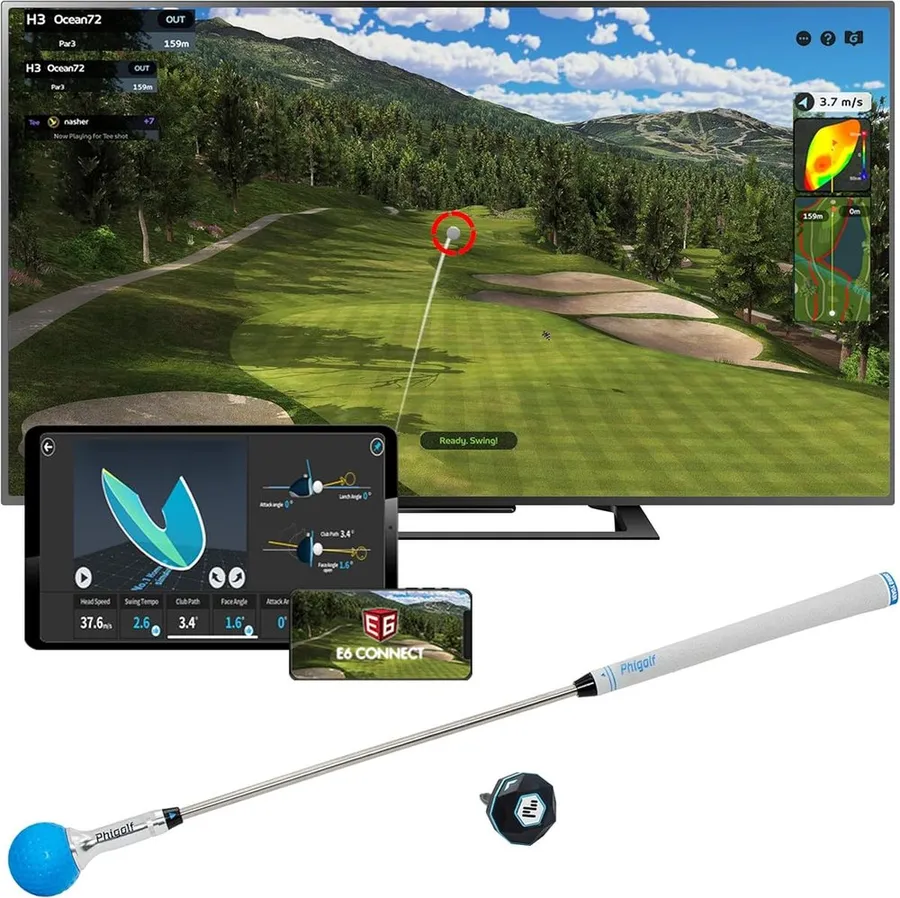
PhiGolf leans entirely on software, pairing a simple swing sensor with WGT and E6 Connect for access to more than 38,000 virtual courses at the lowest price here.
What we like
- Access to more than 38,000 courses through WGT and E6 Connect
- Works with both Android and iOS, unlike some camera units
- Swing stick and sensor pack down small for easy storage and travel
- Lowest cost route into full simulator course play
What we don't
- Sensor estimates swing data rather than measuring ball flight, so numbers are approximate
| Type | Swing stick motion sensor |
|---|---|
| Software | PhiGolf app, WGT, E6 Connect, 38,000+ courses |
| Key metrics | 3 swing metrics |
| Price | $280 |
| Warranty | 1 year |
| Install difficulty | Easy |
| Price bracket | $ |
PhiGolf takes Best for Course Play because it treats software as the whole point. Instead of a launch monitor, you get a swing stick with a motion sensor that feeds the PhiGolf app, WGT and E6 Connect. Through those platforms you reach more than 38,000 virtual courses, which is a staggering amount of golf to play for the price of a single premium simulator subscription.
It is also the friendliest option for mixed households. The system works on Android and iOS, so you are not tied to Apple hardware the way the original Rapsodo MLM is, and the whole kit packs down small enough to bring to a friend’s house or on a trip.
The compromise is accuracy. A swing sensor estimates your motion rather than reading the real ball, so the metrics are approximate and this is not the tool for dialing in launch angle or spin. Treat it as a fun, social way to play rounds rather than a practice instrument.
Buy PhiGolf if course play and low cost matter more than precise data. If you want to actually improve your ball striking with reliable numbers, step up to the Garmin R10 or Rapsodo MLM2PRO.
Research-based pick: this recommendation is based on product data, owner feedback and comparison with products we have tested, not on direct hands-on testing.
Buy it if: Casual players who mainly want to play virtual rounds affordably
Skip it if: You need accurate launch and spin data for practice or club fitting
Best Budget
Rapsodo Mobile Launch Monitor
by Rapsodo
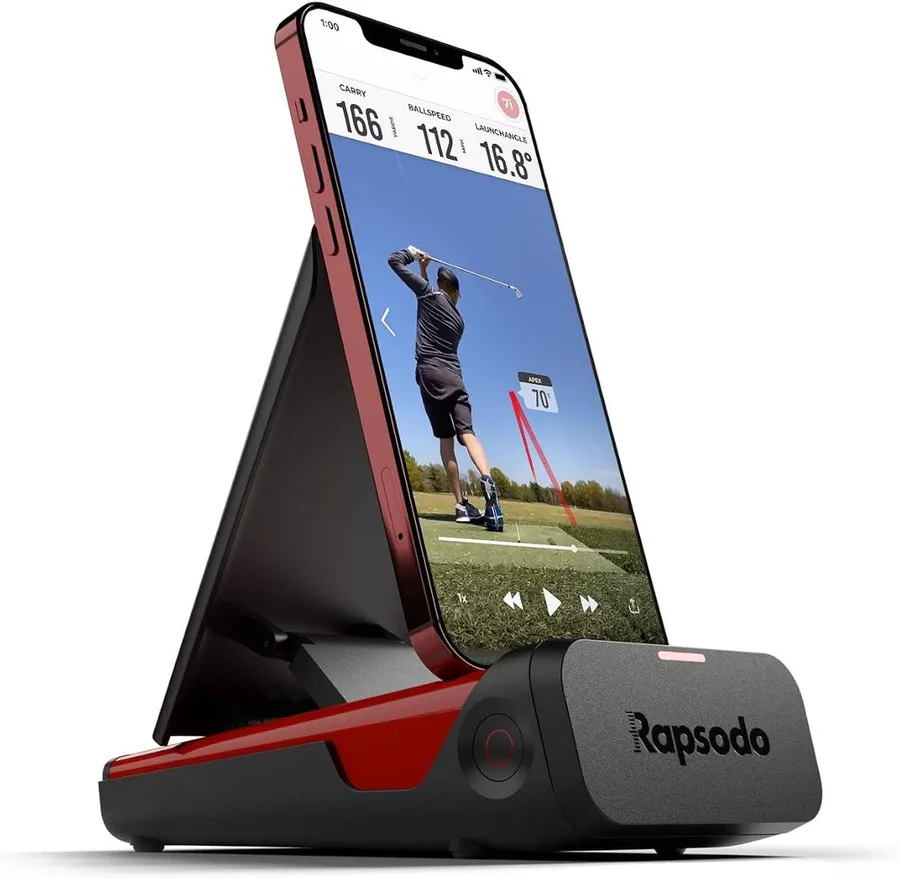
The original Rapsodo MLM delivers clean launch-monitor software and shot tracking for around $200, making it the cheapest credible way to add data to your practice.
What we like
- Lowest price of any real launch monitor on this list
- Free Rapsodo app with GPS satellite shot view and video capture
- Reports the core numbers most beginners actually need
- Huge owner base with thousands of verified reviews
What we don't
- Works with iPhone and iPad only, so Android users are shut out
| Type | Camera plus GPS |
|---|---|
| Software | Rapsodo app (iPhone and iPad only) |
| Key metrics | 5 core metrics |
| Price | $200 |
| Warranty | 1 year |
| Install difficulty | Easy |
| Price bracket | $ |
The original Rapsodo MLM wins Best Budget because it puts real launch-monitor software in your pocket for roughly the price of a wedge. The free Rapsodo app pairs with the camera to log ball speed, club speed, launch angle and distance, then overlays your shots on a GPS satellite view of the range with video you can review afterward. For a first taste of shot data, that is plenty.
It is a practice and tracking tool rather than a full simulator, and that focus keeps it simple. You point it down the line, hit shots and study the app. There is no complex calibration and no expensive screen to build around, which is exactly why so many beginners start here.
The real constraint is the platform lock. The MLM works with iPhone and iPad only, so Android owners cannot use it at all. It also reports fewer metrics than the pricier units and does not drive premium course-play software.
Pick the MLM if you own Apple hardware and want the cheapest honest way to see your numbers. Android users, or anyone who wants to play virtual courses, should move up to the Garmin R10 or MLM2PRO.
Research-based pick: this recommendation is based on product data, owner feedback and comparison with products we have tested, not on direct hands-on testing.
Buy it if: Budget-minded Apple users who want basic shot data at the range
Skip it if: You use Android or want full simulator course play
Best Complete Setup
SkyTrak ST MAX Studio Package
by SkyTrak
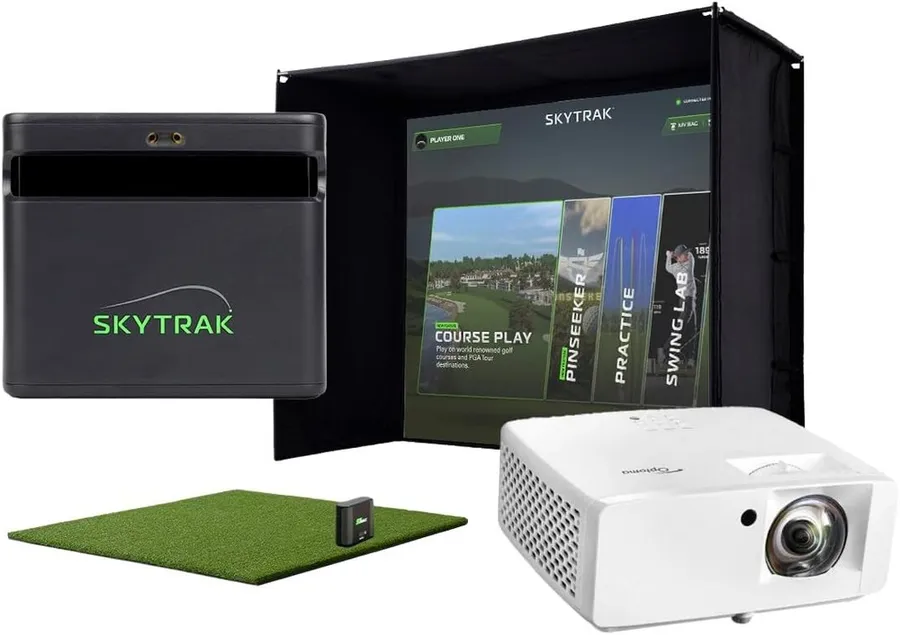
The ST MAX Studio Package bundles a hybrid radar-and-camera monitor with screen, mat, projector and trial software, so the whole simulator arrives ready to run out of the box.
What we like
- Everything included: launch monitor, enclosure, screen, mat and projector
- Hybrid radar and camera reads accurately both indoors and outdoors
- Runs SkyTrak+, E6 Connect and TGC-ready software on one platform
- Trial software included so you can play from day one
What we don't
- At nearly $4,000 it is by far the most expensive option here
| Type | Radar plus camera hybrid |
|---|---|
| Software | SkyTrak+ app, E6 Connect, TGC ready |
| Key metrics | 12 metrics with trial software |
| Price | $3,995 |
| Warranty | 1 year |
| Install difficulty | Moderate |
| Price bracket | $$$ |
The SkyTrak ST MAX Studio Package earns Best Complete Setup because it removes the hardest part of building a simulator: gathering compatible parts. Instead of buying a monitor, a screen, a mat and a projector separately and hoping they fit, you get a matched studio kit designed to work together, plus trial software so you can play the moment it is assembled.
The heart of it is the ST MAX monitor, a hybrid that uses both radar and cameras. That combination reads shots accurately in a small indoor room and still works out on the range, which is a genuine step up from single-technology units. On the software side it runs SkyTrak+, connects to E6 Connect and is ready for TGC, so the premium program lineup is strong.
The obvious drawback is price. At nearly $4,000 this is a serious commitment and far more than a standalone monitor. If you already own a screen and projector, buying the bundle means paying twice for gear you have.
Choose this package if you want a turnkey, room-ready simulator and value convenience over cost. Anyone building piece by piece, or watching a budget, is better served by a standalone SkyTrak or the Garmin R10.
Research-based pick: this recommendation is based on product data, owner feedback and comparison with products we have tested, not on direct hands-on testing.
Buy it if: Buyers who want a full room-ready simulator without sourcing parts separately
Skip it if: You are on a budget or already own a screen, mat and projector
How we researched these picks#
We built this list by starting from the simulator platforms people actually buy and run software on, then filtering hard on evidence and relevance. Every product here is a real, currently sold unit with a meaningful base of verified owner reviews, which keeps the list grounded in setups you can order and play today rather than spec-sheet promises.
For each candidate we pulled the manufacturer specifications, mapped exactly which simulator programs it supports, from free apps to E6 Connect, TGC 2019, GSPro and WGT, and then read across aggregated verified owner feedback. We compared the setups head to head on the factors that change a buying decision: the depth and quality of the software lineup, the size of the course library, measurement accuracy and the technology behind it, device and platform compatibility, and the true cost once subscriptions are added. We deliberately spread the final six across price brackets and use cases, from a $200 Apple-only tracker to a near-$4,000 studio kit, so there is a sensible pick for different budgets and rooms.
These recommendations are research-based, not hands-on tested. We have not run each platform on our own screen, so we lean on published specs, documented software compatibility and the consistent themes in owner feedback rather than our own range data. Where a setup has a real weakness, such as a required subscription or a platform lock, we call it out plainly.
How to choose golf simulator software (buying guide)#
Start with the software, then the hardware. The program decides your experience, so pick it first. If you want polished graphics and practice modes, look at E6 Connect. If you want the biggest community course list, TGC 2019. For serious data and driving-range realism, GSPro. Only then choose a launch monitor that is on that program’s supported-device list, because not every monitor runs every piece of software.
Match the technology to your space. Radar units read the ball in flight and want around 8 feet of travel, so they feed the software best in a deep room or outdoors. Photometric camera units measure at impact and stay accurate a few feet from a screen, which suits a tight garage. Hybrid units that use both, like the SkyTrak ST MAX, cover indoor and outdoor use but cost the most.
Add up the subscriptions, not just the sticker. Sticker price is only part of the cost. Free apps from Garmin and Rapsodo cover basic practice, but full course play on E6, TGC, GSPro or SkyTrak’s higher tiers means a recurring annual fee. Two units at the same price can have very different real costs once you factor in the software plan you actually want.
Check platform and device compatibility. Some setups are locked to one ecosystem. The original Rapsodo MLM works with iPhone and iPad only, so Android households should look elsewhere, while PhiGolf runs on both. Confirm the companion app supports your phone or tablet and that the monitor is officially supported by your chosen simulator program.
Decide whether you want to play or to practice. If your main goal is playing virtual rounds, prioritize a big course library and easy course-play software, as PhiGolf does. If you want to improve your ball striking, prioritize accuracy, metric depth and video feedback, which is where the Rapsodo MLM2PRO and SkyTrak shine. Buying for the wrong goal wastes money on features you will not use.
Weigh convenience against cost for the whole room. A standalone monitor plus your own screen, mat and projector is cheaper but takes assembly and part-matching. A complete studio package like the SkyTrak ST MAX arrives ready to run for a premium. Choose the bundle for turnkey convenience, or build piece by piece to save money and reuse gear you already own.
Frequently asked questions
Do I need a subscription to run golf simulator software?
Often, yes, for full course play. The Garmin Golf app is free and the original Rapsodo MLM app is free, both of which cover basic practice and shot tracking. The best programs, though, such as E6 Connect, TGC 2019 and GSPro, or the SkyTrak Play and Improve tiers, sit behind a paid annual plan. Add that recurring cost to the hardware price before you decide, because it changes the real value of two units at the same sticker price.
Which simulator software has the most courses?
For sheer volume, a WGT and E6 Connect setup like PhiGolf advertises more than 38,000 courses, the largest library here. TGC 2019, which SkyTrak supports, is also famous for a massive community-built course list. If playing many different virtual courses is your priority, choose a platform that connects to WGT, E6 or TGC rather than one limited to its own app.
Can I use golf simulator software with any launch monitor?
No, compatibility is specific. Each program supports a set list of monitors, so you must match them. SkyTrak works with TGC 2019, E6 Connect and WGT; the Rapsodo MLM2PRO connects to GSPro and Awesome Golf; the Garmin R10 pairs with the Garmin Golf app and E6 Connect. Always confirm your chosen monitor is on the supported-device list for the software you want before buying either one.
How much space do I need to run a golf simulator?
It depends on the hardware behind the software. Photometric camera units like SkyTrak read the ball at impact and work a few feet from a screen, so they suit tight garages. Radar units such as the Garmin R10 want roughly 8 feet of ball flight to feed the software accurate numbers. A swing-sensor setup like PhiGolf needs only room to swing, since it estimates rather than measures ball flight.
About the author

Jim Bennett Founder & lead reviewer
Jim is the guy behind Golf Sim Jim. He builds home golf simulators and compares launch monitors by the numbers that actually decide a setup, room fit, accuracy and software.
Home setup: Garage bay: SkyTrak+, 10 ft ceiling, BenQ LK936ST short-throw
- Launch monitor accuracy
- Home simulator builds
- Impact screens & enclosures
- Sim software (GSPro, E6, TGC)